Appointment Resolutions Form In Miami-Dade
Description


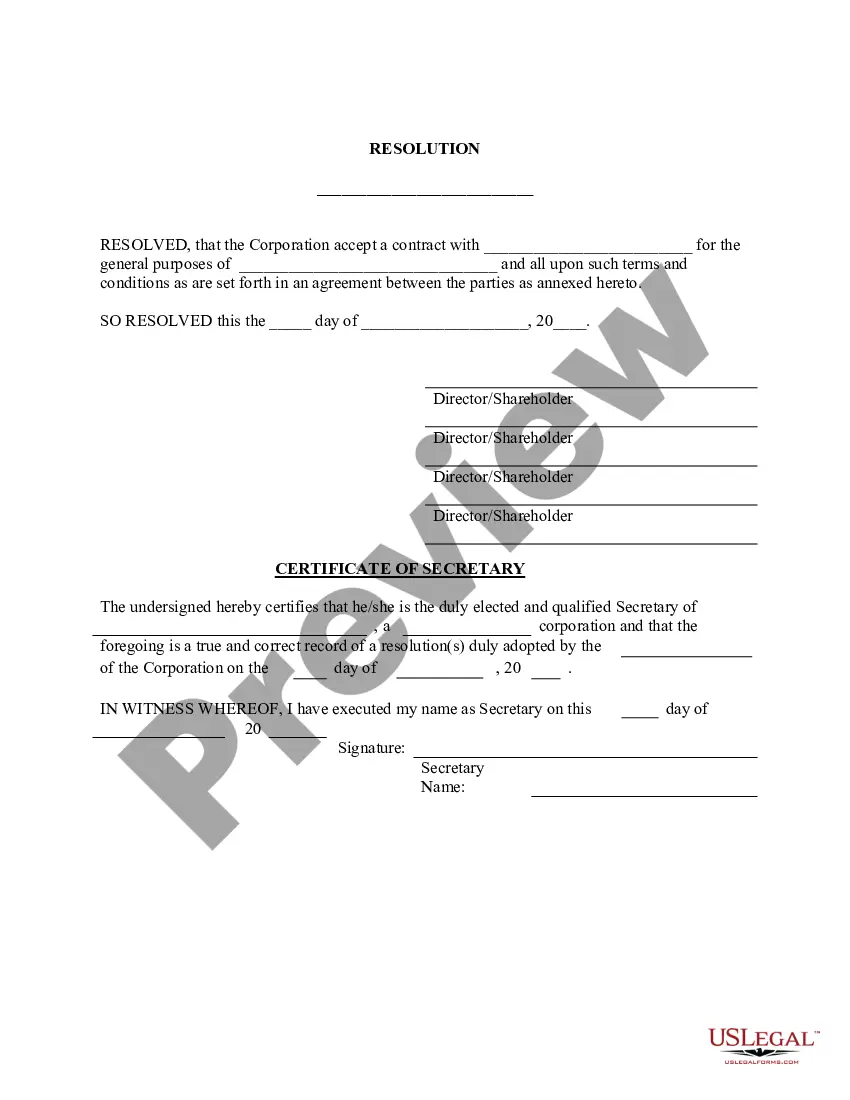
Get your form ready online
Our built-in tools help you complete, sign, share, and store your documents in one place.
Make edits, fill in missing information, and update formatting in US Legal Forms—just like you would in MS Word.
Download a copy, print it, send it by email, or mail it via USPS—whatever works best for your next step.
Sign and collect signatures with our SignNow integration. Send to multiple recipients, set reminders, and more. Go Premium to unlock E-Sign.
If this form requires notarization, complete it online through a secure video call—no need to meet a notary in person or wait for an appointment.
We protect your documents and personal data by following strict security and privacy standards.

Make edits, fill in missing information, and update formatting in US Legal Forms—just like you would in MS Word.

Download a copy, print it, send it by email, or mail it via USPS—whatever works best for your next step.

Sign and collect signatures with our SignNow integration. Send to multiple recipients, set reminders, and more. Go Premium to unlock E-Sign.

If this form requires notarization, complete it online through a secure video call—no need to meet a notary in person or wait for an appointment.

We protect your documents and personal data by following strict security and privacy standards.
Looking for another form?





Form popularity
FAQ
Documents are recorded at the Clerk of the Courts, MIAMI-DADE COUNTY RECORDER, COURTHOUSE EAST, 22 N.W. First Street, 1st Floor, Miami, FL 33128. You can record the Notice of Commencement by mail. The original Notice should be sent to the County Recorder, P.O. Box 011711, Flagler Station, Miami, Florida 33101.
The claim can be filled and submitted online at the Miami-Dade County Clerk's Office. You may print out the application and file the claim in person at a local courthouse if you choose.
You, the plaintiff, must file a “Statement of Claim” form, available at your Clerk's office. This must be fully completed and signed to receive a pre-trial conference date. If your claim is based upon written documentation, attach a copy of the contract to the Statement of Claim form. You may file by mail or in person.
To file a formal consumer complaint, complete the below affidavit and save a copy of your completed affidavit for your records. You can print, sign, date and submit the affidavit by email (send as a pdf attachment to consumer@miamidade), fax to 786-469-2303 or mail to the address at the top of the affidavit.
The claim can be filled and submitted online at the Miami-Dade County Clerk's Office. You may print out the application and file the claim in person at a local courthouse if you choose. More resources are available on the Miami-Dade County Law Library site.
You may plead not guilty and request a court hearing online, by visiting our Traffic Online System or by filling out the Request for Trial Form. Once the form has been completed, you may submit your request in person by visiting the Richard E. Gerstein Justice Building, any of our District Court Locations, or by mail.
Contesting a ticket in court can lead to the following benefits: The ticket being annulled, which means it will not be reflected in your driving record. Avoiding the accumulation of points on your driver's license. Avoiding potential increase in car insurance rates that may result from a speeding violation.
Your argument should be clear, concise, and persuasive. State the reasons why you believe you should not have been charged and present any evidence that supports your case. Use specific examples and be as detailed as possible.
Documents are recorded at the Clerk of the Courts, MIAMI-DADE COUNTY RECORDER, COURTHOUSE EAST, 22 N.W. First Street, 1st Floor, Miami, FL 33128. You can record the Notice of Commencement by mail. The original Notice should be sent to the County Recorder, P.O. Box 011711, Flagler Station, Miami, Florida 33101.

