Appointment Resolutions Form In Maryland
Description


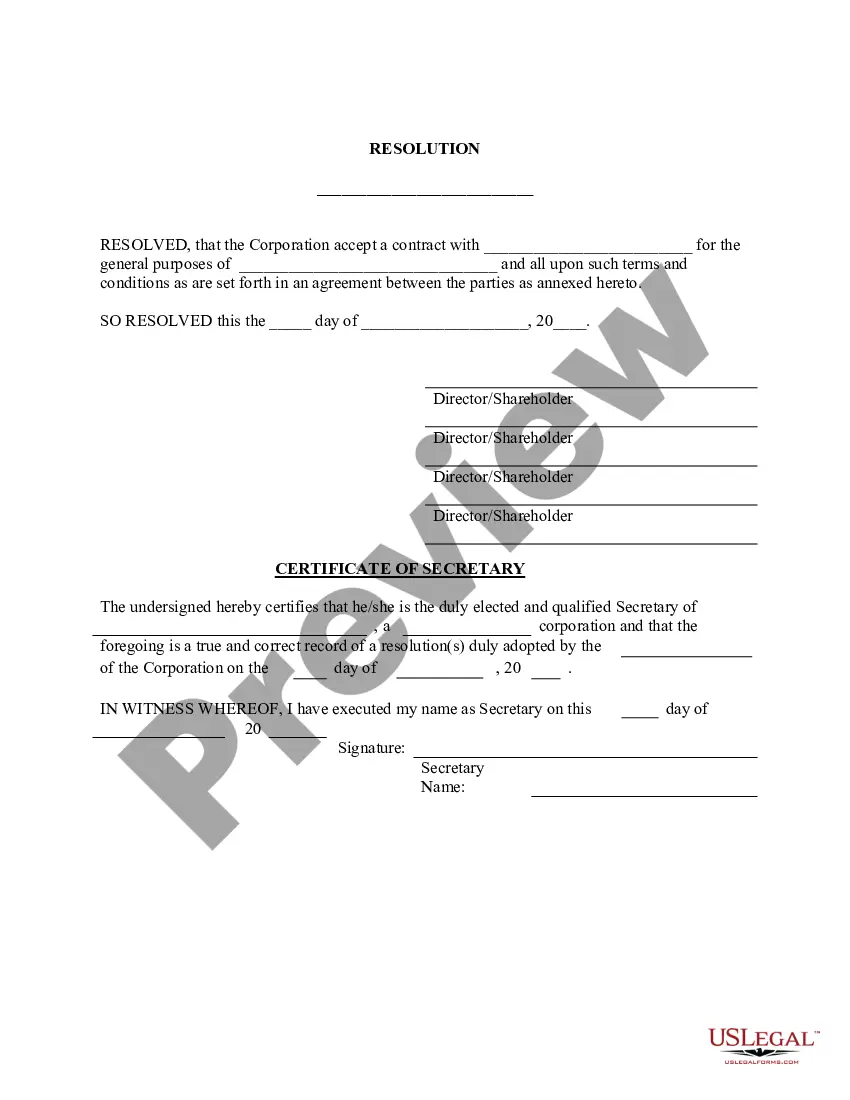
Get your form ready online
Our built-in tools help you complete, sign, share, and store your documents in one place.
Make edits, fill in missing information, and update formatting in US Legal Forms—just like you would in MS Word.
Download a copy, print it, send it by email, or mail it via USPS—whatever works best for your next step.
Sign and collect signatures with our SignNow integration. Send to multiple recipients, set reminders, and more. Go Premium to unlock E-Sign.
If this form requires notarization, complete it online through a secure video call—no need to meet a notary in person or wait for an appointment.
We protect your documents and personal data by following strict security and privacy standards.

Make edits, fill in missing information, and update formatting in US Legal Forms—just like you would in MS Word.

Download a copy, print it, send it by email, or mail it via USPS—whatever works best for your next step.

Sign and collect signatures with our SignNow integration. Send to multiple recipients, set reminders, and more. Go Premium to unlock E-Sign.

If this form requires notarization, complete it online through a secure video call—no need to meet a notary in person or wait for an appointment.

We protect your documents and personal data by following strict security and privacy standards.
Looking for another form?








Form popularity
FAQ
How do I form a corporation in Maryland? Step 1: Name your Maryland corporation. Step 2: Appoint directors. Step 3: Choose a Maryland resident agent. Step 4: File the Maryland Articles of Incorporation. Step 5: Create corporate bylaws. Step 6: Draft a shareholder agreement. Step 7: Issue shares of stock.
Maryland allows professionals, such as accountants, attorneys and physicians, to form a professional corporation (PC). After forming a corporation, you must undertake certain steps on an ongoing basis to keep your business in compliance.
What's included in a corporate resolution? Legal company identification. Company legal name. Title and purpose of the resolution. Signatures of the individual(s) designated to sign resolutions (typically a chairman) List of board members present at the meeting. Date, time, and location of a board meeting.
Each member of the professional entity must be licensed to practice the same profession in Maryland. A professional entity can be a corporation or a limited liability company. Maryland law does not recognize a PLLC (professional limited liability company). However, professionals can organize as an LLC.
CALIFORNIA. You can form a professional corporation, but professional LLCs are not allowed.
Secretary. For 20-plus years, Tisha Edwards has combined the reach of public service and agility of the private sector to ensure all families have access to the resources and opportunities they need to succeed.
One of the key differences between a corporation and a professional corporation is that the shareholders of a professional corporation must be licensed professionals who are authorized to provide professional services in their respective fields. This requirement does not apply to a regular corporation.
Commissioners are appointed by the Administrative Judge of the assigned District with the approval of the Chief Judge.
How Do You Apply for an Emergency Evaluation? Step 1: Complete the petition. Obtain a Petition for Emergency Evaluation (CC-DC-013) from the court clerk's office or online here. Step 2: File the petition. File the Petition for Emergency Evaluation during court hours. Step 3: Attend hearing the same day.
You may file a petition for emergency evaluation only if you have reason to believe that the person you're filing for: • has a mental disorder, which means their behavior or other symptoms indicate a clear disturbance in the person's mental functioning (mental disorder does not include intellectual disability) and • ...

