Pa Increase Rent Form 4
Description
Get your form ready online
Our built-in tools help you complete, sign, share, and store your documents in one place.
Make edits, fill in missing information, and update formatting in US Legal Forms—just like you would in MS Word.
Download a copy, print it, send it by email, or mail it via USPS—whatever works best for your next step.
Sign and collect signatures with our SignNow integration. Send to multiple recipients, set reminders, and more. Go Premium to unlock E-Sign.
If this form requires notarization, complete it online through a secure video call—no need to meet a notary in person or wait for an appointment.
We protect your documents and personal data by following strict security and privacy standards.

Make edits, fill in missing information, and update formatting in US Legal Forms—just like you would in MS Word.

Download a copy, print it, send it by email, or mail it via USPS—whatever works best for your next step.

Sign and collect signatures with our SignNow integration. Send to multiple recipients, set reminders, and more. Go Premium to unlock E-Sign.

If this form requires notarization, complete it online through a secure video call—no need to meet a notary in person or wait for an appointment.

We protect your documents and personal data by following strict security and privacy standards.
Looking for another form?

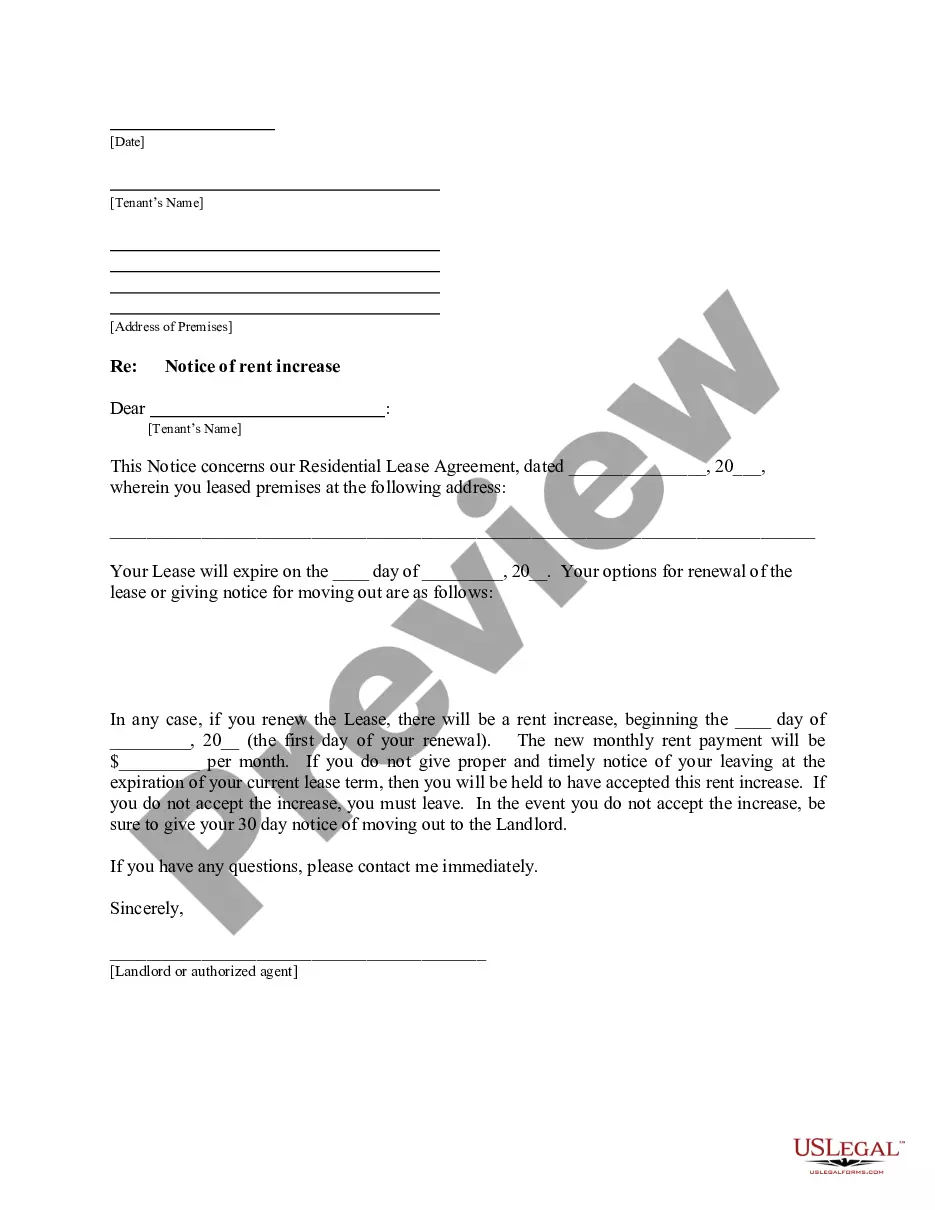
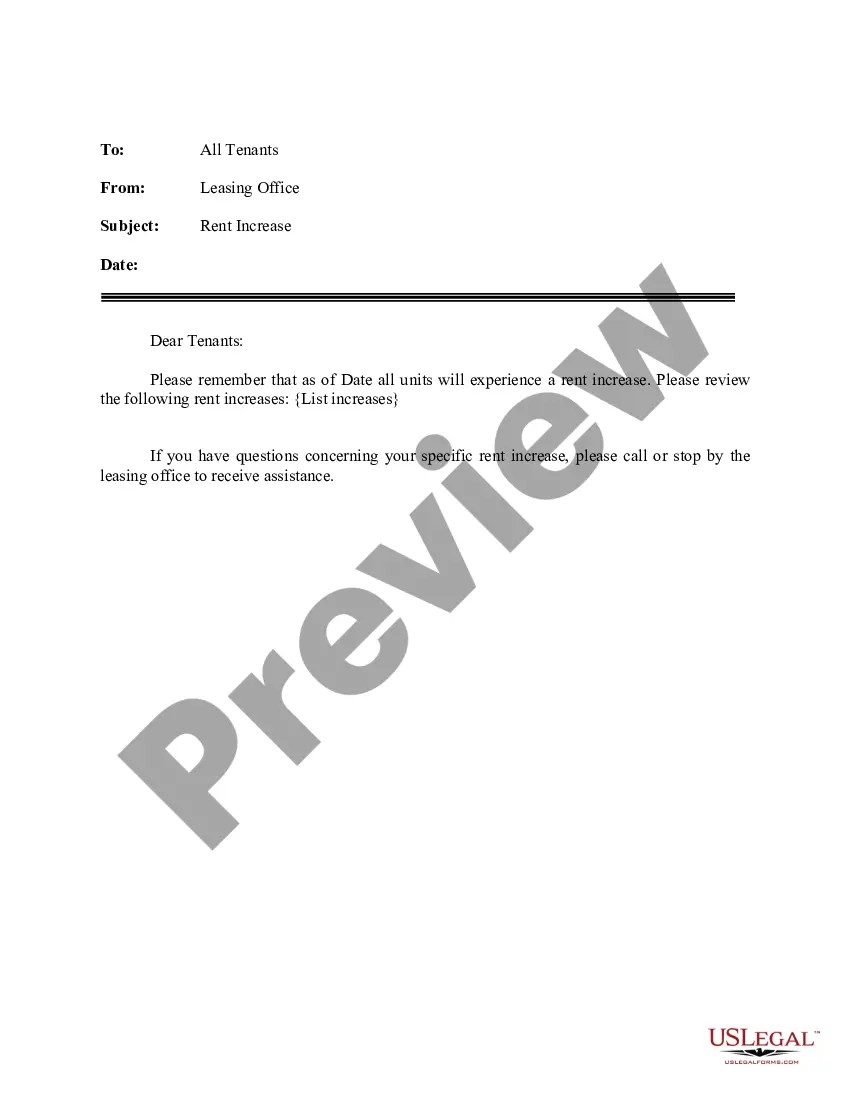
How to fill out Pennsylvania Letter From Landlord To Tenant About Intent To Increase Rent And Effective Date Of Rental Increase?
Managing legal documents can be perplexing, even for the most adept professionals.
If you're looking for a Pa Increase Rent Form 4 but lack the time to search for the correct and updated version, the process can be stressful.
Utilize sophisticated tools to complete and oversee your Pa Increase Rent Form 4.
Access a wealth of articles, guides, handbooks, and materials relevant to your situation and requirements.
Ensure it is the correct form by previewing it and checking its description.
- Save time and effort in finding the documents you need, and use US Legal Forms’ advanced search and Review feature to discover the Pa Increase Rent Form 4 and obtain it.
- If you have a subscription, Log In to your US Legal Forms account, search for the form, and retrieve it.
- Check the My documents section to view the documents you have previously downloaded and to organize your folders as desired.
- If this is your first experience with US Legal Forms, create a free account to enjoy unrestricted access to all the platform's benefits.
- Here are the steps to follow after retrieving the form you require.
- A comprehensive online form directory could significantly benefit anyone looking to navigate these scenarios effectively.
- US Legal Forms stands out as a leader in online legal forms, offering over 85,000 state-specific legal documents accessible to you at any time.
- With US Legal Forms, you have the ability to manage your legal documentation needs seamlessly.
Form popularity
FAQ
To undo an action, press Ctrl + Z. To redo an undone action, press Ctrl + Y.
To reverse your last action, press CTRL+Z. You can reverse more than one action. To reverse your last Undo, press CTRL+Y. You can reverse more than one action that has been undone.
To undo or redo the most recent change, choose Edit > Undo. (You can sequentially undo a series of recent changes.) To undo a change, and all successive changes that occurred since you last opened a project, delete it from the History panel.
You will find to undo and redo buttons in the top left corner of the page. The undo button is an arrow pointing left, the redo button is an arrow pointing right. Alternatively, you can undo the last changes by pressing Ctrl+Z. You can reverse the last undo command by pressing Shift+Ctrl+Z.
How Much Can A Landlord Raise Rent in Pennsylvania? Pennsylvania has no rent-control law. Landlords may raise the rent as much as they want. However, changes must be made in ance with your contract (your lease).
Under the right to a safe and habitable home, a landlord cannot force a tenant to move into a home or unit ?as-is? and cannot demand that the tenant be responsible for repairs. To be safe, and habitable, a unit or home should have: Working smoke alarms. Working hot water.
Dear [TENANT NAME(S)], As indicated in your lease, your lease at [PROPERTY ADDRESS] will end on [LEASE EXPIRATION DATE ? write in full]. Please note that the monthly rent for the above [PROPERTY ADDRESS] will increase from [OLD RENT AMOUNT] to [NEW RENT AMOUNT] effective [DATE OF NEW LEASE ? write in full].
How Much Can a Landlord Raise Rent in Pennsylvania? Pennsylvania has no statewide legislation regarding rent control, so you can increase rent as much as you see fit. However, you cannot raise the rent in retaliation because the tenant exercised a legal right or filed a complaint of discrimination.