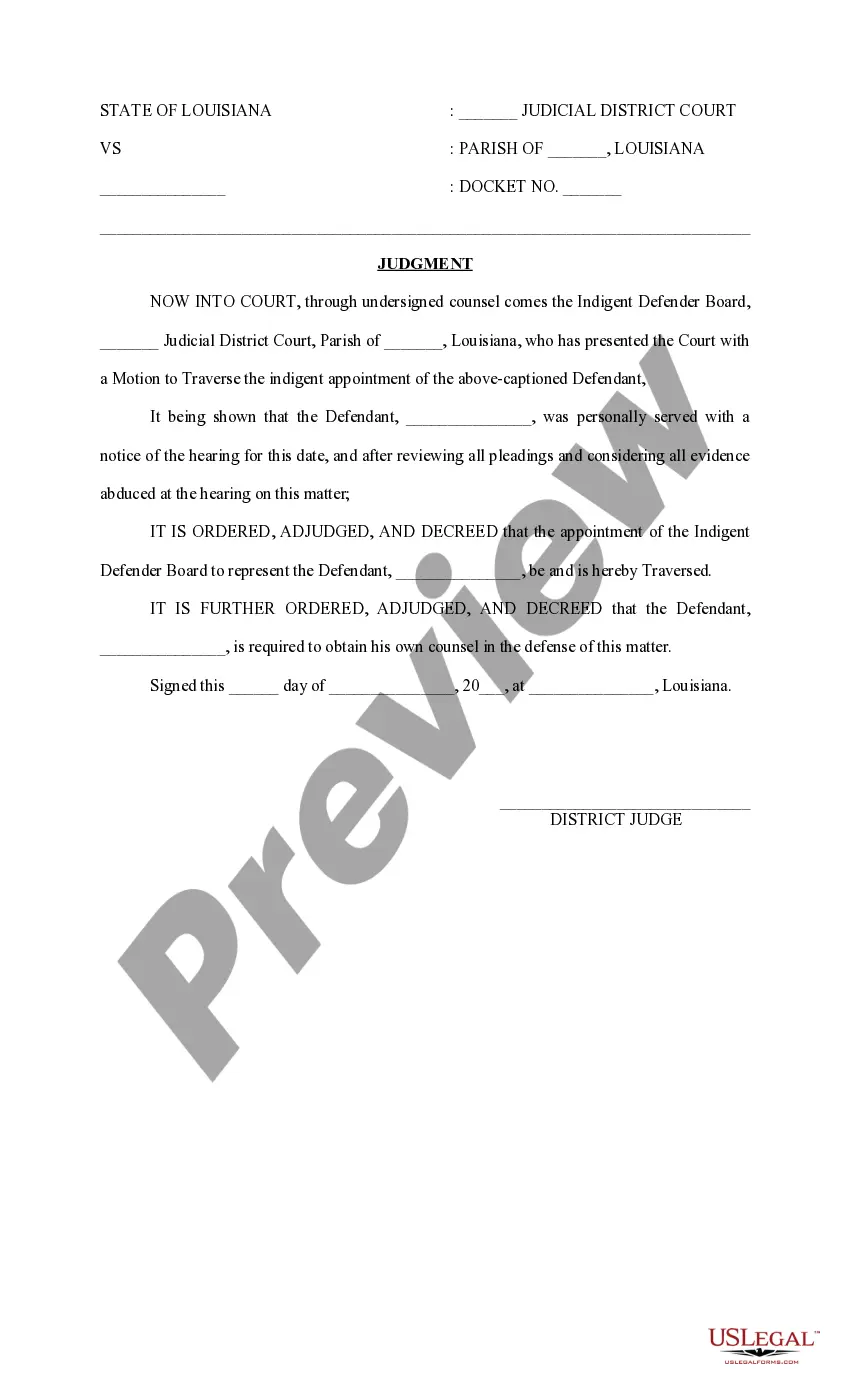
Motion To Traverse California
Description
Get your form ready online
Our built-in tools help you complete, sign, share, and store your documents in one place.
Make edits, fill in missing information, and update formatting in US Legal Forms—just like you would in MS Word.
Download a copy, print it, send it by email, or mail it via USPS—whatever works best for your next step.
Sign and collect signatures with our SignNow integration. Send to multiple recipients, set reminders, and more. Go Premium to unlock E-Sign.
If this form requires notarization, complete it online through a secure video call—no need to meet a notary in person or wait for an appointment.
We protect your documents and personal data by following strict security and privacy standards.

Make edits, fill in missing information, and update formatting in US Legal Forms—just like you would in MS Word.

Download a copy, print it, send it by email, or mail it via USPS—whatever works best for your next step.

Sign and collect signatures with our SignNow integration. Send to multiple recipients, set reminders, and more. Go Premium to unlock E-Sign.

If this form requires notarization, complete it online through a secure video call—no need to meet a notary in person or wait for an appointment.

We protect your documents and personal data by following strict security and privacy standards.
Looking for another form?









How to fill out Louisiana Judgment On Motion To Traverse?
Locating a reliable source to obtain the newest and suitable legal templates is half the battle when dealing with bureaucracy. Identifying the correct legal documents requires accuracy and meticulousness, which is why it's crucial to source Motion To Traverse California templates from reputable providers like US Legal Forms. A faulty form will squander your time and hinder your situation.
With US Legal Forms, there’s minimal reason to worry. You can access and review all the details regarding the document’s application and relevance for your situation and in your specific jurisdiction.
After obtaining the form on your device, you can modify it using the editor or print it out and fill it in manually. Eliminate the hassles associated with your legal documentation. Explore the extensive US Legal Forms library where you can discover legal templates, assess their relevance to your needs, and download them instantly.
- Utilize the catalog navigation or search function to find your template.
- Examine the form’s description to ensure it meets the criteria of your state and region.
- Preview the form, if available, to confirm it is indeed the document you need.
- Return to the search to locate the correct template if the Motion To Traverse California does not meet your requirements.
- Once you are confident about the form’s relevance, download it.
- If you are a registered user, click Log in to verify your identity and access your selected documents in My documents.
- If you have not created an account yet, click Buy now to acquire the form.
- Select the pricing plan that aligns with your needs.
- Continue with the registration process to finalize your purchase.
- Complete your transaction by choosing a payment method (credit card or PayPal).
- Select the file format for downloading Motion To Traverse California.
Form popularity
FAQ
How to Apply for a Lost or Duplicate South Carolina Car Title Contact your local DMV. First, contact your DMV and tell them you'd like to apply for a South Carolina car title, explaining why you don't have the original title. ... Complete the South Carolina application for a certificate of title. ... Submit the application.
If you lost your vehicle registration, you may purchase a duplicate registration online. You may also purchase a duplicate registration at an SCDMV branch. If you lost the decal for your license plate, you may purchase a duplicate decal online.
Does a vehicle title have to be notarized in South Carolina? No. A notary does not have to witness the buyer and the seller signing the vehicle title.
First assignment completed on title: buyer's name and address, lienholder information (if applicable), odometer reading, sales price, date of sale, seller's signature, buyer's signature. If assignment on title does not have section for sales price, a bill of sale must accompany paperwork.
When your vehicle is "registered," it will have a valid license plate on the back, decal in the lower righthand corner of the plate, and registration card you keep inside the vehicle (many people put this in their glove box). A registration cannot be issued without a title first being issued.
400-IS. Title and Registration Application Information Sheet.
TR-2. This DMV form is used to report abandoned, derelict or unclaimed vehicles or mobile homes. If you are reporting information, complete and sign page 1 of the form only. If you are reporting and requesting information, you must complete and sign page 1 and 2 of the form before information is released.
In the small box to the right, fill in the Date of Sale and Sale Price on the lines provided. The Buyer(s) signs, and prints name on the line beneath the odometer section. At bottom right, the seller(s) signs on the indicated line, and prints name on the line provided beneath, and the address on the line below that.