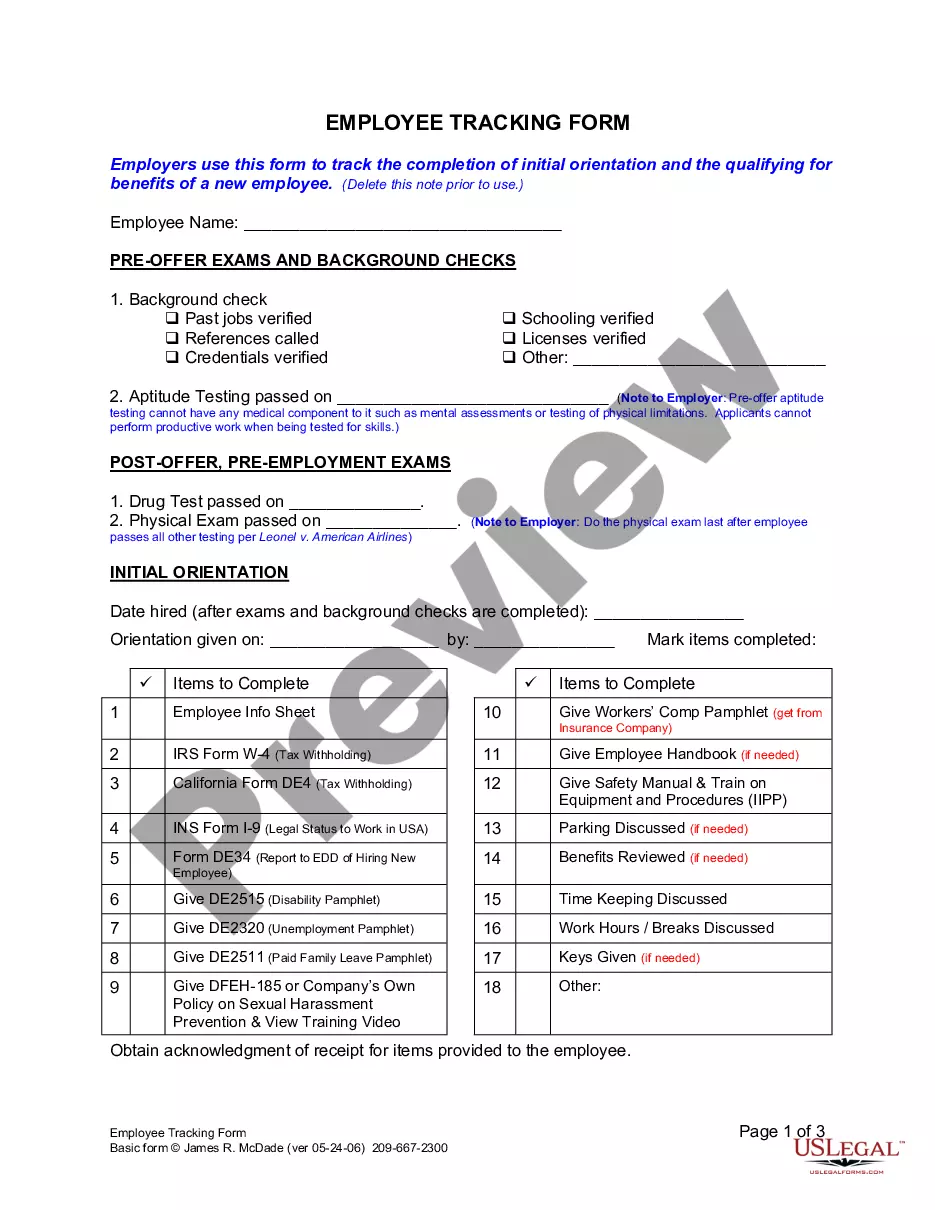
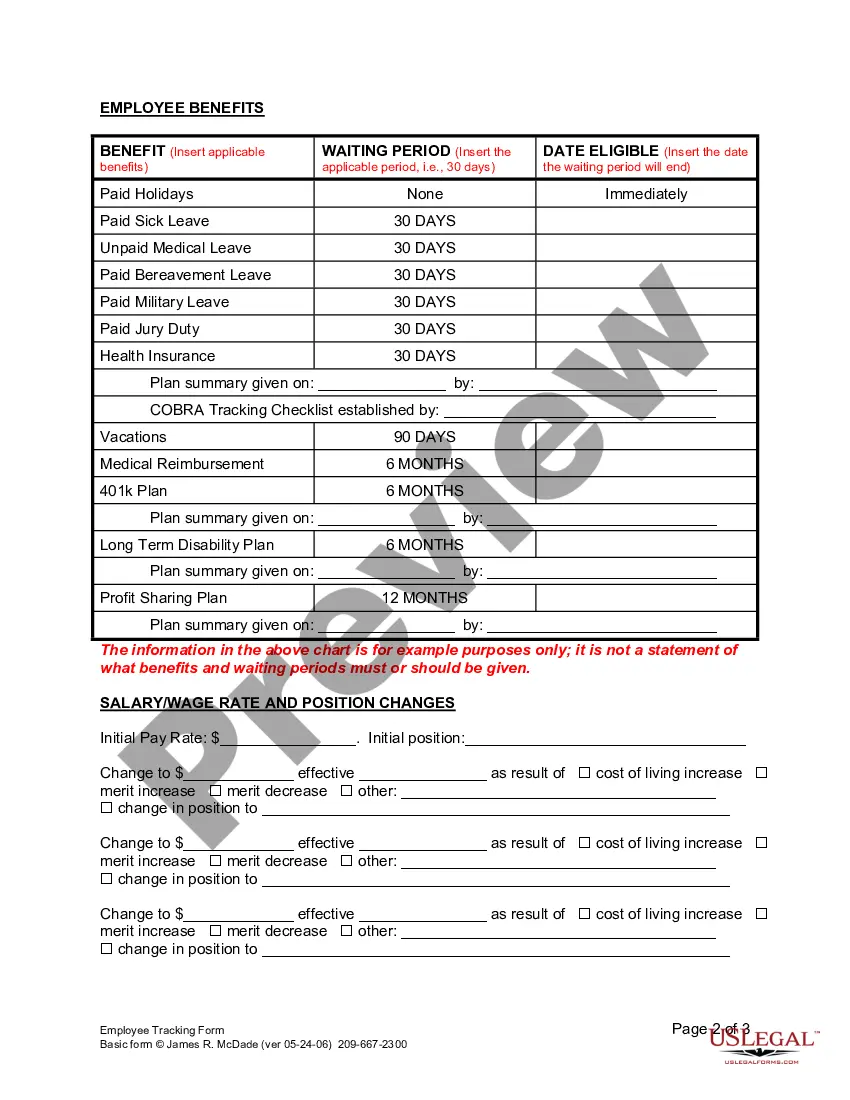
Employee Tracking Form With Time Slots
Description

Get your form ready online
Our built-in tools help you complete, sign, share, and store your documents in one place.
Make edits, fill in missing information, and update formatting in US Legal Forms—just like you would in MS Word.
Download a copy, print it, send it by email, or mail it via USPS—whatever works best for your next step.
Sign and collect signatures with our SignNow integration. Send to multiple recipients, set reminders, and more. Go Premium to unlock E-Sign.
If this form requires notarization, complete it online through a secure video call—no need to meet a notary in person or wait for an appointment.
We protect your documents and personal data by following strict security and privacy standards.

Make edits, fill in missing information, and update formatting in US Legal Forms—just like you would in MS Word.

Download a copy, print it, send it by email, or mail it via USPS—whatever works best for your next step.

Sign and collect signatures with our SignNow integration. Send to multiple recipients, set reminders, and more. Go Premium to unlock E-Sign.

If this form requires notarization, complete it online through a secure video call—no need to meet a notary in person or wait for an appointment.

We protect your documents and personal data by following strict security and privacy standards.
Looking for another form?







How to fill out California Employee Tracking Form?
Managing legal documents can be aggravating, even for seasoned professionals.
When you're searching for an Employee Tracking Form With Time Slots and lack the time to invest in locating the correct and current version, the process can be overwhelming.
Access legal and organizational forms specific to your state or county.
US Legal Forms caters to any needs you might have, from personal to business documents, all in one place.
If it’s your first experience with US Legal Forms, create an account and gain unlimited access to all the advantages of the library. Below are the steps to follow after downloading the form you need: Validate that this is the correct form by previewing it and reviewing its details. Ensure that the template is recognized in your state or county. Click Buy Now when you are ready. Select a monthly subscription plan. Choose the format you require, and Download, complete, eSign, print, and submit your documents. Enjoy the US Legal Forms online repository, supported by 25 years of expertise and trustworthiness. Transform your daily document management into a simple and user-friendly process today.
- Utilize advanced tools to fill out and manage your Employee Tracking Form With Time Slots.
- Access a valuable resource library of articles, guides, and manuals tailored to your circumstances and requirements.
- Save time and effort searching for the documentation you require, and take advantage of US Legal Forms' sophisticated search and Preview feature to locate and download the Employee Tracking Form With Time Slots.
- If you have a subscription, Log In to your US Legal Forms account, search for the form, and download it.
- Visit the My documents tab to discover the documents you have previously saved and manage your folders as you see fit.
- A robust online form repository can be a transformative solution for anyone looking to handle these matters effectively.
- US Legal Forms is a leader in online legal documentation, featuring over 85,000 state-specific legal forms accessible at any moment.
- With US Legal Forms, you can.
Form popularity
FAQ
Follow the steps below to calculate hours worked in Excel: Create labeled placeholders. ... Input the times into their respective cells. ... Use a formula to calculate hours the employee worked. ... Determine the employee's pay for that shift. ... Calculate the total weekly hours and pay.
Enter relevant information such as the name of the employee, employee number, department and manager. Create five columns below the information that you have entered in the spreadsheet. These columns can be used for the date, start and end times as well as the total amount of hours worked.
5 Ways To Track Employee Hours Manual Time Tracking. The easiest way to start if you're not doing any sort of time tracking is to start manually. ... Manual Timesheets. Manual timesheets are just a notch above manual time tracking. ... Time Tracking Software. ... Time Clocks. ... GPS Clock-In.
How to Create a Timesheet in Microsoft Excel Download an Excel Timesheet Template. Prepare the Timesheet Template. Enter Identifying Information. Enter the Rates of Pay. Enter the Employee's Hours Worked. Calculate and Enter the Type of Hours Worked. Verify Your Information and Save Your Timesheet.
To fill out a paper timesheet, you need to write down important information such as your name, days worked in a week, hours worked on each working day, type of project or work done on those days, and any other notes. You should have all of these details separated by columns or rows.