Residential Real Estate Sales Disclosure Statement
California Law Summary - Seller's
Disclosure
CALIFORNIA CODES
CIVIL CODE
SECTION 1102-1102.18

1102.  (a) Except as provided in Section 1102.2, this article
applies to any transfer by sale, exchange, installment land sale
contract, as defined in Section 2985, lease with an option to
purchase, any other option to purchase, or ground lease coupled with
improvements, of real property or residential stock cooperative,
improved with or consisting of not less than one nor more than four
dwelling units.
  (b) Except as provided in Section 1102.2, this article shall apply
to a resale transaction entered into on or after January 1, 2000,
for a manufactured home, as defined in Section 18007 of the Health
and Safety Code, or a mobilehome, as defined in Section 18008 of the
Health and Safety Code, which manufactured home or mobilehome is
classified as personal property and intended for use as a residence.
  (c) Any waiver of the requirements of this article is void as
against public policy.
1102.1. (a) In enacting Chapter 817 of the Statutes of 1994, it was
the intent of the Legislature to clarify and facilitate the use of
the real estate disclosure statement, as specified in Section 1102.6.
 The Legislature intended the statement to be used by transferors
making disclosures required under this article and by agents making
disclosures required by Section 2079 on the agent's portion of the
real estate disclosure statement, in transfers subject to this
article. In transfers not subject to this article, agents may make
required disclosures in a separate writing. The Legislature did not
intend to affect the existing obligations of the parties to a real
estate contract, or their agents, to disclose any fact materially
affecting the value and desirability of the property, including, but
not limited to, the physical conditions of the property and
previously received reports of physical inspections noted on the
disclosure form set forth in Section 1102.6 or 1102.6a, and that
nothing in this article shall be construed to change the duty of a
real estate broker or salesperson pursuant to Section 2079.
  It is also the intent of the Legislature that the delivery of a
real estate transfer disclosure statement may not be waived in an "as
is" sale, as held in Loughrin v. Superior Court (1993) 15 Cal. App.
4th 1188.
  (b) In enacting Chapter 677 of the Statutes of 1996, it was the
intent of the Legislature to clarify and facilitate the use of the
manufactured home and mobilehome transfer disclosure statement
applicable to the resale of a manufactured home or mobilehome
pursuant to subdivision (b) of Section 1102. The Legislature
intended the statements to be used by transferors making disclosures
required under this article and by agents making disclosures required
by Section 2079 on the agent's portion of the disclosure statement
and as required by Section 18046 of the Health and Safety Code on the
dealer's portion of the manufactured home and mobilehome transfer
disclosure statement, in transfers subject to this article. In
transfers not subject to this article, agents may make required
disclosures in a separate writing. The Legislature did not intend to
affect the existing obligations of the parties to a real estate
contract, or their agents, to disclose any fact materially affecting
the value and desirability of the property, including, but not
limited to, the physical conditions of the property and previously
received reports of physical inspections noted on the disclosure form
set forth in Section 1102.6 or 1102.6a or to affect the existing
obligations of the parties to a manufactured home or mobilehome
purchase contract, and nothing in this article shall be construed to
change the duty of a real estate broker or salesperson pursuant to
Section 2079 or the duty of a manufactured home or mobilehome dealer
or salesperson pursuant to Section 18046 of the Health and Safety
Code.
  It is also the intent of the Legislature that the delivery of a
mobilehome transfer disclosure statement may not be waived in an "as
is" sale.
  (c) It is the intent of the Legislature that manufactured home and
mobilehome dealers and salespersons and real estate brokers and
salespersons use the form provided pursuant to Section 1102.6d. It
is also the intent of the Legislature for sellers of manufactured
homes or mobilehomes who are neither manufactured home dealers or
salespersons nor real estate brokers or salespersons to use the
Manufactured Home/Mobilehome Transfer Disclosure Statement contained
in Section 1102.6d.
1102.2. This article does not apply to the following:
  (a) Transfers which are required to be preceded by the furnishing
to a prospective transferee of a copy of a public report pursuant to
Section 11018.1 of the Business and Professions Code and transfers
which can be made without a public report pursuant to Section 11010.4
of the Business and Professions Code.
  (b) Transfers pursuant to court order, including, but not limited
to, transfers ordered by a probate court in the administration of an
estate, transfers pursuant to a writ of execution, transfers by any
foreclosure sale, transfers by a trustee in bankruptcy, transfers by
eminent domain, and transfers resulting from a decree for specific
performance.
  (c) Transfers to a mortgagee by a mortgagor or successor in
interest who is in default, transfers to a beneficiary of a deed of
trust by a trustor or successor in interest who is in default,
transfers by any foreclosure sale after default, transfers by any
foreclosure sale after default in an obligation secured by a
mortgage, transfers by a sale under a power of sale or any
foreclosure sale under a decree of foreclosure after default in an
obligation secured by a deed of trust or secured by any other
instrument containing a power of sale, transfers by a mortgagee or a
beneficiary under a deed of trust who has acquired the real property
at a sale conducted pursuant to a power of sale under a mortgage or
deed of trust or a sale pursuant to a decree of foreclosure or has
acquired the real property by a deed in lieu of foreclosure,
transfers to the legal owner or lienholder of a manufactured home or
mobilehome by a registered owner or successor in interest who is in
default, or transfers by reason of any foreclosure of a security
interest in a manufactured home or mobilehome.
  (d) Transfers by a fiduciary in the course of the administration
of a decedent's estate, guardianship, conservatorship, or trust.
This exemption shall not apply to a transfer if the trustee is a
natural person who is sole trustee of a revocable trust and he or she
is a former owner of the property or an occupant in possession of
the property within the preceding year.
  (e) Transfers from one coowner to one or more other coowners.
  (f) Transfers made to a spouse, or to a person or persons in the
lineal line of consanguinity of one or more of the transferors.
  (g) Transfers between spouses resulting from a judgment of
dissolution of marriage or of legal separation or from a property
settlement agreement incidental to that judgment.
  (h) Transfers by the Controller in the course of administering
Chapter 7 (commencing with Section 1500) of Title 10 of Part 3 of the
Code of Civil Procedure.
  (i) Transfers under Chapter 7 (commencing with Section 3691) or
Chapter 8 (commencing with Section 3771) of Part 6 of Division 1 of
the Revenue and Taxation Code.
  (j) Transfers or exchanges to or from any governmental entity.
1102.3. The transferor of any real property subject to this article
shall deliver to the prospective transferee the written statement
required by this article, as follows:
  (a) In the case of a sale, as soon as practicable before transfer
of title.
  (b) In the case of transfer by a real property sales contract, as
defined in Section 2985, or by a lease together with an option to
purchase, or a ground lease coupled with improvements, as soon as
practicable before execution of the contract. For the purpose of
this subdivision, "execution" means the making or acceptance of an
offer.
  With respect to any transfer subject to subdivision (a) or (b),
the transferor shall indicate compliance with this article either on
the receipt for deposit, the real property sales contract, the lease,
or any addendum attached thereto or on a separate document.
  If any disclosure, or any material amendment of any disclosure,
required to be made by this article, is delivered after the execution
of an offer to purchase, the transferee shall have three days after
delivery in person or five days after delivery by deposit in the
mail, to terminate his or her offer by delivery of a written notice
of termination to the transferor or the transferor's agent.
1102.3a. (a) The transferor of any manufactured home or mobilehome
subject to this article shall deliver to the prospective transferee
the written statement required by this article, as follows:
  (1) In the case of a sale, or a lease with an option to purchase,
of a manufactured home or mobilehome, involving an agent, as defined
in Section 18046 of the Health and Safety Code, as soon as
practicable, but no later than the close of escrow for the purchase
of the manufactured home or mobilehome.
  (2) In the case of a sale, or lease with an option to purchase, of
a manufactured home or mobilehome, not involving an agent, as
defined in Section 18046 of the Health and Safety Code, at the time
of execution of any document by the prospective transferee with the
transferor for the purchase of the manufactured home or mobilehome.
  (b) With respect to any transfer subject to this section, the
transferor shall indicate compliance with this article either on the
transfer disclosure statement, any addendum thereto, or on a separate
document.
  (c) If any disclosure, or any material amendment of any
disclosure, required to be made pursuant to subdivision (b) of
Section 1102, is delivered after the execution of an offer to
purchase, the transferee shall have three days after delivery in
person or five days after delivery by deposit in the mail, to
terminate his or her offer by delivery of a written notice of
termination to the transferor.
1102.4. (a) Neither the transferor nor any listing or selling agent
shall be liable for any error, inaccuracy, or omission of any
information delivered pursuant to this article if the error,
inaccuracy, or omission was not within the personal knowledge of the
transferor or that listing or selling agent, was based on information
timely provided by public agencies or by other persons providing
information as specified in subdivision (c) that is required to be
disclosed pursuant to this article, and ordinary care was exercised
in obtaining and transmitting it.
  (b) The delivery of any information required to be disclosed by
this article to a prospective transferee by a public agency or other
person providing information required to be disclosed pursuant to
this article shall be deemed to comply with the requirements of this
article and shall relieve the transferor or any listing or selling
agent of any further duty under this article with respect to that
item of information.
  (c) The delivery of a report or opinion prepared by a licensed
engineer, land surveyor, geologist, structural pest control operator,
contractor, or other expert, dealing with matters within the scope
of the professional's license or expertise, shall be sufficient
compliance for application of the exemption provided by subdivision
(a) if the information is provided to the prospective transferee
pursuant to a request therefor, whether written or oral. In
responding to such a request, an expert may indicate, in writing, an
understanding that the information provided will be used in
fulfilling the requirements of Section 1102.6 and, if so, shall
indicate the required disclosures, or parts thereof, to which the
information being furnished is applicable. Where such a statement is
furnished, the expert shall not be responsible for any items of
information, or parts thereof, other than those expressly set forth
in the statement.
1102.5. If information disclosed in accordance with this article is
subsequently rendered inaccurate as a result of any act, occurrence,
or agreement subsequent to the delivery of the required disclosures,
the inaccuracy resulting therefrom does not constitute a violation
of this article. If at the time the disclosures are required to be
made, an item of information required to be disclosed is unknown or
not available to the transferor, and the transferor or his or her
agent has made a reasonable effort to ascertain it, the transferor
may use an approximation of the information, provided the
approximation is clearly identified as such, is reasonable, is based
on the best information available to the transferor or his or her
agent, and is not used for the purpose of circumventing or evading
this article.
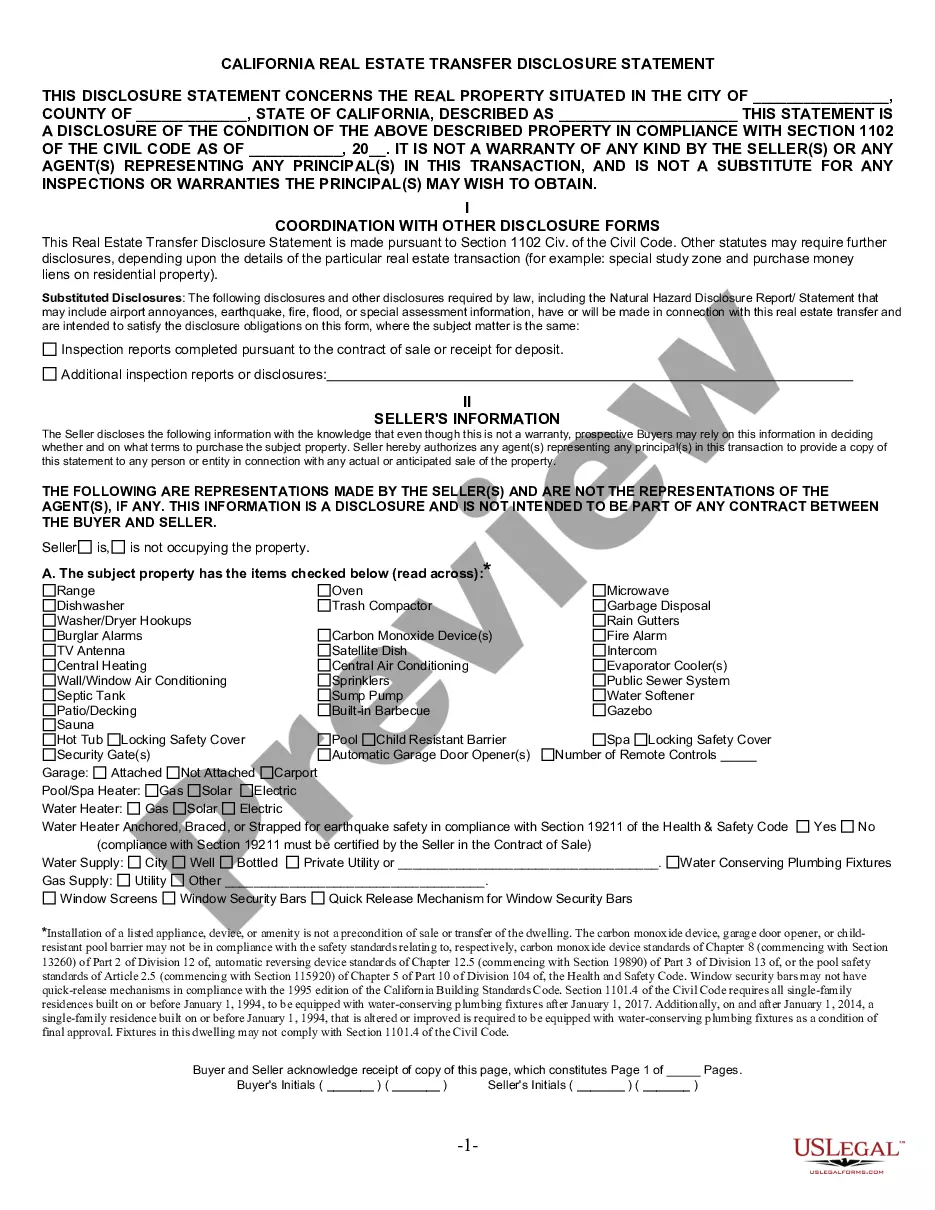
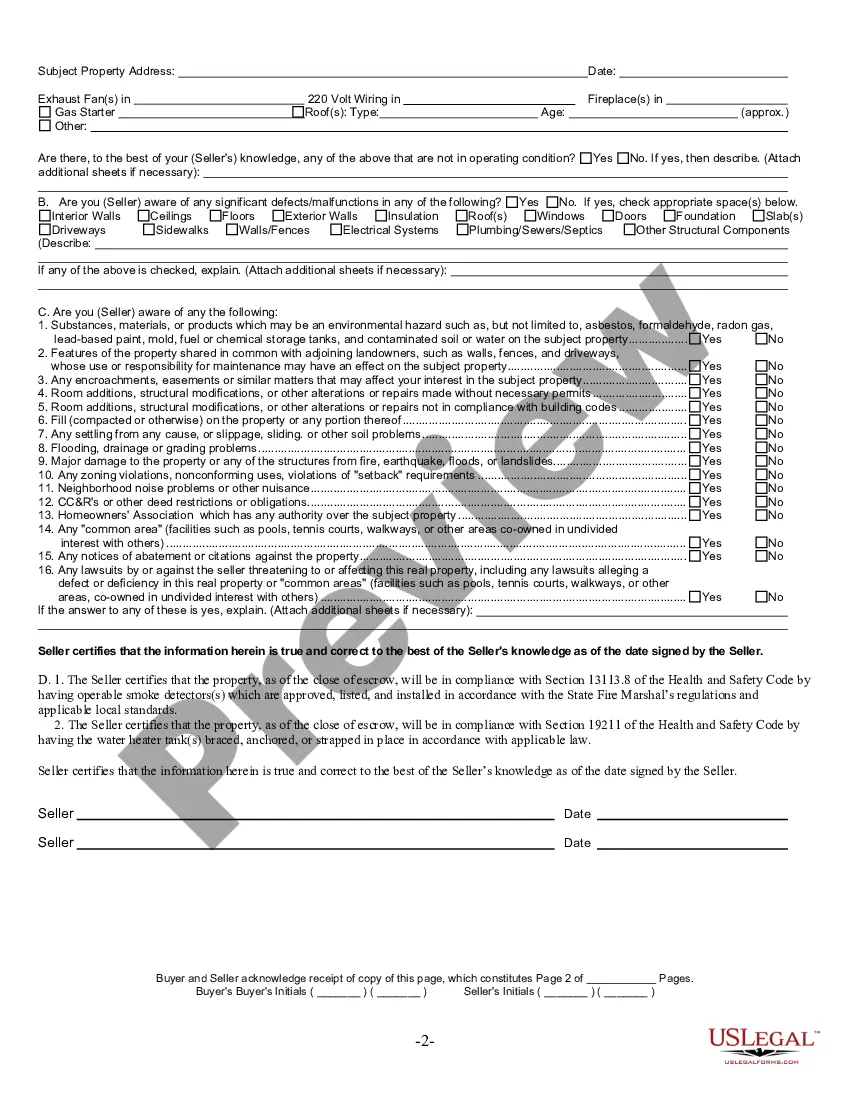
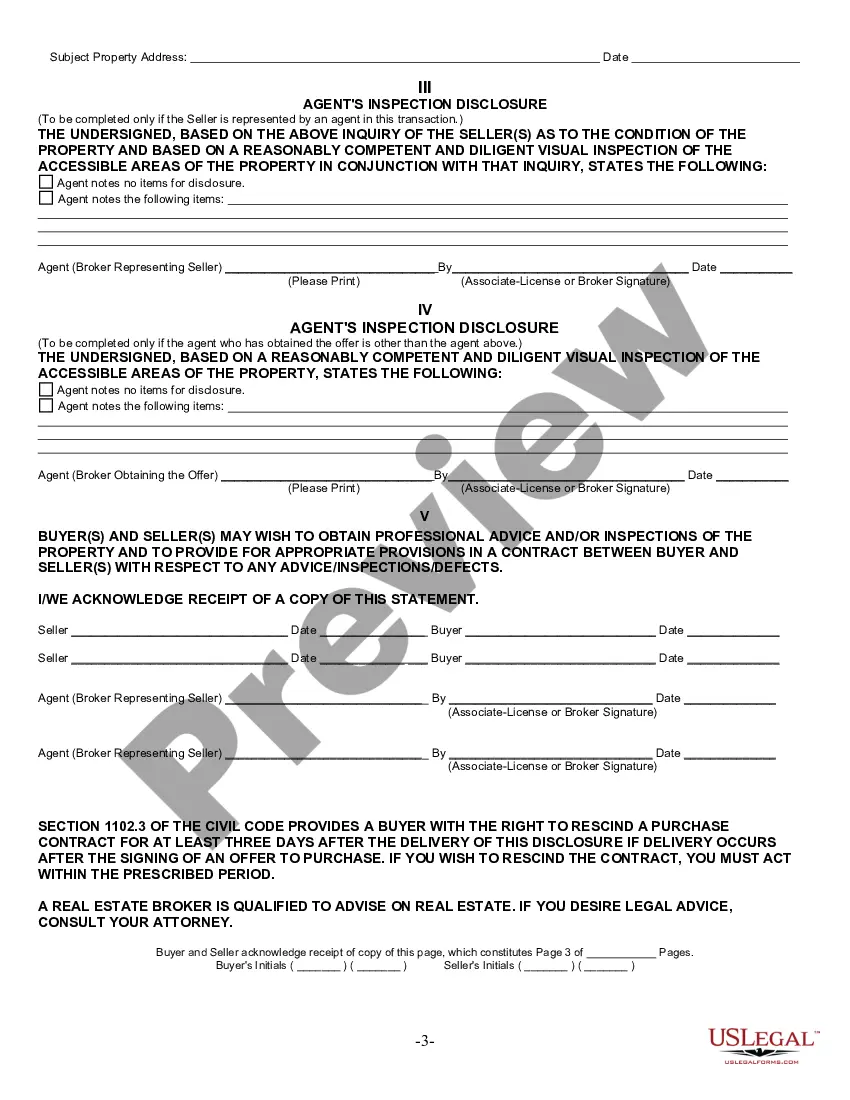
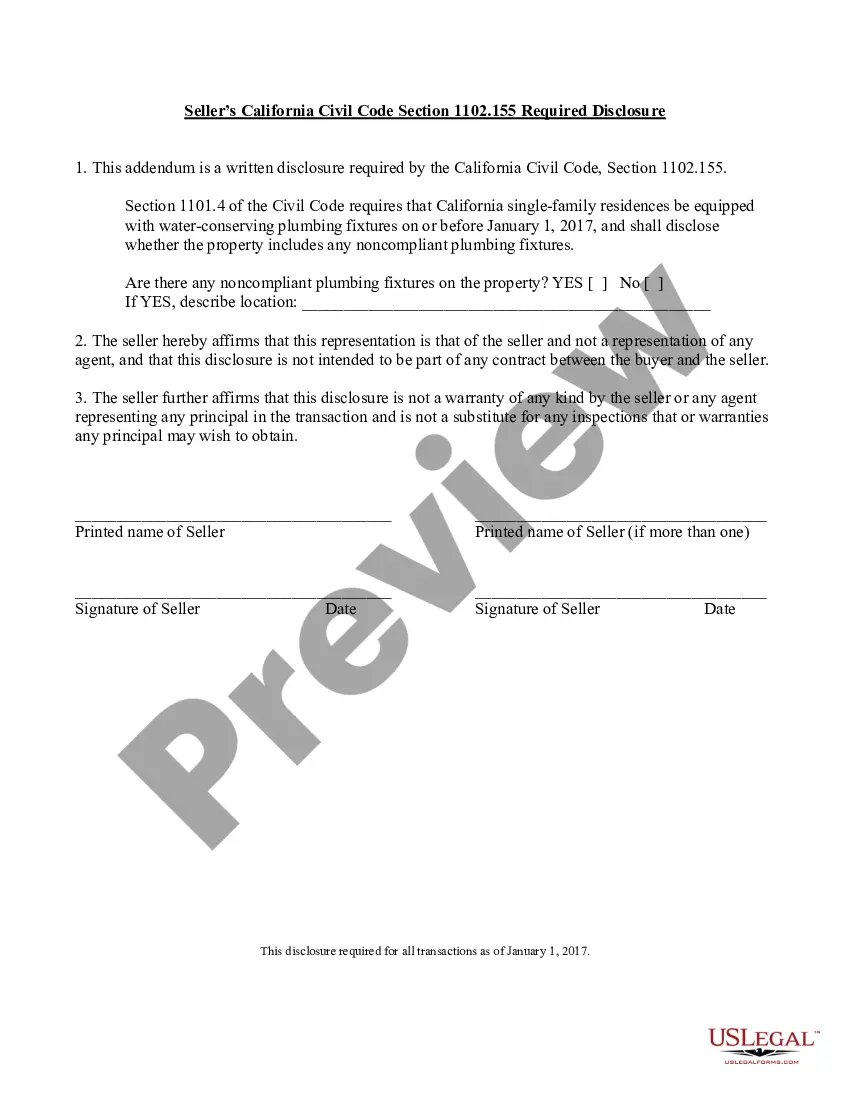
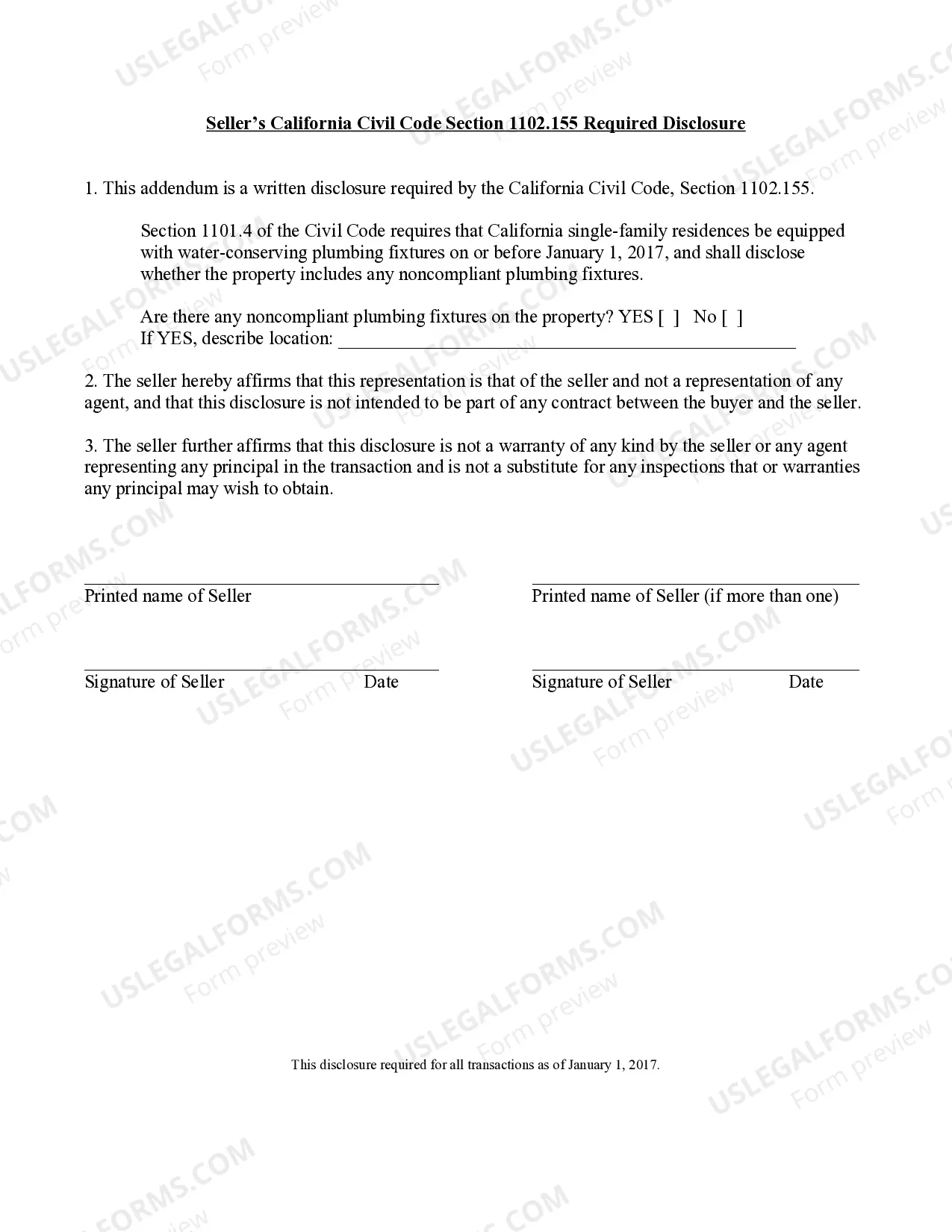
1102.6. The disclosures required by this article pertaining to the
property proposed to be transferred are set forth in, and shall be
made on a copy of, the following disclosure form:
1102.6a. (a) On and after July 1, 1990, any city or county may
elect to require disclosures on the form set forth in subdivision (b)
in addition to those disclosures required by Section 1102.6.
However, this section does not affect or limit the authority of a
city or county to require disclosures on a different disclosure form
in connection with transactions subject to this article pursuant to
an ordinance adopted prior to July 1, 1990. Such an ordinance
adopted prior to July 1, 1990, may be amended thereafter to revise
the disclosure requirements of the ordinance, in the discretion of
the city council or county board of supervisors.
  (b) Disclosures required pursuant to this section pertaining to
the property proposed to be transferred, shall be set forth in, and
shall be made on a copy of, the following disclosure form:
  (c) This section does not preclude the use of addenda to the form
specified in subdivision (b) to facilitate the required disclosures.
This section does not preclude a city or county from using the
disclosure form specified in subdivision (b) for a purpose other than
that specified in this section.
1102.6b. (a) This section applies to all transfers of real property
for which all of the following apply:
  (1) The transfer is subject to this article.
  (2) The property being transferred is subject to a continuing lien
securing the levy of special taxes pursuant to the Mello-Roos
Community Facilities Act (Chapter 2.5 (commencing with Section 53311)
of Part 1 of Division 2 of Title 5 of the Government Code) or to a
fixed lien assessment collected in installments to secure bonds
issued pursuant to the Improvement Bond Act of 1915 (Division 10
(commencing with Section 8500) of the Streets and Highways Code).
  (3) A notice is not required pursuant to Section 53341.5 of the
Government Code.
  (b) In addition to any other disclosure required pursuant to this
article, the seller of any real property subject to this section
shall make a good faith effort to obtain a disclosure notice
concerning the special tax as provided for in Section 53340.2 of the
Government Code, or a disclosure notice concerning an assessment
installment as provided in Section 53754 of the Government Code, from
each local agency that levies a special tax pursuant to the
Mello-Roos Community Facilities Act, or that collects assessment
installments to secure bonds issued pursuant to the Improvement Bond
Act of 1915 (Division 10 (commencing with Section 8500) of the
Streets and Highways Code), on the property being transferred, and
shall deliver that notice or those notices to the prospective
purchaser, as long as the notices are made available by the local
agency.
  (c) If a disclosure received pursuant to subdivision (b) has been
delivered to the transferee, a seller or his or her agent is not
required to provide additional information concerning, and
information in the disclosure shall be deemed to satisfy the
responsibility of the seller or his or her agent to inform the
transferee regarding the special tax or assessment installments and
the district. Notwithstanding subdivision (b), nothing in this
section imposes a duty to discover a special tax or assessment
installments or the existence of any levying district not actually
known to the agents.
1102.6d. Except for manufactured homes and mobilehomes located in a
common interest development governed by Title 6 (commencing with
Section 1351), the disclosures applicable to the resale of a
manufactured home or mobilehome pursuant to subdivision (b) of
Section 1102 are set forth in, and shall be made on a copy of, the
following disclosure form:
1102.7. Each disclosure required by this article and each act which
may be performed in making the disclosure, shall be made in good
faith. For purposes of this article, "good faith" means honesty in
fact in the conduct of the transaction.
1102.8. The specification of items for disclosure in this article
does not limit or abridge any obligation for disclosure created by
any other provision of law or which may exist in order to avoid
fraud, misrepresentation, or deceit in the transfer transaction.
1102.9. Any disclosure made pursuant to this article may be amended
in writing by the transferor or his or her agent, but the amendment
shall be subject to Section 1102.3 or 1102.3a.
1102.10. Delivery of disclosures required by this article shall be
by personal delivery to the tranferee or by mail to the prospective
transferee. For the purposes of this article, delivery to the spouse
of a transferee shall be deemed delivery to the transferee, unless
provided otherwise by contract.
1102.11. Any person or entity, other than a real estate licensee
licensed pursuant to Part 1 (commencing with Section 10000) of
Division 4 of the Business and Professions Code, acting in the
capacity of an escrow agent for the transfer of real property subject
to this article shall not be deemed the agent of the transferor or
transferee for purposes of the disclosure requirements of this
article, unless the person or entity is empowered to so act by an
express written agreement to that effect. The extent of such an
agency shall be governed by the written agreement.
1102.12. (a) If more than one licensed real estate broker is acting
as an agent in a transaction subject to this article, the broker who
has obtained the offer made by the transferee shall, except as
otherwise provided in this article, deliver the disclosure required
by this article to the transferee, unless the transferor has given
other written instructions for delivery.
  (b) If a licensed real estate broker responsible for delivering
the disclosures under this section cannot obtain the disclosure
document required and does not have written assurance from the
transferee that the disclosure has been received, the broker shall
advise the transferee in writing of his or her rights to the
disclosure. A licensed real estate broker responsible for delivering
disclosures under this section shall maintain a record of the action
taken to effect compliance in accordance with Section 10148 of the
Business and Professions Code.
1102.13. No transfer subject to this article shall be invalidated
solely because of the failure of any person to comply with any
provision of this article. However, any person who willfully or
negligently violates or fails to perform any duty prescribed by any
provision of this article shall be liable in the amount of actual
damages suffered by a transferee.
1102.14. (a) As used in this article, "listing agent" means listing
agent as defined in subdivision (f) of Section 1086.
  (b) As used in this article, "selling agent" means selling agent
as defined in subdivision (g) of Section 1086, exclusive of the
requirement that the agent be a participant in a multiple listing
service as defined in Section 1087.
1102.15. The seller of residential real property subject to this
article who has actual knowledge of any former federal or state
ordnance locations within the neighborhood area shall give written
notice of that knowledge as soon as practicable before transfer of
title.
  For purposes of this section, "former federal or state ordnance
locations" means an area identified by an agency or instrumentality
of the federal or state government as an area once used for military
training purposes which may contain potentially explosive munitions.
"Neighborhood area" means within one mile of the residential real
property.
  The disclosure required by this section does not limit or abridge
any obligation for disclosure created by any other law or that may
exist in order to avoid fraud, misrepresentation, or deceit in the
transfer transaction.
1102.16. The disclosure of the existence of any window security
bars and any safety release mechanism on those window security bars
shall be made pursuant to Section 1102.6 or 1106.6a of the Civil
Code.
1102.17. The seller of residential real property subject to this
article who has actual knowledge that the property is affected by or
zoned to allow an industrial use described in Section 731a of the
Code of Civil Procedure shall give written notice of that knowledge
as soon as practicable before transfer of title.
1102.18. (a) For purposes of this section, the following
definitions shall apply:
  (1) "Illegal controlled substance" means a drug, substance, or
immediate precursor listed in any schedule contained in Section
11054, 11055, 11056, 11057, or 11058 of the Health and Safety Code,
or an emission or waste material resulting from the unlawful
manufacture or attempt to manufacture an illegal controlled
substance. An "illegal controlled substance" does not include, for
purposes of this section, marijuana.
  (2) "Release" means any spilling, leaking, pumping, pouring,
emitting, emptying, discharging, injecting, escaping, leaching,
dumping, or disposing of an illegal controlled substance in a
structure or into the environment.
  (b) (1) Any owner of residential real property who knows, as
provided in paragraph (2), that any release of an illegal controlled
substance has come to be located on or beneath that real property
shall, prior to the sale of the real property by that owner, give
written notice of that condition to the buyer pursuant to Section
1102.6 by checking "yes" in question IC1 of the Real Estate Transfer
Disclosure Statement contained in that section and attaching a copy
of any notice received from law enforcement or any other entity, such
as the Department of Toxic Substances Control, the county health
department, the local environmental health officer, or a designee,
advising the owner of the release on the property.
  (2) For purposes of this subdivision, a seller's knowledge of the
condition is established by the receipt of a notice specified in
paragraph (1) or by actual knowledge of the condition from a source
independent of the notice.
  (3) If the seller delivers the disclosure information required by
paragraph (1), delivery shall be deemed legally adequate for purposes
of informing the prospective buyer of that condition, and the seller
is not required to provide any additional disclosure of that
information.
  (4) Failure of the owner to provide written notice to the buyer
when required by this subdivision shall subject the owner to actual
damages and any other remedies provided by law. In addition, if the
owner has actual knowledge of the presence of any release of an
illegal controlled substance and knowingly and willfully fails to
provide written notice to the buyer, as required by this subdivision,
the owner is liable for a civil penalty not to exceed five thousand
dollars ($5,000) for each separate violation, in addition to any
other damages provided by law.
  (c) This section shall remain in effect only until January 1,
2004, and as of that date is repealed, unless a later enacted
statute, that is enacted before January 1, 2004, deletes or extends
that date.