Suppresswarnings
Description
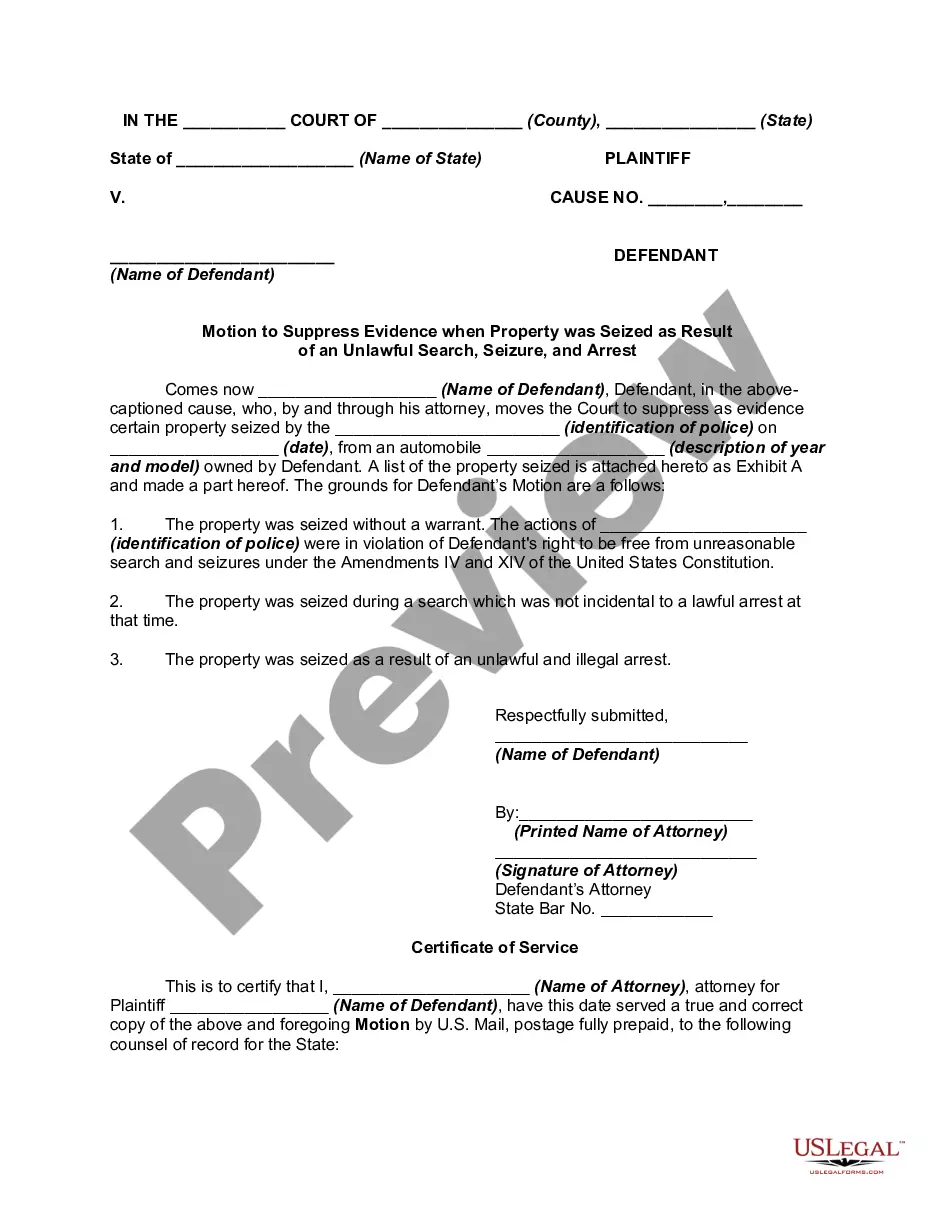

Get your form ready online
Our built-in tools help you complete, sign, share, and store your documents in one place.
Make edits, fill in missing information, and update formatting in US Legal Forms—just like you would in MS Word.
Download a copy, print it, send it by email, or mail it via USPS—whatever works best for your next step.
Sign and collect signatures with our SignNow integration. Send to multiple recipients, set reminders, and more. Go Premium to unlock E-Sign.
If this form requires notarization, complete it online through a secure video call—no need to meet a notary in person or wait for an appointment.
We protect your documents and personal data by following strict security and privacy standards.

Make edits, fill in missing information, and update formatting in US Legal Forms—just like you would in MS Word.

Download a copy, print it, send it by email, or mail it via USPS—whatever works best for your next step.

Sign and collect signatures with our SignNow integration. Send to multiple recipients, set reminders, and more. Go Premium to unlock E-Sign.

If this form requires notarization, complete it online through a secure video call—no need to meet a notary in person or wait for an appointment.

We protect your documents and personal data by following strict security and privacy standards.
Looking for another form?
How to fill out Motion To Suppress Evidence When Property Was Seized As Result Of An Unlawful Search, Seizure, And Arrest?
- Log in to your account if you are a returning user. Ensure your subscription is active. If not, renew it as per your payment plan.
- For first-time users, start by exploring the Preview mode and form descriptions. Make sure the selected document aligns with your local jurisdiction.
- Use the Search tab to find additional templates if necessary. Ensure the template suits your requirements before proceeding.
- Select the document you need and click on the 'Buy Now' button. Choose your preferred subscription plan and create an account to access the library.
- Complete your purchase by entering your payment details via credit card or PayPal.
- Download and save the chosen form on your device. You can access it later from the 'My Forms' section of your profile.
By following these steps, you'll gain access to an extensive library that empowers both individuals and attorneys in drafting legal documents efficiently.
Start your journey with US Legal Forms today and enjoy the benefits of having expertly crafted legal documents at your fingertips!
Form popularity
FAQ
@SuppressWarning is a misspelling of the correct annotation, @SuppressWarnings, which serves to disable specific compiler warnings in Java. This annotation is essential for developers who want to maintain a clear code environment by ignoring non-critical alerts. Utilizing @SuppressWarnings enhances your productivity, allowing you to tackle the core functionalities of your application. If code warnings hinder your workflow, leveraging @SuppressWarnings is a smart approach.
@SuppressWarnings unused in Java is an annotation that helps developers by suppressing compiler warnings about unused code. This annotation allows you to focus on the essential parts of your project without distractions from warnings that may not be relevant. By using @SuppressWarnings, you manage code quality and readability effectively. It’s a practical tool for keeping your Java codebase clean and efficient.
To suppress warnings in Java, you can use the annotation @SuppressWarnings. This annotation allows you to inform the compiler that you are aware of certain warnings but choose to ignore them for specific methods or classes. For example, placing @SuppressWarnings('unchecked') above your method or class declaration can help eliminate those warnings. Keep in mind that while suppressing warnings can clean up your code, it's essential to understand the underlying issues to ensure safe and effective programming.
To suppress multiple warnings in Java, you can use the SuppressWarnings annotation by specifying the types of warnings you would like to ignore, separated by commas. This efficient approach simplifies your code, helping you focus on what matters most without distraction from the compiler's alerts. Make sure to use this feature judiciously, as suppressing warnings can hide potential issues. Implementing SuppressWarnings effectively ensures cleaner, more manageable code.
To add multiple annotations in Java, you can place several annotation declarations above a single method, class, or field. Simply repeat the annotation format for each separate annotation you wish to apply. This practice allows you to layer functionality and enhance the context of your code. Keeping your annotations organized and purposeful will improve readability and maintainability, helping you create better software solutions.
To add multiple items to an ObservableCollection in C#, you can use a loop or utilize the AddRange method if available. By iterating through a collection, you can call the Add method for each item individually. This approach helps maintain a dynamic data structure that automatically notifies users of any changes. Integrating this method effectively within your projects can lead to smoother user experiences and more responsive applications.
SuppressWarnings are annotations in Java that help programmers manage compiler warnings. By using SuppressWarnings, you can indicate that you've considered certain risks and have decided to ignore them. This feature streamlines your code, making it cleaner and more focused while allowing you to suppress unnecessary alerts. Understanding how to effectively implement SuppressWarnings can enhance your coding efficiency and overall software quality.
To add multiple @SuppressWarnings annotations, you can separate different warning types with commas inside the parentheses of a single annotation. For example, use @SuppressWarnings({"unchecked", "deprecation"}) to cover multiple warnings. This method helps keep your code clean while effectively managing various compiler messages. Using multiple suppressions can lead to a more streamlined development experience.
To add @SuppressWarnings, simply place the annotation above the code block you wish to exempt from warnings. The syntax is straightforward; you include @SuppressWarnings followed by parentheses containing the warning types you want to suppress. By doing this, you maintain control over compiler messages, helping to focus on critical parts of your code. This technique is essential for cleaner, more organized code.
To add to the exceptions list, you need to edit your project's configuration to include specific warnings or issues that you want the code checks to ignore. This typically involves specifying the warnings in your project settings or using annotations like @SuppressWarnings. Carefully managing your exceptions list allows for a cleaner code environment and aids in focusing on significant issues. A well-defined list contributes to more effective development.