Blank Credit Card Payment Form With Payment Method
Description
Get your form ready online
Our built-in tools help you complete, sign, share, and store your documents in one place.
Make edits, fill in missing information, and update formatting in US Legal Forms—just like you would in MS Word.
Download a copy, print it, send it by email, or mail it via USPS—whatever works best for your next step.
Sign and collect signatures with our SignNow integration. Send to multiple recipients, set reminders, and more. Go Premium to unlock E-Sign.
If this form requires notarization, complete it online through a secure video call—no need to meet a notary in person or wait for an appointment.
We protect your documents and personal data by following strict security and privacy standards.

Make edits, fill in missing information, and update formatting in US Legal Forms—just like you would in MS Word.

Download a copy, print it, send it by email, or mail it via USPS—whatever works best for your next step.

Sign and collect signatures with our SignNow integration. Send to multiple recipients, set reminders, and more. Go Premium to unlock E-Sign.

If this form requires notarization, complete it online through a secure video call—no need to meet a notary in person or wait for an appointment.

We protect your documents and personal data by following strict security and privacy standards.
Looking for another form?
How to fill out Credit Card Charge Authorization Form?
Whether for commercial reasons or personal matters, everyone must handle legal situations at some point in their life.
Filling out legal documents demands meticulous focus, starting from choosing the right template.
Once saved, you can fill out the form using editing software or print it and complete it manually. With an extensive US Legal Forms library available, you need not waste time searching for the right template online. Use the library’s user-friendly navigation to find the suitable template for any situation.
- For example, selecting an incorrect version of the Blank Credit Card Payment Form With Payment Method will result in rejection upon submission.
- Thus, it is crucial to obtain a trustworthy source of legal documents such as US Legal Forms.
- To acquire a Blank Credit Card Payment Form With Payment Method example, adhere to these straightforward steps.
- Locate the template required by utilizing the search bar or catalog browsing.
- Review the form’s details to confirm it suits your case, state, and area.
- Select the form’s preview to view it.
- If it is not the appropriate document, return to the search option to find the Blank Credit Card Payment Form With Payment Method example you require.
- Download the file once it satisfies your criteria.
- If you have a US Legal Forms account, click Log in to access previously stored documents in My documents.
- If you do not have an account yet, you can acquire the form by clicking Buy now.
- Select the appropriate pricing option.
- Complete the profile registration form.
- Choose your method of payment: either by credit card or PayPal account.
- Select the desired document format and download the Blank Credit Card Payment Form With Payment Method.
Form popularity
FAQ
To make a payment through a credit card without having the physical card, you can use online payment systems or mobile payment apps that support such transactions. A blank credit card payment form with payment method can facilitate this process by allowing you to input your details securely. Always ensure you share your information on secure platforms to safeguard your financial data.
Yes, you can often use your credit card without the physical card if the merchant accepts card-not-present transactions. In this case, a blank credit card payment form with payment method allows you to enter your card details securely online. Make sure to verify that the site you are using is trustworthy to protect your information.
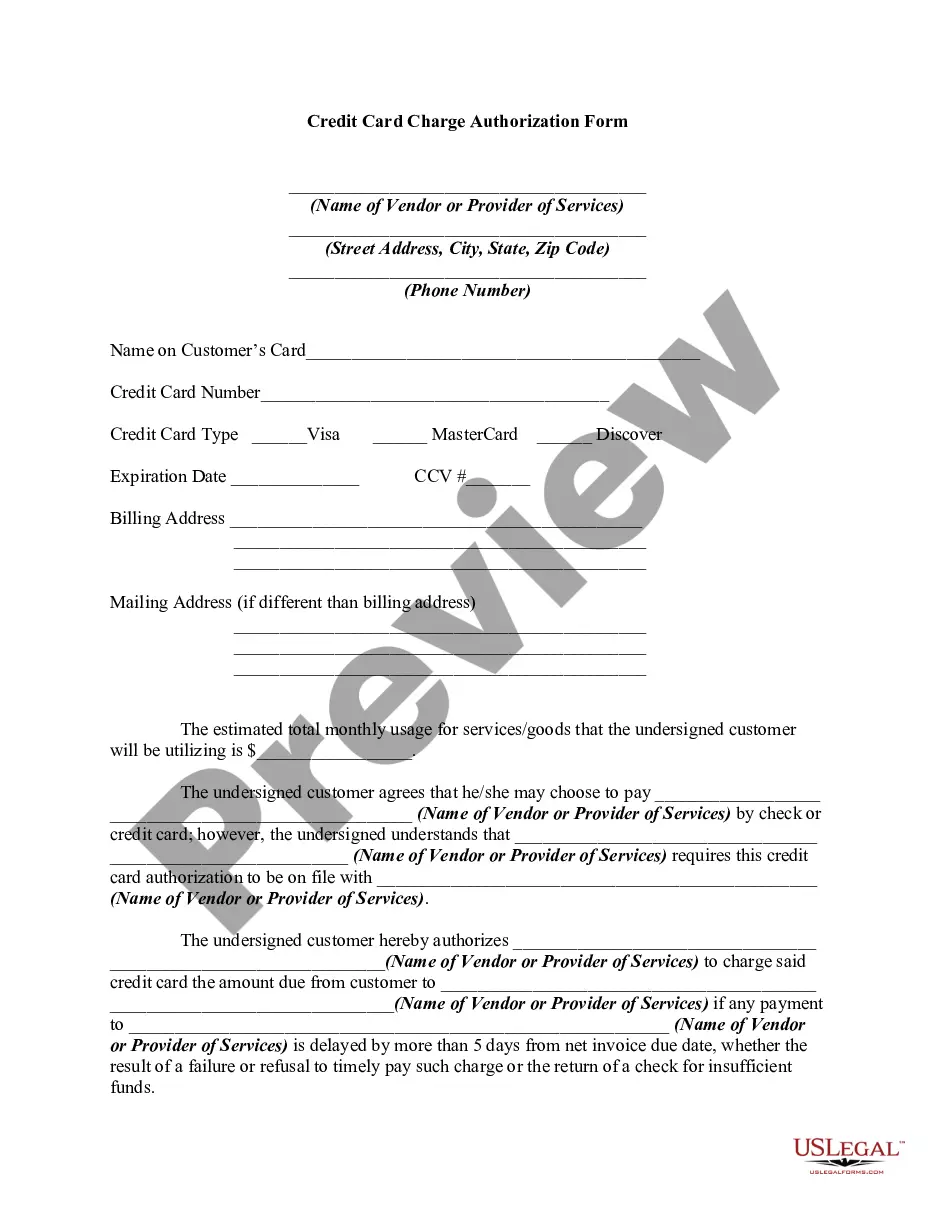
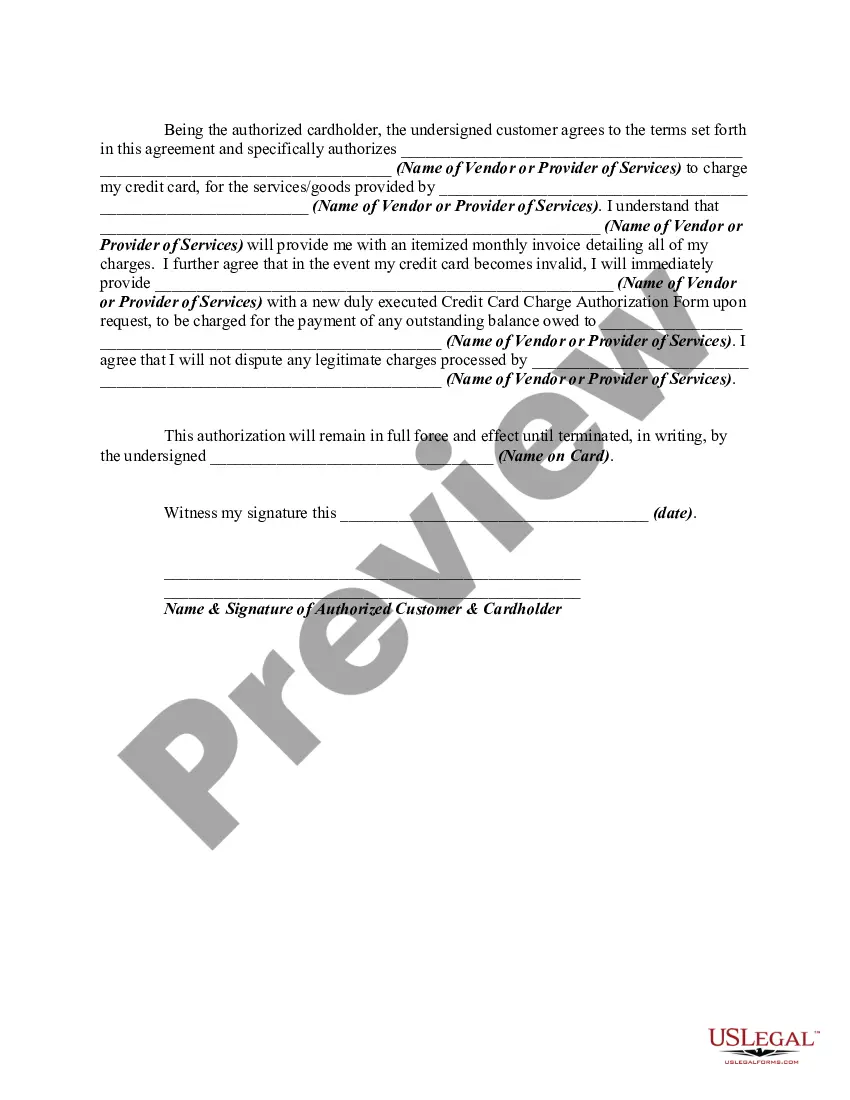
A credit card authorization form is a document that customers (or cardholders) fill out to grant businesses the permission to charge their credit card. Credit card authorization forms are more often used for larger purchases (think cars, computers, etc.)
Typically it contains: The cardholder's credit card information: Card type, Name on card, Card number, Expiration date. The merchant's business information. Cardholder's billing address. Language authorizing the merchant to charge the customer's card on file. Name and signature of the cardholder. Date.
Then, type the 16-digit Debit Card number which is on the front side of your Debit Card. You will also have to enter the expiration date of the card. Once you've entered the Debit Card details, you may be asked for a CCD, CVV, or similar security code.
It's simple: A credit card authorization form typically includes the following general information to ensure a smooth transaction process: Cardholder's name. Card number. Card network. Credit card expiration date. Billing address. Contact information. Authorized amount. Cardholder's signature.
Typically it contains: The cardholder's credit card information: Card type, Name on card, Card number, Expiration date. The merchant's business information. Cardholder's billing address. Language authorizing the merchant to charge the customer's card on file. Name and signature of the cardholder. Date.