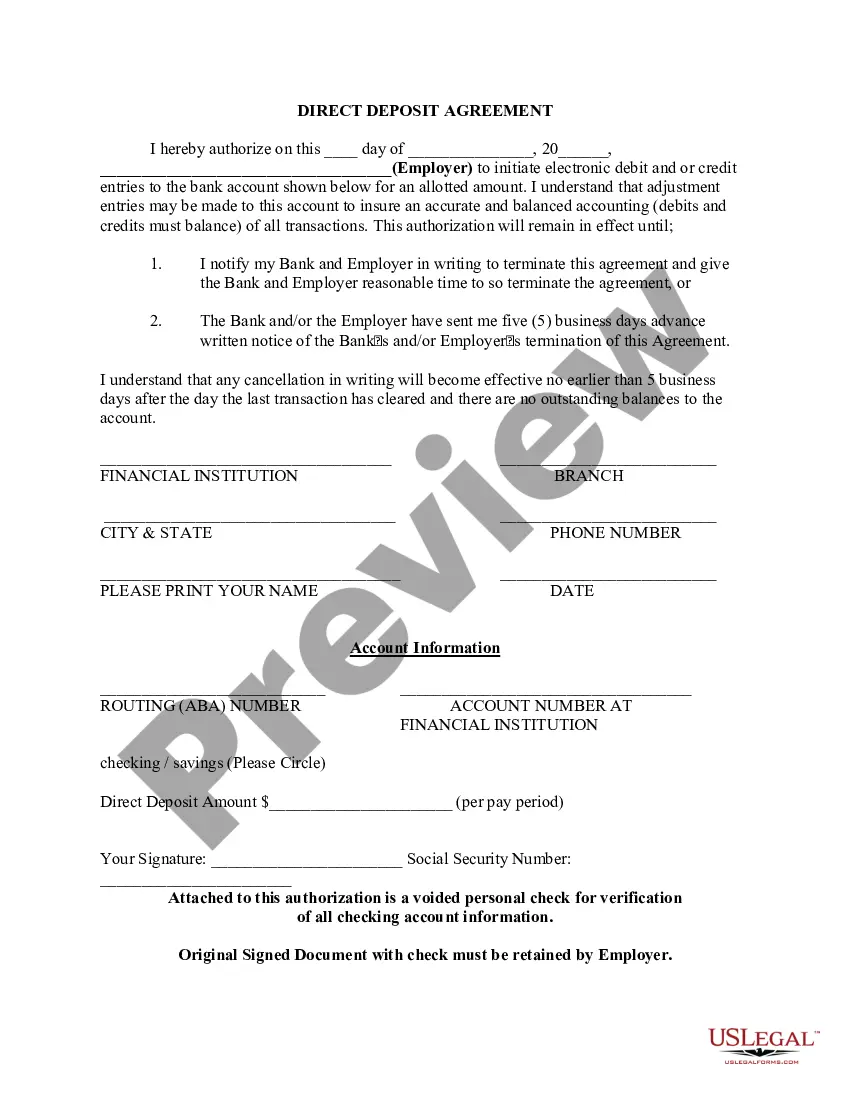
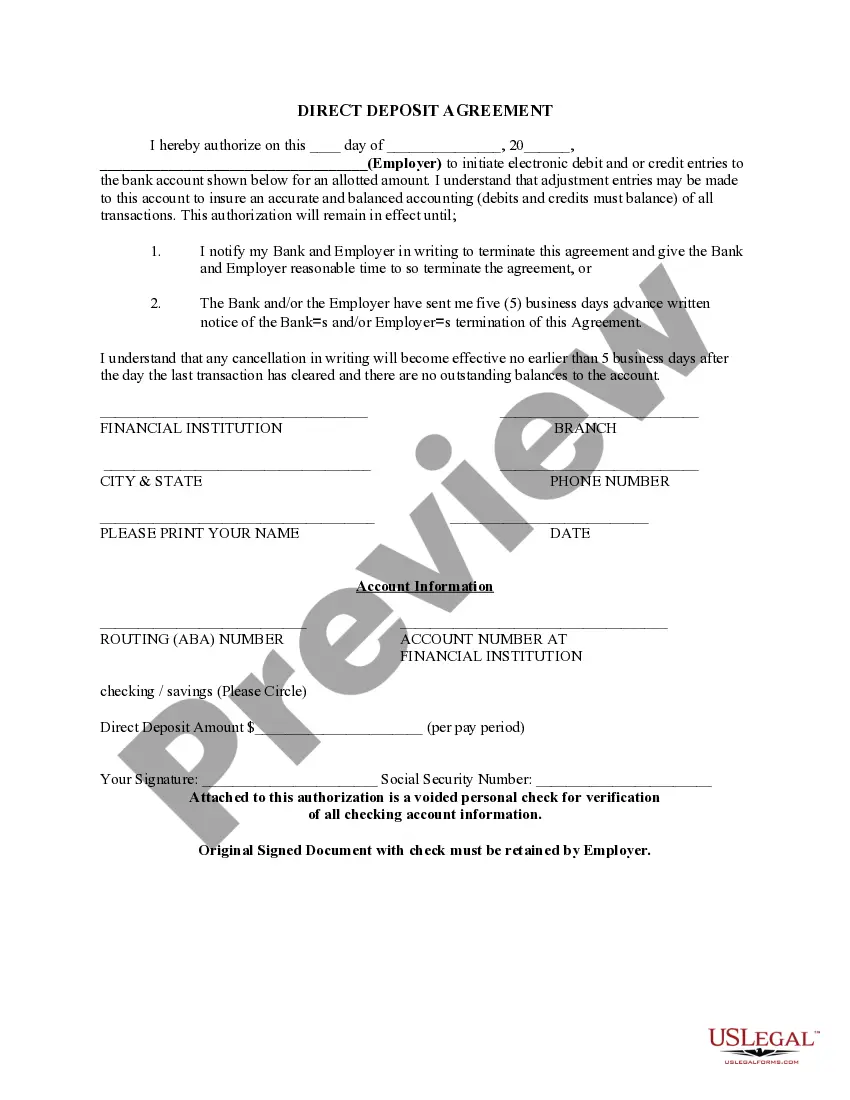
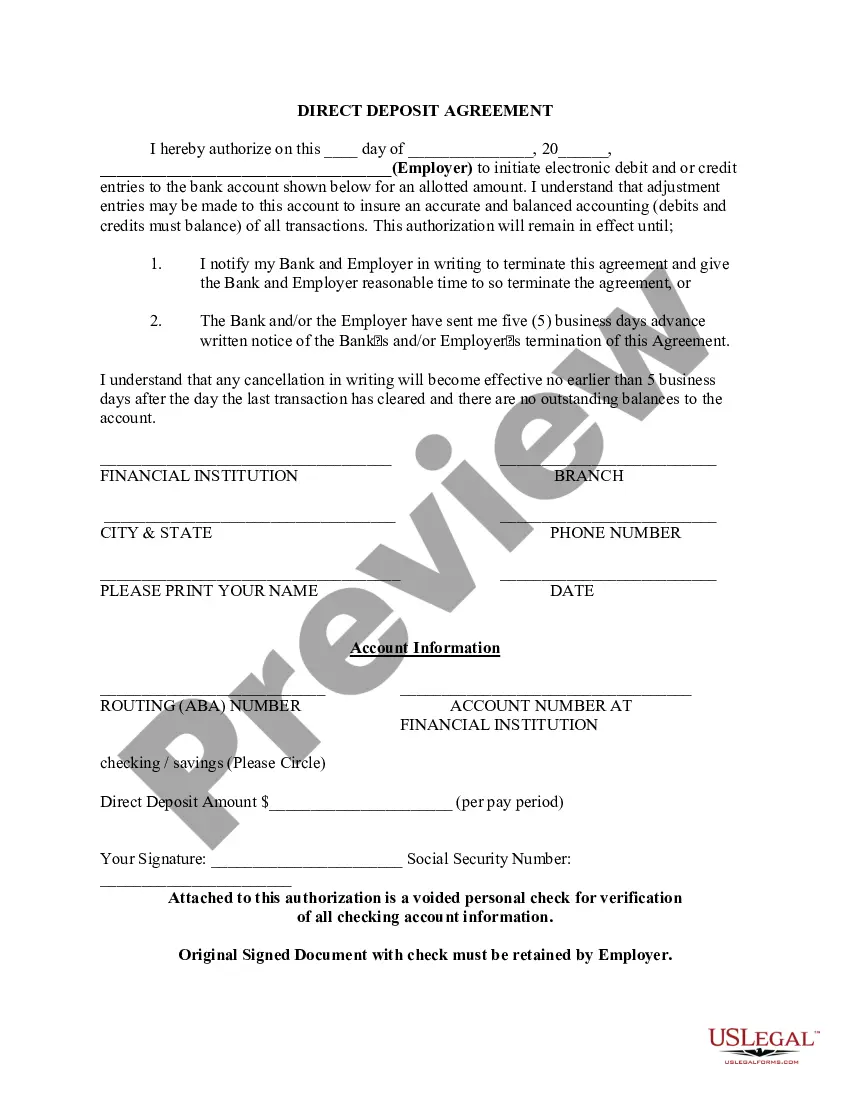
Vermont Direct Deposit Form for Employees
Description
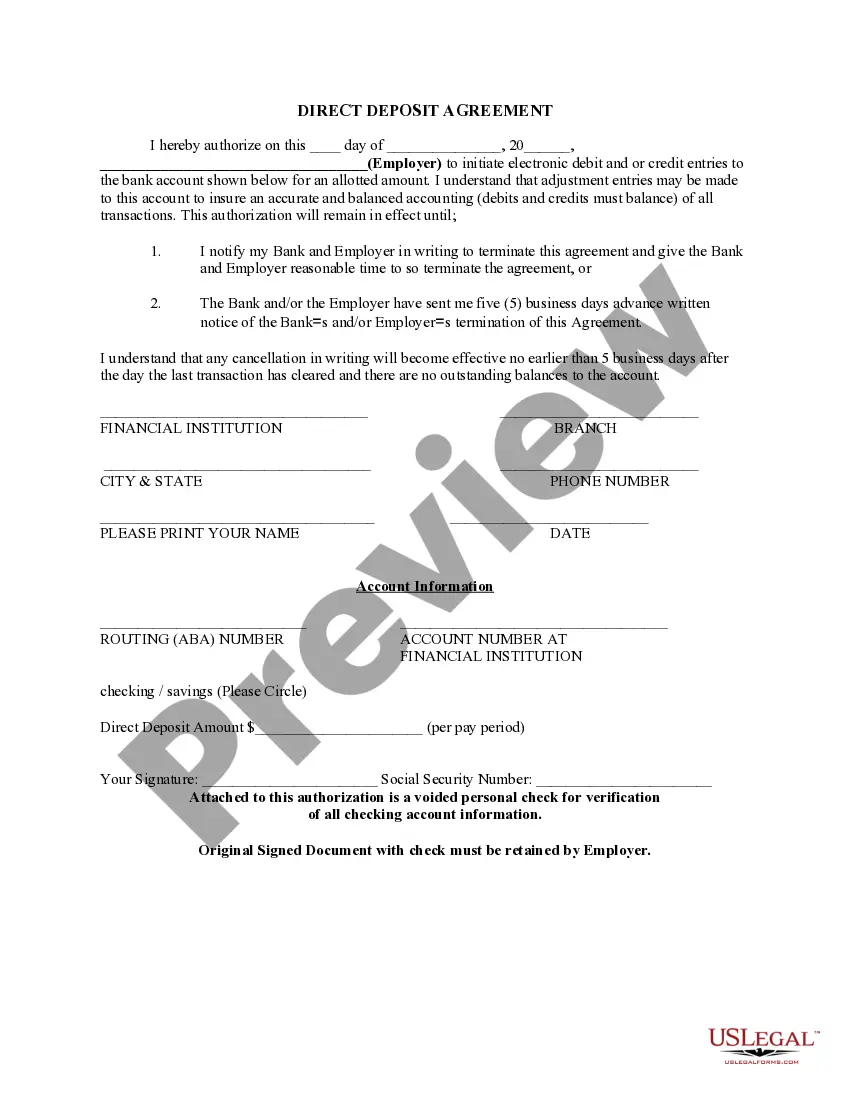


How to fill out Direct Deposit Form For Employees?
Selecting the appropriate legal document format can be challenging. Obviously, there are numerous designs accessible online, but how can you obtain the legal type you require? Utilize the US Legal Forms website. The service provides a vast array of designs, including the Vermont Direct Deposit Form for Employees, which you can utilize for both business and personal needs. All of the forms are reviewed by professionals and comply with federal and state regulations.
If you are already registered, Log In to your account and click on the Download button to access the Vermont Direct Deposit Form for Employees. Use your account to browse through the legal forms you have previously purchased. Visit the My documents section of your account and obtain another copy of the document you require.
If you are a new user of US Legal Forms, here are simple steps for you to follow: First, ensure you have chosen the correct form for your city/state. You can view the form using the Preview button and review the form description to confirm it is suitable for you. If the form does not meet your requirements, utilize the Search field to find the appropriate form. Once you are certain the form is suitable, click the Purchase now button to acquire the form. Select the pricing plan you prefer and provide the necessary information. Create your account and complete the transaction using your PayPal account or credit card. Choose the document format and download the legal document format to your device. Complete, modify, print, and sign the acquired Vermont Direct Deposit Form for Employees.
Ensure that you do not alter or remove any HTML tags. Only synonymize plain text outside the HTML tags.
- US Legal Forms is the largest archive of legal forms where you can find various document formats.
- Utilize the service to download properly crafted documents that fulfill state regulations.
- The forms are designed for both individual and corporate usage.
- All documents are verified by experts to ensure compliance.
- Access your previously purchased forms easily through your account.
- Follow the straightforward guidelines for new users to find what they need.
Form popularity
FAQ
Setting up direct deposit with Vermont Unemployment involves completing the Vermont Direct Deposit Form for Employees. You can obtain this form from the Vermont Department of Labor's website or a trusted source like US Legal Forms. Fill out the necessary information, including your bank details, and submit the form to the unemployment office. This process ensures that unemployment benefits are deposited directly into your bank account efficiently and securely.
To set up direct deposit for your employees, start by providing them with the Vermont Direct Deposit Form for Employees. Once completed, gather all forms and submit them to your payroll department or bank. Utilize a reliable platform like US Legal Forms to ensure you have the correct documentation and process in place. This will streamline your payroll system and enhance employee satisfaction.
Yes, as an employer, you can require your employees to use direct deposit for their paychecks. However, it is vital to communicate this policy clearly and provide the Vermont Direct Deposit Form for Employees for easy completion. Ensure that employees understand the benefits of direct deposit, including faster access to funds and reduced paper clutter. Transparency about the process will help gain their cooperation.
Setting up direct deposit for your employees begins with obtaining the Vermont Direct Deposit Form for Employees from a reliable source, such as US Legal Forms. Ensure that each employee completes the form accurately, providing their banking details. Once you have collected the forms, submit them to your payroll provider or bank. Direct deposit simplifies payroll processing, making it efficient and timely.
To fill out the Vermont Direct Deposit Form for Employees, start by entering your business information at the top of the form. Next, provide your employee's personal details, including their name, address, and Social Security number. Then, input the employee's bank account information, including the bank's routing number and the account number. Double-check all information for accuracy before submitting the form to ensure smooth processing.
Direct Deposit Authorization Form Company Information. Employee Information. Bank Account Information. ?I hereby authorize?? Statement. Employee Signature and Date. Space for Attached Physical Check (Optional)
You'll see a blank space provided before ?Company Name.? Use this space to enter the name of the company that will be depositing your paychecks for you. In the ?Employee's signature? section, sign your name (you may be able to e-sign if you're filling out the form on your computer) and fill in the date.
Get a direct deposit form from your employer. Fill in account information. Confirm the deposit amount. Attach a voided check or deposit slip, if required. Submit the form.
No. The only requirements are the account name, routing number and account number. The bank name may be requested as a cross check for accuracy. For example if you say you bank with PNC and give the routing number for Chase, something is wrong and needs to be corrected before the transaction can be submitted.