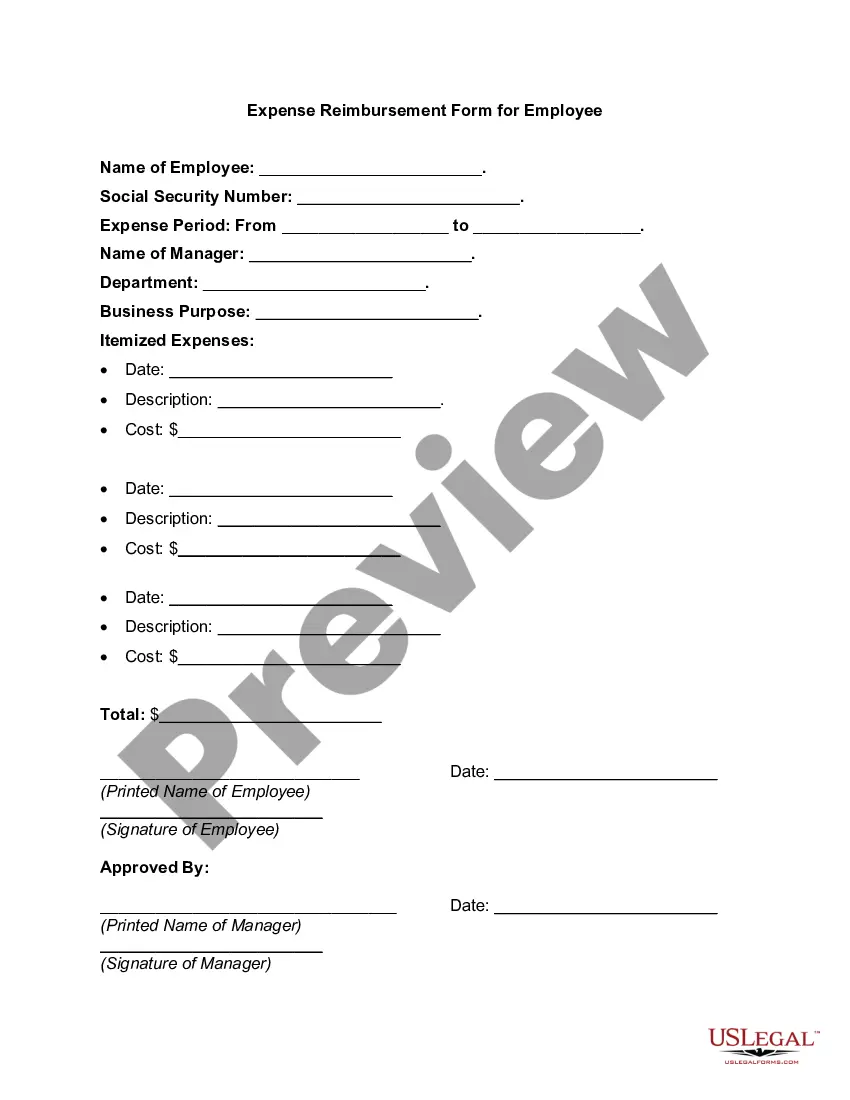
Pennsylvania Expense Reimbursement Request
Description




Get your form ready online
Our built-in tools help you complete, sign, share, and store your documents in one place.
Make edits, fill in missing information, and update formatting in US Legal Forms—just like you would in MS Word.
Download a copy, print it, send it by email, or mail it via USPS—whatever works best for your next step.
Sign and collect signatures with our SignNow integration. Send to multiple recipients, set reminders, and more. Go Premium to unlock E-Sign.
If this form requires notarization, complete it online through a secure video call—no need to meet a notary in person or wait for an appointment.
We protect your documents and personal data by following strict security and privacy standards.

Make edits, fill in missing information, and update formatting in US Legal Forms—just like you would in MS Word.

Download a copy, print it, send it by email, or mail it via USPS—whatever works best for your next step.

Sign and collect signatures with our SignNow integration. Send to multiple recipients, set reminders, and more. Go Premium to unlock E-Sign.

If this form requires notarization, complete it online through a secure video call—no need to meet a notary in person or wait for an appointment.

We protect your documents and personal data by following strict security and privacy standards.
Looking for another form?


How to fill out Expense Reimbursement Request?
US Legal Forms - one of the largest collections of legal documents in the United States - offers a vast selection of legal document templates available for download or printing.
Through the website, you can access thousands of documents for business and personal purposes, categorized by types, states, or keywords.
You can obtain the latest versions of documents such as the Pennsylvania Expense Reimbursement Request in just a few minutes.
If the document does not meet your needs, utilize the Search field at the top of the page to find a suitable one.
If you are satisfied with the document, confirm your selection by clicking the Purchase now button. Then, choose the payment plan you prefer and provide your details to register for your account.
- If you have a subscription, Log In to download the Pennsylvania Expense Reimbursement Request from the US Legal Forms collection.
- The Download button will appear on every document you view.
- You can access all previously downloaded documents from the My documents section of your account.
- To use US Legal Forms for the first time, follow these simple instructions:
- Ensure you have selected the correct document for your region/area. Click the Review button to view the document's content.
- Read the document description to confirm that you have made the right choice.
Form popularity
FAQ
Taxpayers can no longer claim unreimbursed employee expenses as miscellaneous itemized deductions, unless they are a qualified employee or an eligible educator. They must complete Form 2106, Employee Business Expenses, to take the deduction.
Allowable employee business expenses for PA purposes are similar to, but not the same as, expenses for federal pur- poses. PA law only permits expenses required to perform the duties of a job or profession.
You can claim a deduction for an unreimbursed employee business expense by filing a PA Schedule UE, Allowable Employee Business Expenses form along with your PA-40 Personal Income Tax Return.
All you need to do is get approval from your supervisor for the purchase and then save the receipt. You can scan in hard copies of your receipts, submit email receipts, or even take a picture of your receipt and submit that in Concur.
Also known as ordinary and necessary expenses, unreimbursed business expenses are incurred by a partner or shareholder which are not reimbursed. Unreimbursed employee expenses can be deducted by individual partners and shareholders if they are: Ordinary and necessary, Paid or incurred within the tax year, and.
I want to state that I visited (Location) for (Personal/ Professional work). This visit was done on // (Date). Therefore, I request you to kindly reimburse the amount of the expense of (Amount) which I spent.
PURPOSE OF SCHEDULE. Use PA-40 Schedule UE to report unreimbursed employee business expenses incurred in the performance of the duties of the taxpayer's job or profession.
Client site visits and hotel stays for overnight business trips count as unreimbursed employee expenses when your employer doesn't offer mileage reimbursement, a per-diem allowance, or reimbursement of your actual expenses. Parking fees, tolls, and travel by bus and train also qualify as business travel expenses.
The Schedule UE is for Unreimbursed Employee Expenses. Go back to FEDERAL TAXES Deductions & Credits. Delete any Job Related Expenses. Then go to How do I view and delete forms in TurboTax Online? and Delete the Schedule UE in the state forms.
PA-40 SCHEDULE UE - SIDE 2 Side 2 of the PA-40 Schedule UE is for reporting office or work area expenses, moving expenses, education ex- penses and/or depreciation expenses claimed as unreim- bursed business expenses on PA income tax returns.