Mississippi Supplemental Declaration and Amendment
Understanding this form
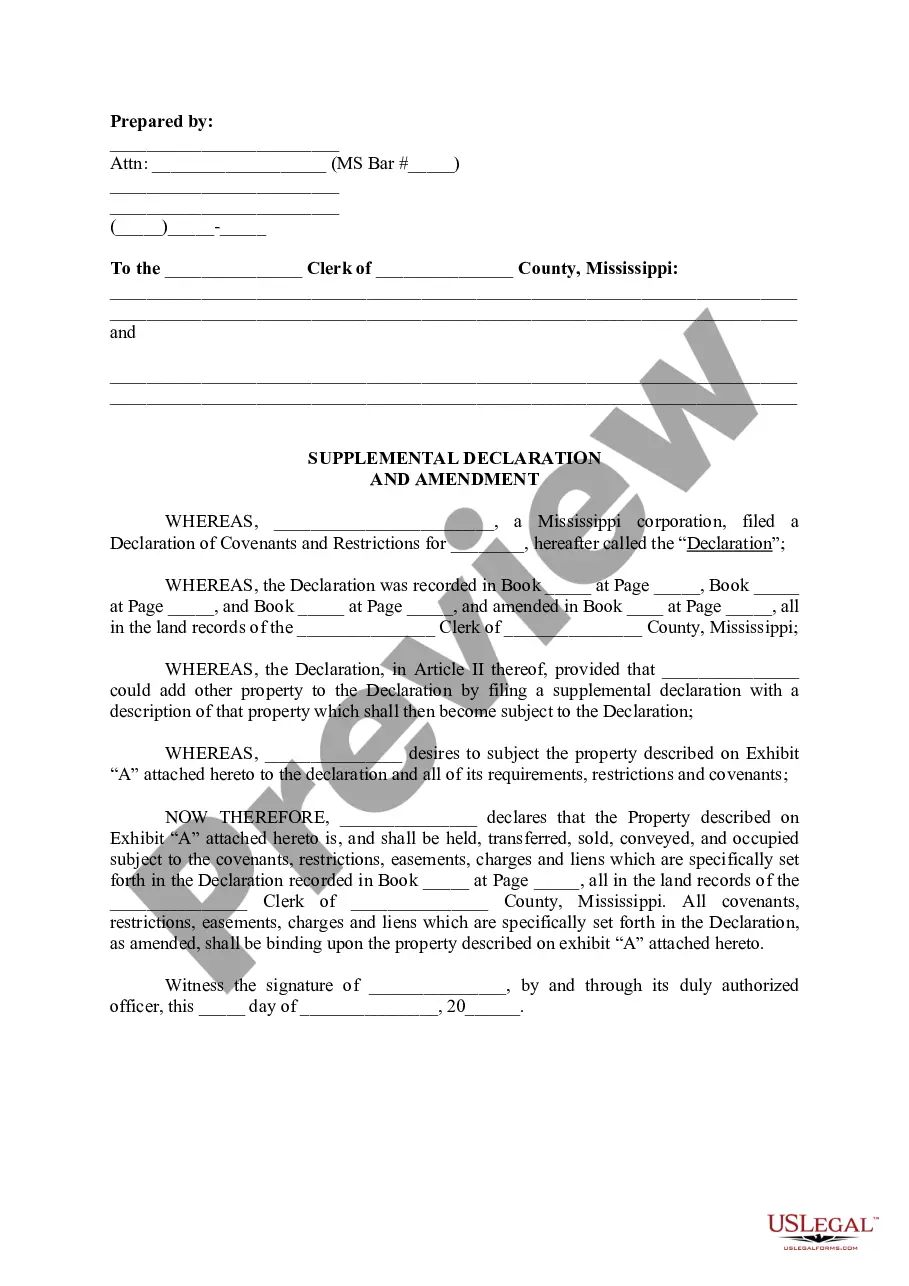
The Supplemental Declaration and Amendment is a legal document used to modify an existing Declaration of Covenants and Restrictions. This form allows property owners to include additional property under the original covenants and restrictions. It is distinct from other amendments because it specifically addresses the addition of property, ensuring that new parcels are subject to the same rules and limitations set forth in the original declaration.
Key parts of this document
- Prepared by: Information about the attorney or preparer, including their name and bar number.
- Declaration reference: Details of the original declaration, including where it has been recorded.
- Property description: A section to identify the additional property being included, usually attached as an exhibit.
- Declaration of covenants: Statements confirming that the new property will be subject to the same covenants and restrictions as outlined in the original declaration.
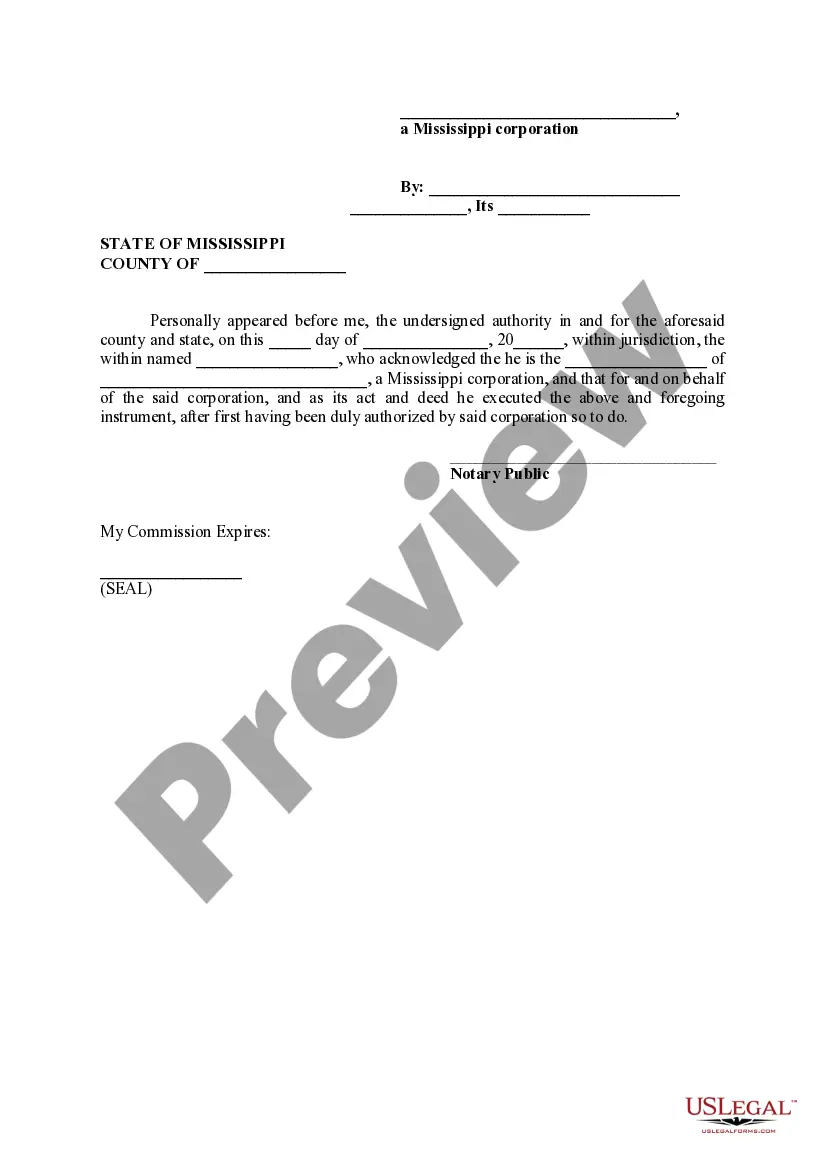
- Signature block: Area for the authorized representative of the corporation to sign and date the amendment.
- Notary acknowledgment: A section confirming the identity and authority of the person signing the document.

When this form is needed
This form is useful when a property owner wants to expand the scope of an existing Declaration of Covenants and Restrictions to include additional property. Situations might include the purchase of adjacent land or the desire to unify properties under common restrictions for better management or development control. Using this form ensures that all properties remain governed by the same set of rules, promoting consistency and clarity.
Intended users of this form
- Corporations or developers intending to add property to an existing covenant declaration.
- Homeowners' associations looking to expand their authority over newly acquired land.
- Property owners who wish to ensure their new property aligns with existing community rules.
Steps to complete this form
- Identify the parties involved, including the existing property holders and any new property owners.
- Specify the property by accurately describing it in the exhibit attached to the declaration.
- Reference the original declaration by including the book and page numbers where it is recorded.
- Obtain all necessary signatures from authorized representatives of the corporation.
- Have the document notarized, if required, ensuring that the notary fills out their section accurately.
Does this form need to be notarized?
Yes, this form must be notarized to be legally valid. This requirement ensures the authenticity of the signatures and the authority of the representatives signing the document. US Legal Forms provides integrated online notarization, allowing users to complete this process securely via video call, ensuring convenience without the need to travel.
Get your form ready online
Our built-in tools help you complete, sign, share, and store your documents in one place.
Make edits, fill in missing information, and update formatting in US Legal Forms—just like you would in MS Word.
Download a copy, print it, send it by email, or mail it via USPS—whatever works best for your next step.
Sign and collect signatures with our SignNow integration. Send to multiple recipients, set reminders, and more. Go Premium to unlock E-Sign.
If this form requires notarization, complete it online through a secure video call—no need to meet a notary in person or wait for an appointment.
We protect your documents and personal data by following strict security and privacy standards.

Make edits, fill in missing information, and update formatting in US Legal Forms—just like you would in MS Word.

Download a copy, print it, send it by email, or mail it via USPS—whatever works best for your next step.

Sign and collect signatures with our SignNow integration. Send to multiple recipients, set reminders, and more. Go Premium to unlock E-Sign.

If this form requires notarization, complete it online through a secure video call—no need to meet a notary in person or wait for an appointment.

We protect your documents and personal data by following strict security and privacy standards.
Common mistakes
- Failing to accurately describe the additional property in Exhibit âA.â
- Leaving out required signatures from authorized individuals.
- Not properly recording the form with the county clerk after completion.
- Neglecting the notary signature or seal, which may invalidate the document.
Why complete this form online
- Convenience of having access to legally vetted documents from the comfort of home.
- Editability allows for customization according to specific needs without legal jargon.
- Reliable access to templates designed by licensed attorneys.