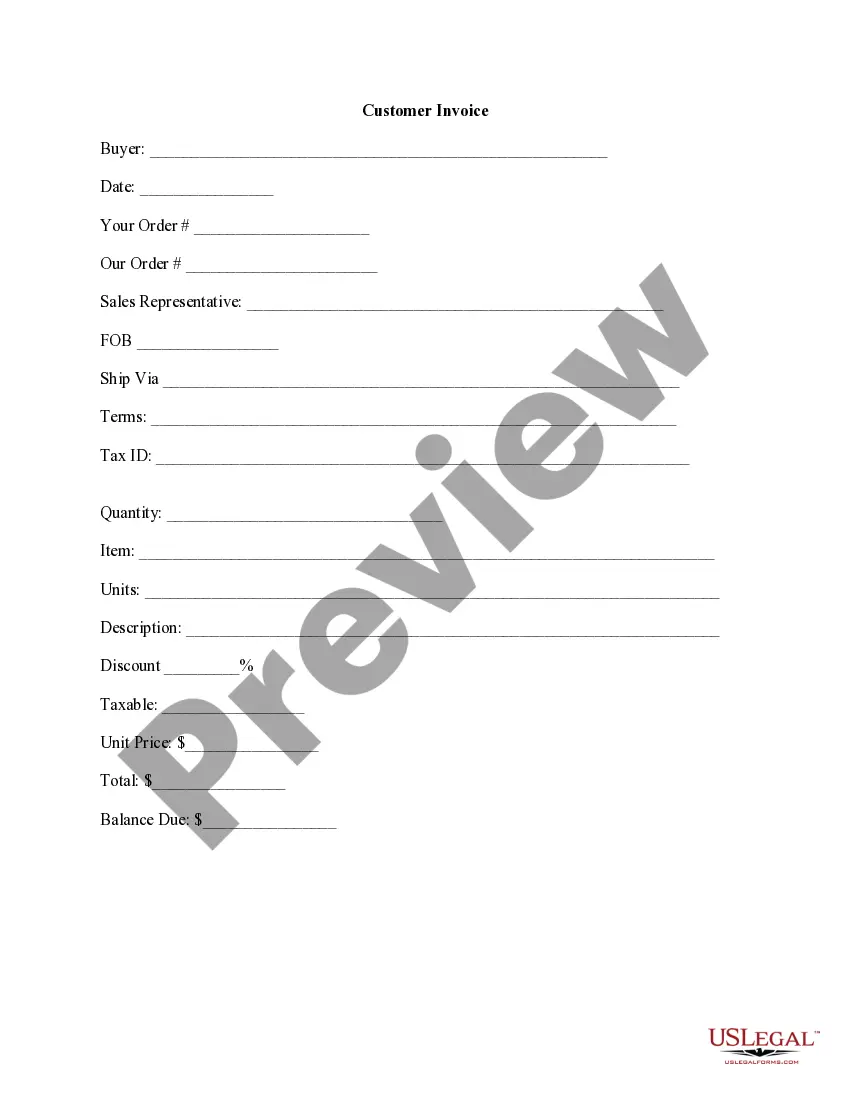
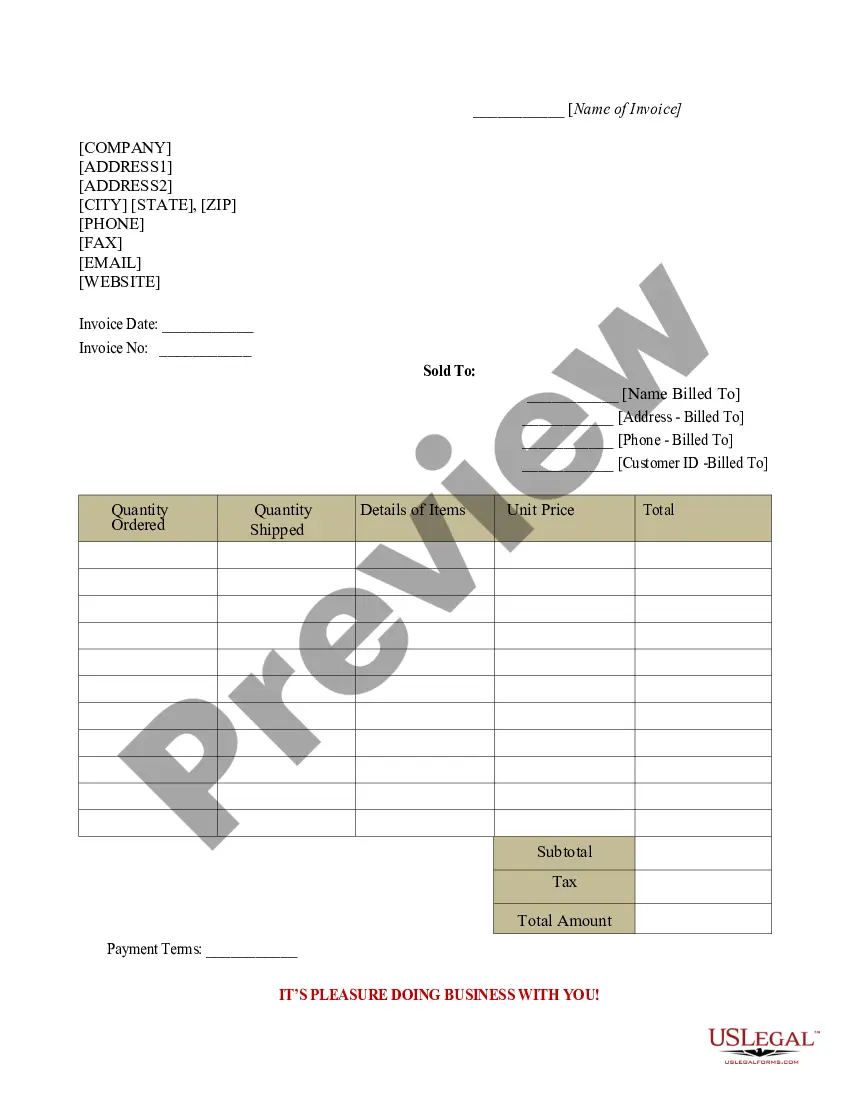
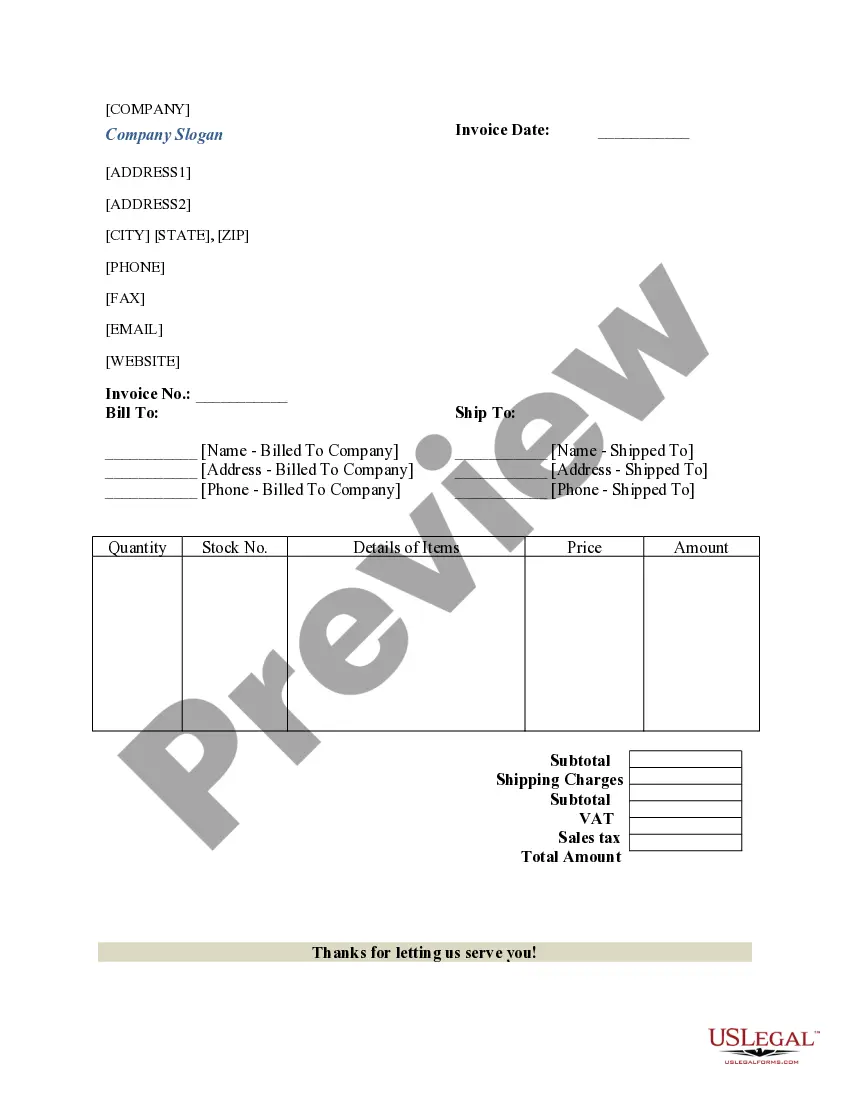
Michigan Customer Invoice
Description



Get your form ready online
Our built-in tools help you complete, sign, share, and store your documents in one place.
Make edits, fill in missing information, and update formatting in US Legal Forms—just like you would in MS Word.
Download a copy, print it, send it by email, or mail it via USPS—whatever works best for your next step.
Sign and collect signatures with our SignNow integration. Send to multiple recipients, set reminders, and more. Go Premium to unlock E-Sign.
If this form requires notarization, complete it online through a secure video call—no need to meet a notary in person or wait for an appointment.
We protect your documents and personal data by following strict security and privacy standards.

Make edits, fill in missing information, and update formatting in US Legal Forms—just like you would in MS Word.

Download a copy, print it, send it by email, or mail it via USPS—whatever works best for your next step.

Sign and collect signatures with our SignNow integration. Send to multiple recipients, set reminders, and more. Go Premium to unlock E-Sign.

If this form requires notarization, complete it online through a secure video call—no need to meet a notary in person or wait for an appointment.

We protect your documents and personal data by following strict security and privacy standards.
Looking for another form?





How to fill out Customer Invoice?
Should you require to total, acquire, or print legal document formats, utilize US Legal Forms, the largest collection of legal templates available online.
Take advantage of the website's simple and convenient search to find the documents you need.
Various templates for business and personal purposes are organized by categories and regions, or keywords.
Every legal document template you purchase is yours indefinitely. You will have access to every form you've acquired in your account.
Click on the My documents section to select a document to print or download again. Stay competitive and download, and print the Michigan Customer Invoice with US Legal Forms. There are numerous professional and state-specific templates available for your business or personal requirements.
- Utilize US Legal Forms to obtain the Michigan Customer Invoice in just a few clicks.
- If you are already a US Legal Forms user, Log In to your account and press the Download button to find the Michigan Customer Invoice.
- You can also access forms you have previously acquired in the My documents section of your account.
- If you are using US Legal Forms for the first time, refer to the instructions below.
- Step 1. Ensure you have selected the form for the correct city/state.
- Step 2. Use the Preview option to review the form's content. Don't forget to read the details.
- Step 3. If you are not satisfied with the form, use the Search field at the top of the screen to find other variations of the legal document template.
- Step 4. After locating the desired form, choose the Buy now button. Select your preferred pricing plan and provide your information to register for an account.
- Step 5. Complete the transaction. You can use your credit card or PayPal account to finalize the purchase.
- Step 6. Choose the format of the legal document and download it to your device.
- Step 7. Complete, edit, print or sign the Michigan Customer Invoice.
Form popularity
FAQ
To talk to someone at Michigan Treasury, call their official phone number during operating hours. The staff can assist you with inquiries regarding your Michigan customer invoice, tax-related issues, or any other concerns you may have. Remember to be patient, as there may be wait times, but the support team is there to help you.
Speaking to a live person at the treasury department is straightforward. You can call their customer service line and navigate through the automated system to reach a representative. Having your Michigan customer invoice or any relevant documents handy will facilitate a smoother conversation and help answer your queries efficiently.
You should mail your Michigan estimated tax payments to the address specified on the payment voucher or relevant documents. Ensuring that you include your Michigan customer invoice number on the payment will help the Treasury process your submission correctly. To avoid delays, double-check that you send your payment to the correct address according to the current year’s guidelines.
If you receive a notice from the Michigan Department of Treasury, it may relate to a variety of reasons, such as updates on your tax status or information regarding your Michigan customer invoice. These communications aim to keep you informed about your financial obligations. If you have specific questions, consider reaching out directly for clarification.
To reach a live person at the Michigan Department of Treasury, you can call their main customer service number during business hours. You may encounter automated prompts, but selecting the appropriate options will guide you to a representative. When discussing topics related to your Michigan customer invoice, having your tax information ready will help expedite the process.
In Michigan, various items are categorized as non-taxable, including certain food products, prescriptions, and some clothing. These non-taxable items can significantly impact how you handle your Michigan Customer Invoice. To ensure compliance, you should regularly review the list of non-taxable items provided by the Michigan Treasury.
Filing Michigan sales tax involves completing the necessary forms, which you can find on the Michigan Department of Treasury website. You have the option to file online or by mail, depending on your preference. In managing your sales tax through your Michigan Customer Invoice, it's crucial to maintain accurate records of all taxable sales.
If you need to mail your state tax return in Michigan, you should send it to the address specified on the Michigan Department of Treasury website. Typically, it varies based on whether you are including payment with your return. Always check for the latest instructions related to your Michigan Customer Invoice to ensure you are using the correct mailing address.
In Michigan, a few services are exempt from sales tax, such as some healthcare and educational services. Additionally, services that do not primarily provide tangible goods may qualify for exemption. Checking the specific exemptions listed in the Michigan Customer Invoice guidelines can provide clarity on this topic.
Certain customers in Michigan may qualify for sales tax exemption. This includes non-profit organizations, government entities, and other specified groups. To ensure you are eligible for the tax-exempt status on your Michigan Customer Invoice, it's essential to provide proper documentation when making your purchases.