Kansas Sales Receipt
Description




Get your form ready online
Our built-in tools help you complete, sign, share, and store your documents in one place.
Make edits, fill in missing information, and update formatting in US Legal Forms—just like you would in MS Word.
Download a copy, print it, send it by email, or mail it via USPS—whatever works best for your next step.
Sign and collect signatures with our SignNow integration. Send to multiple recipients, set reminders, and more. Go Premium to unlock E-Sign.
If this form requires notarization, complete it online through a secure video call—no need to meet a notary in person or wait for an appointment.
We protect your documents and personal data by following strict security and privacy standards.

Make edits, fill in missing information, and update formatting in US Legal Forms—just like you would in MS Word.

Download a copy, print it, send it by email, or mail it via USPS—whatever works best for your next step.

Sign and collect signatures with our SignNow integration. Send to multiple recipients, set reminders, and more. Go Premium to unlock E-Sign.

If this form requires notarization, complete it online through a secure video call—no need to meet a notary in person or wait for an appointment.

We protect your documents and personal data by following strict security and privacy standards.
Looking for another form?



How to fill out Sales Receipt?
If you need to complete, download, or print official document templates, use US Legal Forms, the largest compilation of legal forms available online.
Utilize the site's user-friendly search function to find the documents you require.
A variety of templates for commercial and individual purposes are organized by categories and states, or keywords.
Every legal document template you purchase is yours indefinitely. You have access to every form you saved in your account. Visit the My documents section and select a form to print or download again.
Compete and download, and print the Kansas Sales Receipt with US Legal Forms. There are numerous professional and state-specific forms available for your business or personal needs.
- Use US Legal Forms to obtain the Kansas Sales Receipt in just a few clicks.
- If you are currently a US Legal Forms user, sign in to your account and click the Download button to acquire the Kansas Sales Receipt.
- You can also access forms you previously saved under the My documents section of your account.
- If you are using US Legal Forms for the first time, follow the steps below.
- Step 1. Ensure you have selected the form for the correct city/state.
- Step 2. Use the Preview option to review the form's details. Be sure to check the summary.
- Step 3. If you are not satisfied with the form, use the Search field at the top of the screen to find other forms in the legal form library.
- Step 4. After locating the form you need, click on the Order Now button. Choose the pricing plan you prefer and enter your details to create an account.
- Step 5. Process the payment. You can use your credit card or PayPal account to complete the transaction.
- Step 6. Select the format of the legal form and download it to your device.
- Step 7. Complete, edit, and print or sign the Kansas Sales Receipt.
Form popularity
FAQ
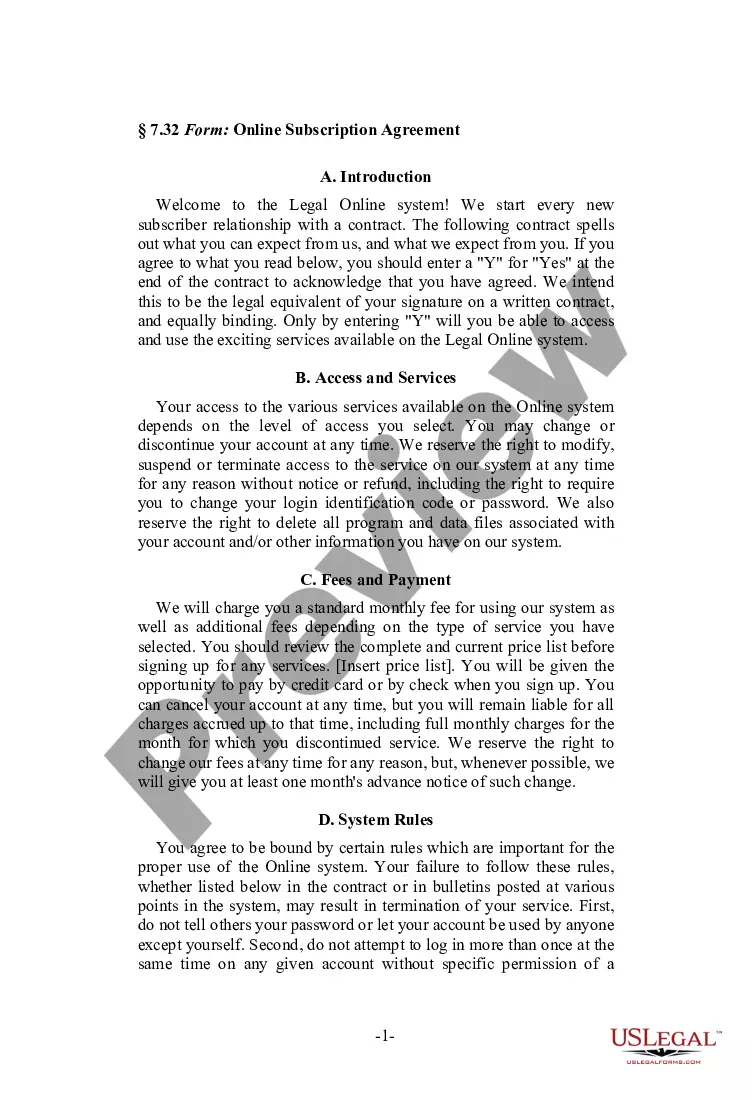
To fill out a sales receipt, start with essential information like the sale date and seller's contact details. List the items sold along with their respective prices and total amounts, including any sales tax. Completing this correctly ensures both parties agree on what was sold and for how much. A Kansas Sales Receipt is an ideal format to ensure clarity and professionalism.
To fill out a sales order slip, begin with the order date and the buyer's information. Include a detailed description of the goods or services being ordered, specifying quantities and prices. It’s always a good practice to keep a copy for both the buyer and seller. When integrated with a Kansas Sales Receipt, this process becomes even more efficient and organized.
To write a bill of sale in Kansas, start by including the date of the transaction and the names of both the buyer and the seller. Clearly describe the item being sold, including its condition, serial number, and any other identifying details. After writing the bill of sale, both parties should sign it, which will help establish proof of the transaction. Using a Kansas Sales Receipt can make this process more straightforward.
Yes, if you sell taxable goods or services in Kansas, you must register for a sales tax permit. This registration process is welcomed by most online and physical retailers. Once registered, your Kansas Sales Receipt will help you track sales and file taxes accurately.
Retailers' sales tax in Kansas is a tax imposed on the sale of tangible goods. The current rate is a combination of state and local taxes, which can vary by location. To stay compliant, always retain your Kansas Sales Receipt to accurately report your taxable sales and any local variations.
Filing a KW-3 in Kansas involves reporting the total sales you made and the tax collected. Complete the form by entering the relevant figures and ensure your Kansas Sales Receipt matches your reported sales. Submit your KW-3 along with your other tax forms, either electronically or on paper.
To file retailers sales tax in Kansas, gather your sales records and complete the necessary sales tax forms. You can file them electronically, which simplifies the process. Having your Kansas Sales Receipt close at hand helps verify your sales figures and ensures you include all taxable revenue.
Filing retail sales tax in Kansas requires you to complete the appropriate state forms. You can submit your filings online through the Kansas Department of Revenue portal. Ensure you have your Kansas Sales Receipt ready, as it will provide essential details needed for accurate reporting.
To sell your car privately in Kansas, you will need several key documents. First, prepare a Kansas Sales Receipt to serve as proof of the transaction. Additionally, ensure you have the vehicle title signed over to the buyer, and if applicable, a completed odometer disclosure statement. Having these documents organized will make the sale process smoother and protect both you and the buyer.
You can apply for an EIN number in Kansas through the IRS website. The application process is straightforward and allows you to apply online, by mail, or by fax. Securing an EIN is essential for managing taxes and issuing Kansas Sales Receipts correctly for your business.