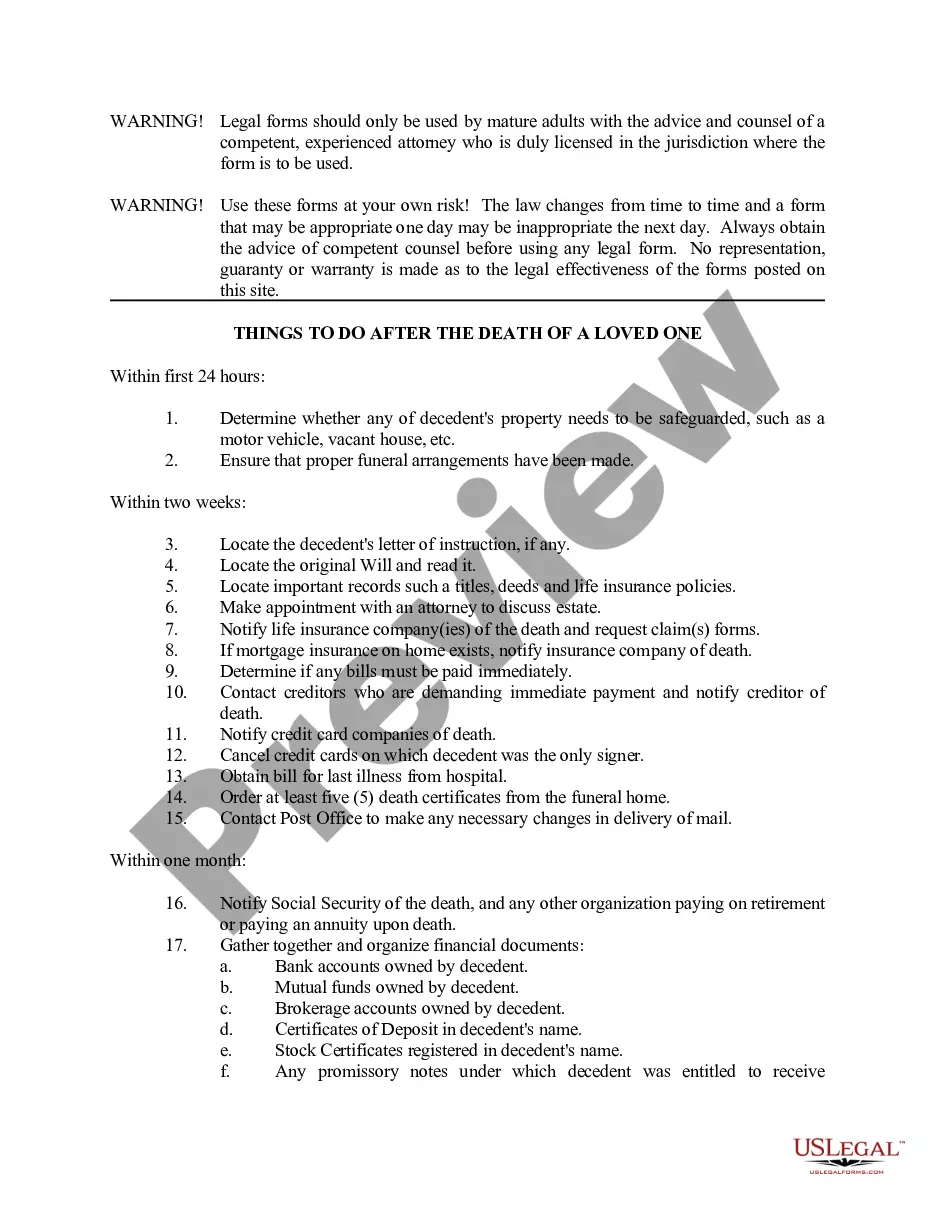
Checklist Template For Work
Description
Get your form ready online
Our built-in tools help you complete, sign, share, and store your documents in one place.
Make edits, fill in missing information, and update formatting in US Legal Forms—just like you would in MS Word.
Download a copy, print it, send it by email, or mail it via USPS—whatever works best for your next step.
Sign and collect signatures with our SignNow integration. Send to multiple recipients, set reminders, and more. Go Premium to unlock E-Sign.
If this form requires notarization, complete it online through a secure video call—no need to meet a notary in person or wait for an appointment.
We protect your documents and personal data by following strict security and privacy standards.

Make edits, fill in missing information, and update formatting in US Legal Forms—just like you would in MS Word.

Download a copy, print it, send it by email, or mail it via USPS—whatever works best for your next step.

Sign and collect signatures with our SignNow integration. Send to multiple recipients, set reminders, and more. Go Premium to unlock E-Sign.

If this form requires notarization, complete it online through a secure video call—no need to meet a notary in person or wait for an appointment.

We protect your documents and personal data by following strict security and privacy standards.
Looking for another form?








How to fill out Death To Do List - Checklist?
Regardless of whether it's for professional reasons or personal matters, everyone encounters legal issues at some stage in their life.
Filling out legal documents necessitates meticulous consideration, starting from selecting the appropriate form example. For example, selecting an incorrect version of the Checklist Template For Work will lead to its rejection upon submission.
With an extensive US Legal Forms catalog available, you no longer need to waste time scouring the internet for the right template. Utilize the library’s user-friendly navigation to find the appropriate template for any requirement.
- Locate the template you require by using the search feature or browsing the catalog.
- Review the form’s description to confirm its suitability for your situation, state, and locality.
- Click on the form’s preview to inspect it.
- If it’s not the correct document, return to the search tool to find the Checklist Template For Work sample you seek.
- Download the template once it aligns with your needs.
- If you have a US Legal Forms account, just click Log in to access previously stored templates in My documents.
- If you don’t possess an account yet, you can download the form by clicking Buy now.
- Pick the suitable pricing option.
- Fill out the account registration form.
- Choose your payment method: either a bank card or a PayPal account.
- Select the desired file format and download the Checklist Template For Work.
- Once saved, you can complete the form using editing software or print it out and fill it in manually.
Form popularity
FAQ
How to make your daily checklist Step 1: Start with your most important tasks (MITs) ... Step 2: Break down larger tasks into subtasks. ... Step 3: Allocate time blocks for each task. ... Step 4: Factor in breaks and downtime. ... Step 5: Review and adjust for the next day.
5 Tips For Creating Great Checklists Structure it logically. A good quality checklist guides the user. ... Make questions simple and unbiased. Every question in a checklist needs to be understood by its user. ... Clarify the objective. ... Provide help and guidance. ... Emphasise the right questions.
How to create your checklist Step 1:Do a ?brain dump? ... Step 2:Organize and prioritize tasks. ... Step 3:Put them on your to-do list. ... Step 4:Check off each item as you complete it. ... Step 5:Continue adding items as they come up.
A checklist organizes items in a systematic manner and provides you an overview of what tasks you need to accomplish instead of relying on your memory. It's a way to ensure everyone is on the same page with what needs to be completed and by when.
How to create your checklist Step 1:Do a ?brain dump? ... Step 2:Organize and prioritize tasks. ... Step 3:Put them on your to-do list. ... Step 4:Check off each item as you complete it. ... Step 5:Continue adding items as they come up.