Partnership Of Financing
Description





Get your form ready online
Our built-in tools help you complete, sign, share, and store your documents in one place.
Make edits, fill in missing information, and update formatting in US Legal Forms—just like you would in MS Word.
Download a copy, print it, send it by email, or mail it via USPS—whatever works best for your next step.
Sign and collect signatures with our SignNow integration. Send to multiple recipients, set reminders, and more. Go Premium to unlock E-Sign.
If this form requires notarization, complete it online through a secure video call—no need to meet a notary in person or wait for an appointment.
We protect your documents and personal data by following strict security and privacy standards.

Make edits, fill in missing information, and update formatting in US Legal Forms—just like you would in MS Word.

Download a copy, print it, send it by email, or mail it via USPS—whatever works best for your next step.

Sign and collect signatures with our SignNow integration. Send to multiple recipients, set reminders, and more. Go Premium to unlock E-Sign.

If this form requires notarization, complete it online through a secure video call—no need to meet a notary in person or wait for an appointment.

We protect your documents and personal data by following strict security and privacy standards.
Looking for another form?










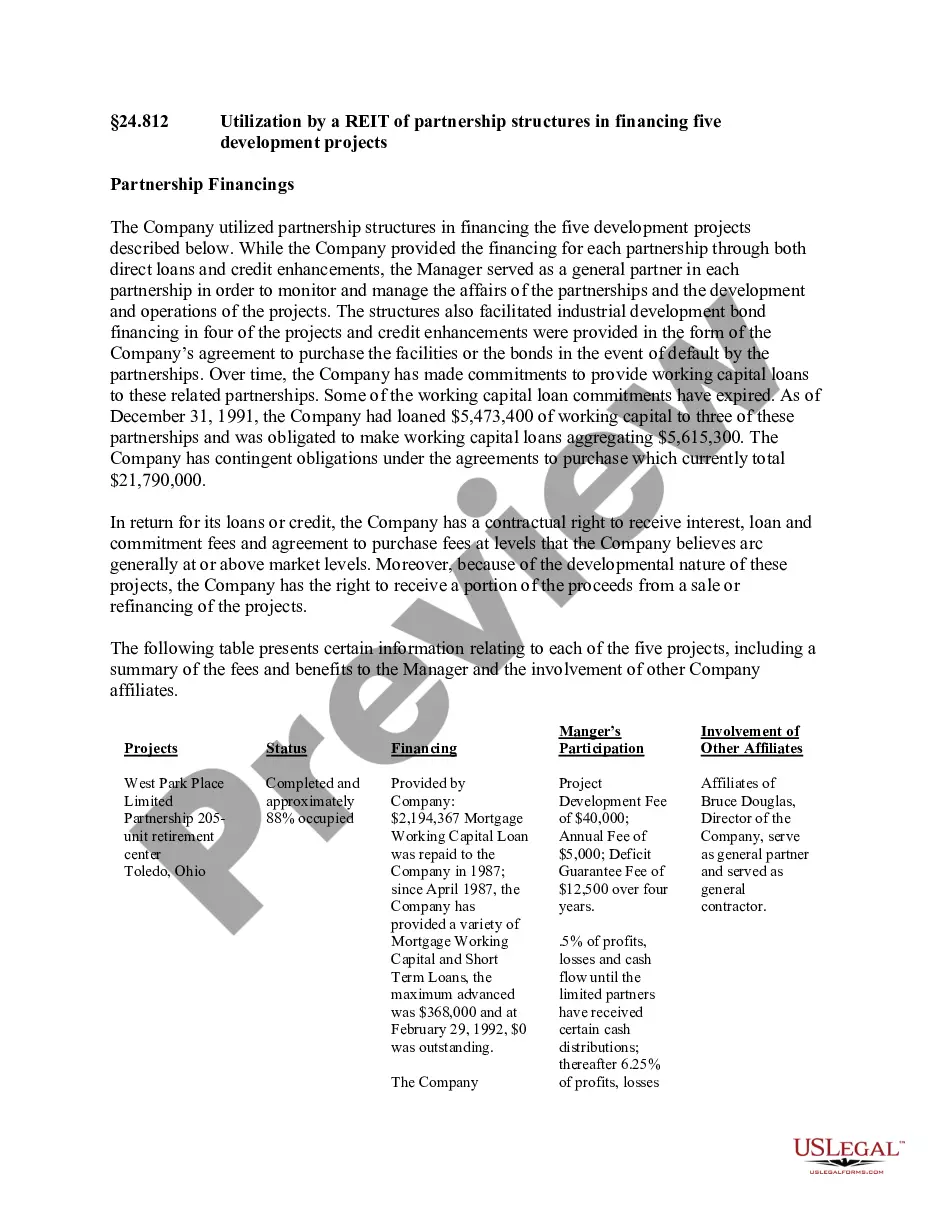
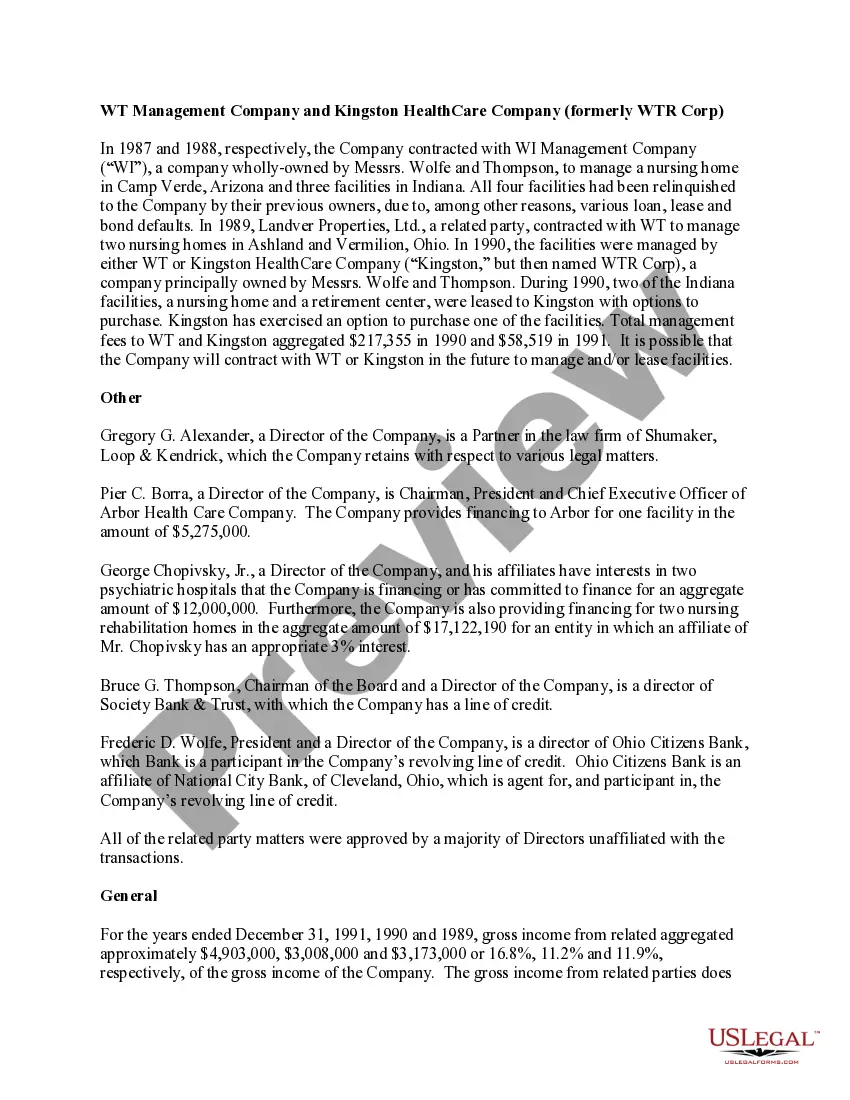
How to fill out Utilization By A REIT Of Partnership Structures In Financing Five Development Projects?
Regardless of whether it’s for commercial reasons or personal issues, everyone encounters legal matters at some stage in their life.
Completing legal documents necessitates meticulous consideration, starting from choosing the appropriate form template.
After it is saved, you can complete the form using editing software or print it out to fill it in manually. With an extensive catalog from US Legal Forms available, you will never need to waste time searching for the correct template online. Take advantage of the library’s easy navigation to find the suitable form for any circumstance.
- For example, selecting an incorrect version of the Partnership Of Financing will lead to its rejection once you submit it.
- Hence, obtaining a reliable source of legal forms like US Legal Forms is crucial.
- If you're in need of a Partnership Of Financing template, adhere to these simple instructions.
- Search for the needed template using the search bar or through the catalog.
- Review the form’s details to confirm it matches your situation, state, and county.
- Click on the preview of the form to inspect it.
- If it's the wrong form, return to the search feature to locate the Partnership Of Financing template you require.
- Download the template when it aligns with your needs.
- If you possess a US Legal Forms account, simply click Log in to access previously saved files in My documents.
- If you don't have an account yet, you can acquire the form by clicking Buy now.
- Select the appropriate pricing option.
- Fill out the account registration form.
- Choose your payment method: either credit card or PayPal.
- Select the file format you desire and download the Partnership Of Financing.
Form popularity
FAQ
Examples of partnerships include a law firm formed by several attorneys, a medical practice shared by multiple doctors, and a startup created by co-founders combining their resources. Each partnership draws on the strengths of its members to achieve shared goals. Utilizing a partnership of financing can enhance efficiency and growth.
How do I complete a partnership information return? Step 1: fill out T5013-FIN. ... Step 2: fill out the T5013 schedules that are relevant to your partnership. ... Step 3: fill out a T5013 for each partner. ... Step 4: fill out a T5013SUM for the entire partnership.
If you have a T5013 Select Find from the menu. Enter T5013 in the Find window. Select T5013 Partnership Income from the list of results, and then select Go. ... Select Enter New T5013. ... Fill out the form in TurboTax with the information from your slip. Select Done with T5013.
How do I enter the information from my T5013? Type ?T5013? in the search box and add the Partnership Income section to you return. Add all boxes from your T5013. For a complete list of the T5013 boxes, their descriptions, and how each box is included in your return, see the T5013 Instruction page.
To add your T5013 to your return: Type ?T5013? in the search box and add the Partnership Income section to you return. Add all boxes from your T5013. For a complete list of the T5013 boxes, their descriptions, and how each box is included in your return, see the T5013 Instruction page.
Partnerships Investments by each partner are credited to the partners' capital accounts. Withdrawals from the partnership by a partner are debited to the respective drawing account. The net income for a partnership is divided between the partners as called for in the partnership agreement.