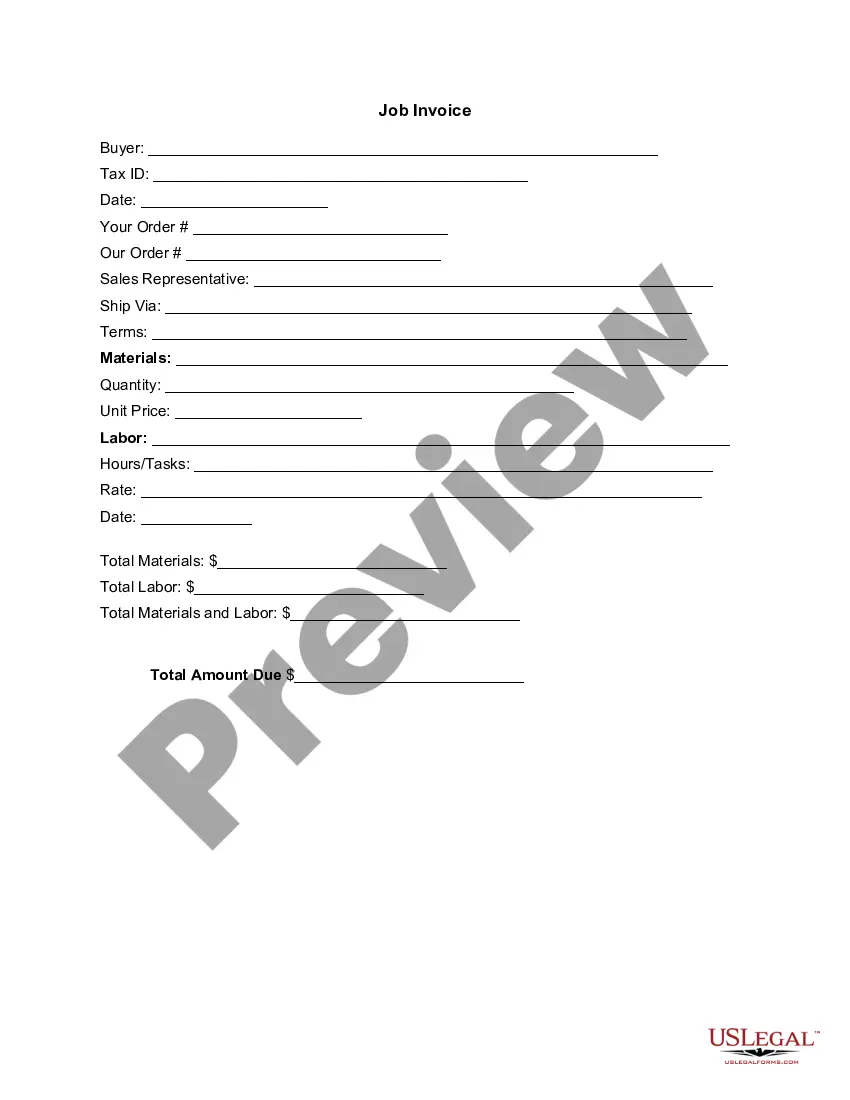
Graphic Design Invoice Examples
Description

Get your form ready online
Our built-in tools help you complete, sign, share, and store your documents in one place.
Make edits, fill in missing information, and update formatting in US Legal Forms—just like you would in MS Word.
Download a copy, print it, send it by email, or mail it via USPS—whatever works best for your next step.
Sign and collect signatures with our SignNow integration. Send to multiple recipients, set reminders, and more. Go Premium to unlock E-Sign.
If this form requires notarization, complete it online through a secure video call—no need to meet a notary in person or wait for an appointment.
We protect your documents and personal data by following strict security and privacy standards.

Make edits, fill in missing information, and update formatting in US Legal Forms—just like you would in MS Word.

Download a copy, print it, send it by email, or mail it via USPS—whatever works best for your next step.

Sign and collect signatures with our SignNow integration. Send to multiple recipients, set reminders, and more. Go Premium to unlock E-Sign.

If this form requires notarization, complete it online through a secure video call—no need to meet a notary in person or wait for an appointment.

We protect your documents and personal data by following strict security and privacy standards.
Looking for another form?



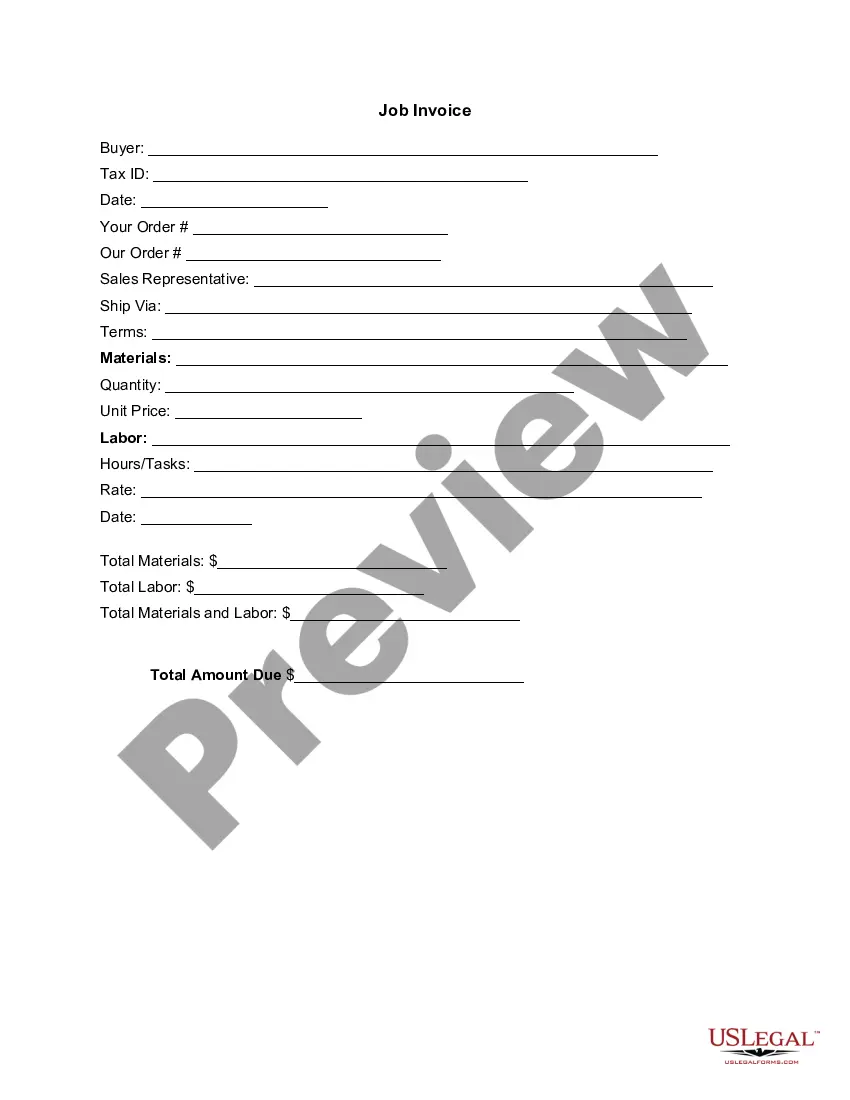
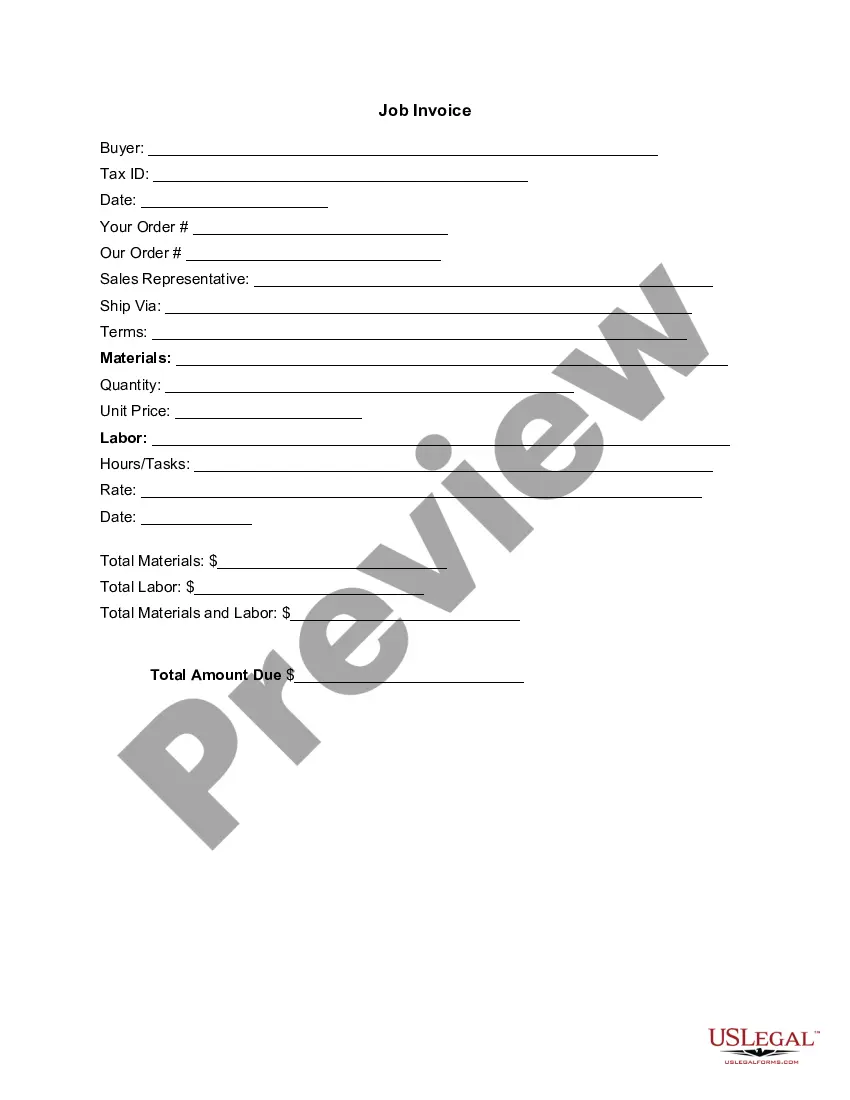
How to fill out Invoice Template For Graphic Designer?
The Graphic Design Invoice Samples you find on this page is a reusable legal document prepared by qualified attorneys in accordance with federal and regional regulations.
For over 25 years, US Legal Forms has supplied individuals, enterprises, and lawyers with more than 85,000 validated, state-specific documents for any business and personal situation. It’s the fastest, easiest, and most reliable method to acquire the forms you require, as the service guarantees the utmost level of data protection and anti-malware security.
Select the format you wish for your Graphic Design Invoice Samples (PDF, Word, RTF) and save the document on your device.
- Browse for the document you require and examine it.
- Look through the sample you searched and preview it or check the form description to ensure it meets your needs. If it doesn’t, use the search function to find the suitable one. Click Buy Now when you have identified the template you desire.
- Subscribe and Log In.
- Choose the pricing plan that fits you and create an account. Use PayPal or a credit card for a quick transaction. If you already have an account, Log In and verify your subscription to proceed.
- Obtain the editable template.
Form popularity
FAQ
Every invoice should have your contact details and the contact information for the company that you're billing. The customer uses this information to identify where to send payment and how to contact you.
Information you should include when creating your graphic design services invoice: A unique invoice number. The date the graphic design project was delivered. A description of the deliverables. An indication of whether the project is complete or still in progress. The date of the invoice. The amount payable.
How to fill out an invoice. The name and contact information of the vendor and customer. An invoice number for payment tracking. The date of the transaction and date of invoice. The payment due date. A list of sold products or services with prices. Any pre-payments or discounts.
What should be included on an invoice for freelancers Your name and contact information. Your client's name. Invoice number. Date of invoice issuance. Work order number or job code number. Payment due date. Current payment status. A description of your work or services rendered.
How to write an invoice? Brand your invoice in the header. Include your contact details. List your company name and information. Write a description of the goods or services you're charging for. Add the dates. Total up the money owed. Explain acceptable payment terms. Choose your payment method.