Blank Credit Card Payment Form With Payment
Description
Get your form ready online
Our built-in tools help you complete, sign, share, and store your documents in one place.
Make edits, fill in missing information, and update formatting in US Legal Forms—just like you would in MS Word.
Download a copy, print it, send it by email, or mail it via USPS—whatever works best for your next step.
Sign and collect signatures with our SignNow integration. Send to multiple recipients, set reminders, and more. Go Premium to unlock E-Sign.
If this form requires notarization, complete it online through a secure video call—no need to meet a notary in person or wait for an appointment.
We protect your documents and personal data by following strict security and privacy standards.

Make edits, fill in missing information, and update formatting in US Legal Forms—just like you would in MS Word.

Download a copy, print it, send it by email, or mail it via USPS—whatever works best for your next step.

Sign and collect signatures with our SignNow integration. Send to multiple recipients, set reminders, and more. Go Premium to unlock E-Sign.

If this form requires notarization, complete it online through a secure video call—no need to meet a notary in person or wait for an appointment.

We protect your documents and personal data by following strict security and privacy standards.
Looking for another form?

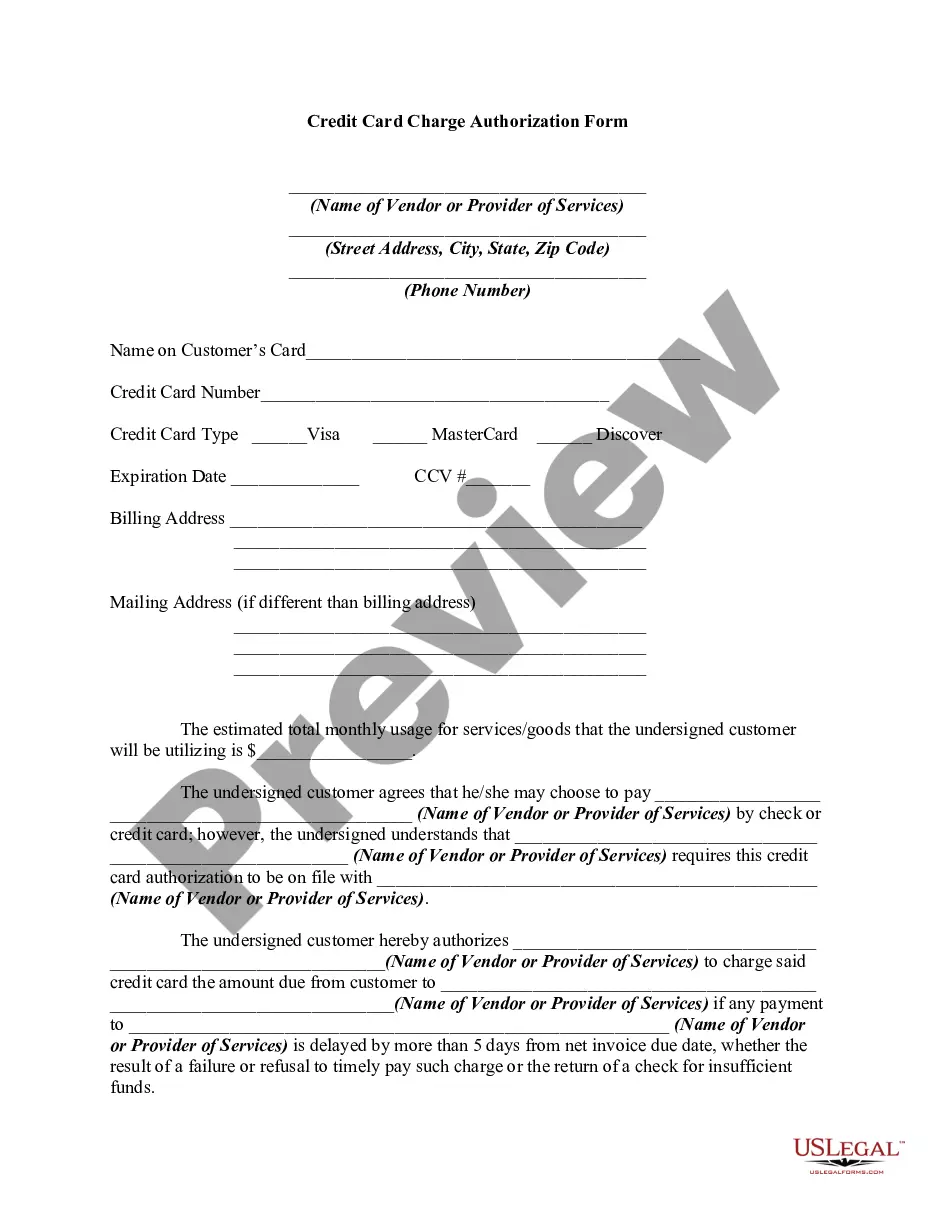
How to fill out Credit Card Charge Authorization Form?
Regardless of whether it's for commercial reasons or personal issues, everyone will encounter legal scenarios at some stage in their life.
Filling out legal documents necessitates meticulous focus, starting with choosing the appropriate form template.
- For example, if you select an incorrect version of the Blank Credit Card Payment Form With Payment, it will be rejected when you submit it.
- Thus, it is essential to find a trustworthy source for legal documents like US Legal Forms.
- If you need to obtain a Blank Credit Card Payment Form With Payment template, follow these straightforward steps.
- Access the template you require by using the search bar or browsing the catalog.
- Review the form’s description to ensure it aligns with your situation, state, and location.
- Click on the form’s preview to view it.
- If it is not the right document, return to the search feature to locate the Blank Credit Card Payment Form With Payment template you need.
- Download the template if it fulfills your requirements.
- If you possess a US Legal Forms account, click Log in to retrieve previously saved templates in My documents.
- If you do not have an account yet, you can get the form by clicking Buy now.
- Choose the appropriate pricing option.
- Complete the account registration form.
Form popularity
FAQ
Yes, setting up recurring payments with a credit card is quite simple. Many billing systems allow you to use a blank credit card payment form with payment details stored for automatic processing. This functionality is especially useful for memberships, subscriptions, or any periodic transactions.
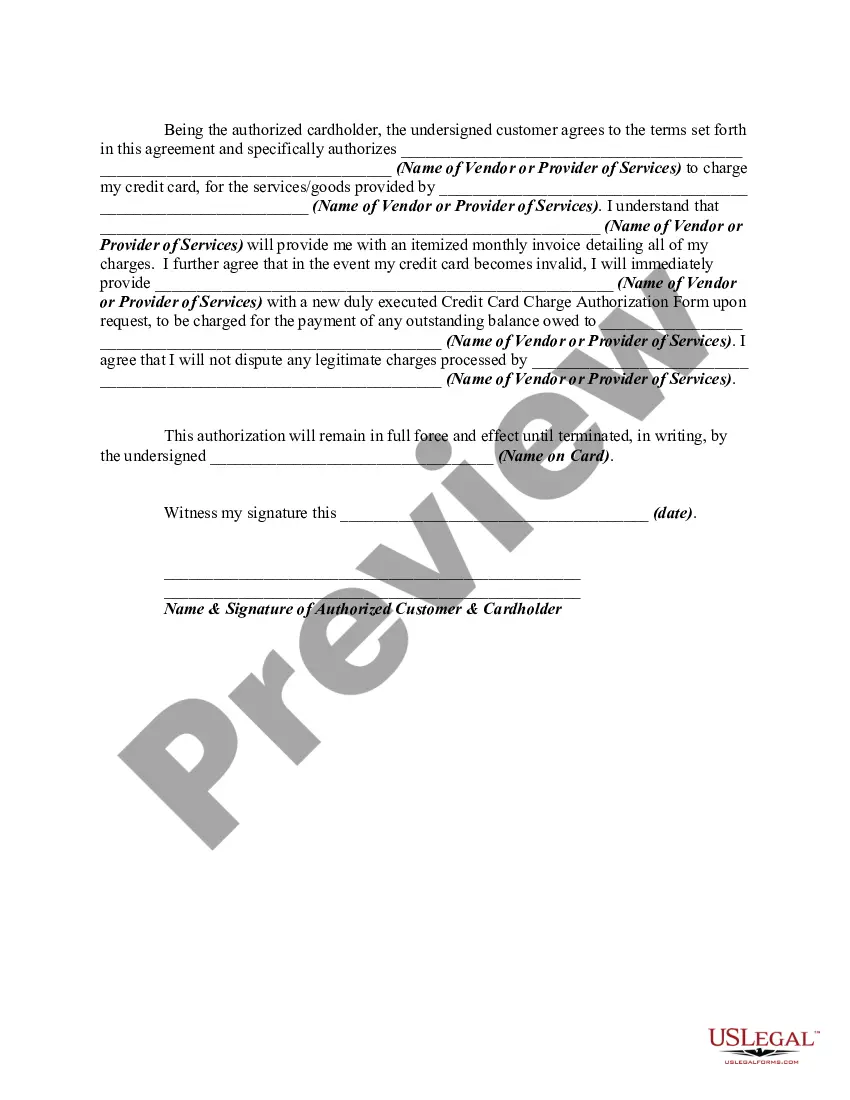
To authorize a credit card payment, the cardholder must provide their card information and consent to the transaction. Many businesses use a secure Blank credit card payment form with payment that captures this authorization easily, keeping transactions safe and effective. Ensuring that you have proper authorization protects both you and your customer.
Then, type the 16-digit Debit Card number which is on the front side of your Debit Card. You will also have to enter the expiration date of the card. Once you've entered the Debit Card details, you may be asked for a CCD, CVV, or similar security code.
How to Use a Debit Card Online? Once you are at the payment checkout, you need to choose ?Pay Using Debit/ Credit Card. ... Then, type the 16-digit Debit Card number which is on the front side of your Debit Card. ... Once you've entered the Debit Card details, you may be asked for a CCD, CVV, or similar security code.
It's simple: A credit card authorization form typically includes the following general information to ensure a smooth transaction process: Cardholder's name. Card number. Card network. Credit card expiration date. Billing address. Contact information. Authorized amount. Cardholder's signature.
Your credit card authorization form ought to include the following details: The credit card information like card type, the cardholder's name, the card number, and the card expiry date. The merchant's business information ? like name, address and contact number/mail ID. A billing address for the cardholder.
Typically it contains: The cardholder's credit card information: Card type, Name on card, Card number, Expiration date. The merchant's business information. Cardholder's billing address. Language authorizing the merchant to charge the customer's card on file. Name and signature of the cardholder. Date.