Non Disclosure Agreement Format In San Jose
Description

Get your form ready online
Our built-in tools help you complete, sign, share, and store your documents in one place.
Make edits, fill in missing information, and update formatting in US Legal Forms—just like you would in MS Word.
Download a copy, print it, send it by email, or mail it via USPS—whatever works best for your next step.
Sign and collect signatures with our SignNow integration. Send to multiple recipients, set reminders, and more. Go Premium to unlock E-Sign.
If this form requires notarization, complete it online through a secure video call—no need to meet a notary in person or wait for an appointment.
We protect your documents and personal data by following strict security and privacy standards.

Make edits, fill in missing information, and update formatting in US Legal Forms—just like you would in MS Word.

Download a copy, print it, send it by email, or mail it via USPS—whatever works best for your next step.

Sign and collect signatures with our SignNow integration. Send to multiple recipients, set reminders, and more. Go Premium to unlock E-Sign.

If this form requires notarization, complete it online through a secure video call—no need to meet a notary in person or wait for an appointment.

We protect your documents and personal data by following strict security and privacy standards.
Looking for another form?

Form popularity
FAQ
In addition, California's STAND Act and Silenced No More Act make it unlawful for businesses to use nondisclosure agreements to prevent their employees from revealing factual information regarding sexual assaults, workplace harassment, workplace discrimination, or workplace retaliation.
If a phone call does not resolve remaining issues, the NDA will likely take more than 30 days, and up to several months, to complete. During negotiations, PIs are notified if questions or issues arise. Once the NDA is final, the document is routed for signatures.
You do not need a lawyer to create and sign a non-disclosure agreement. However, if the information you are trying to protect is important enough to warrant an NDA, you may want to have the document reviewed by someone with legal expertise.
Upload your NDA document from your local computer, Google Drive, or Dropbox account. Click on the option, Request Signatures. Add your Signer's name and email address. If more than one person needs to sign the document, click on Add Receiver.
Typically, a legal professional writing the NDA will complete these steps: Step 1 - Describe the scope. Which information is considered confidential? ... Step 2 - Detail party obligations. Step 3 - Note potential exclusions. Step 4 - Set the term. Step 5 - Spell out consequences.
I hereby undertake to treat as confidential all and any information that I receive while participating in the work of evaluating project proposals, to use this information solely for the purpose of evaluation of the proposals, not to disclose it to any third party and not to make it publicly available or accessible ...
To create an NDA simply and quickly, use a pre-existing non-disclosure agreement template like the pre-approved templates from . You should simply: Log in to and choose the NDA Template. Edit the template to include a description of the confidential information and the scope of the agreement.
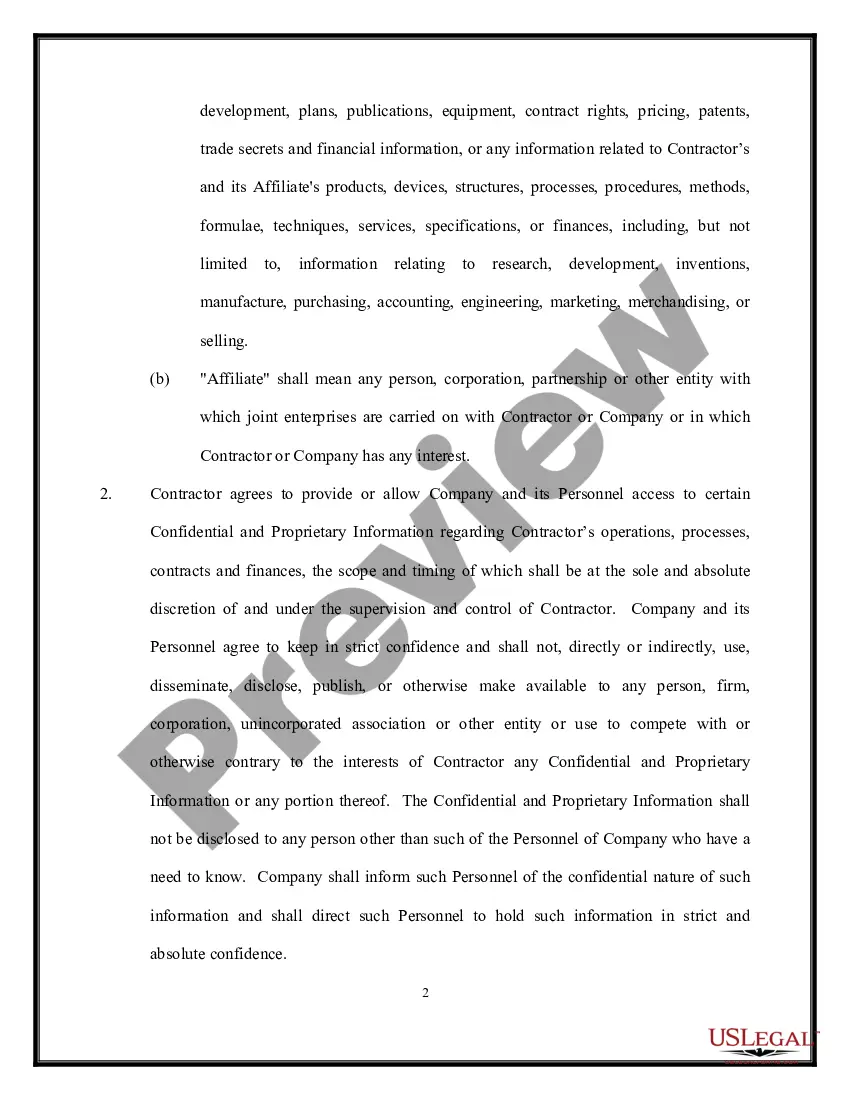
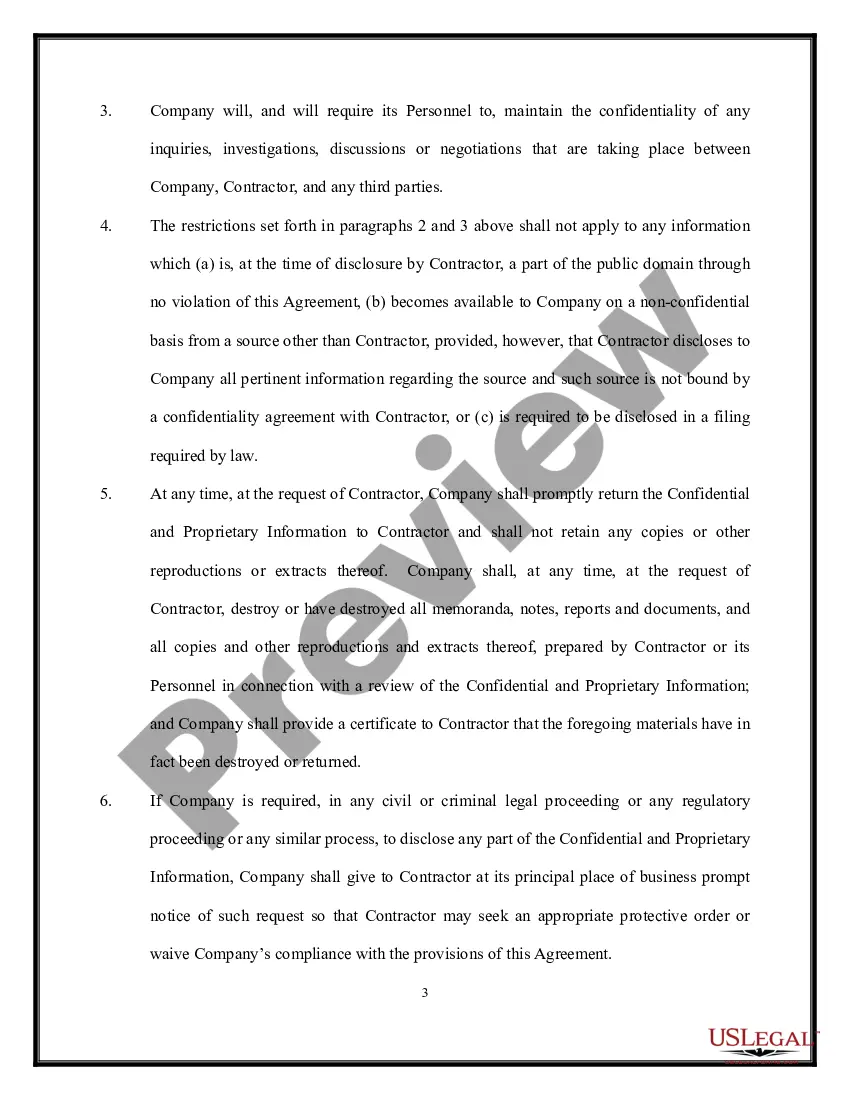
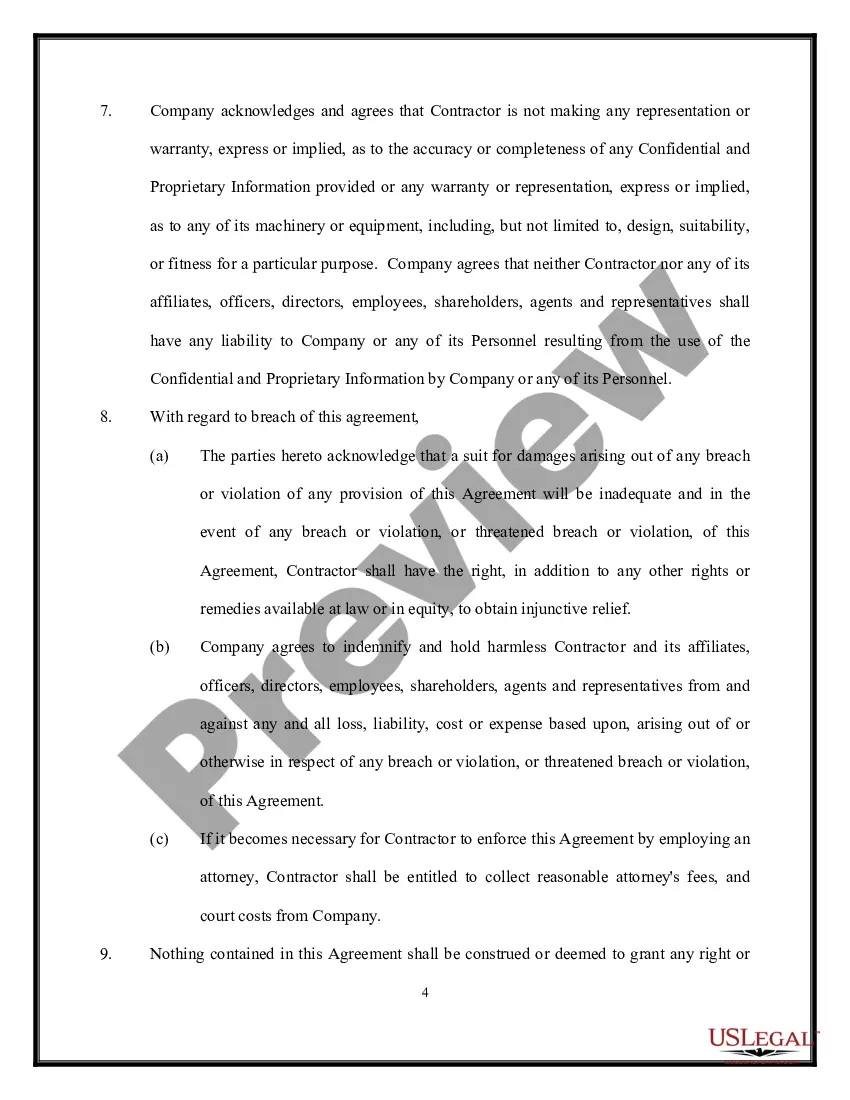
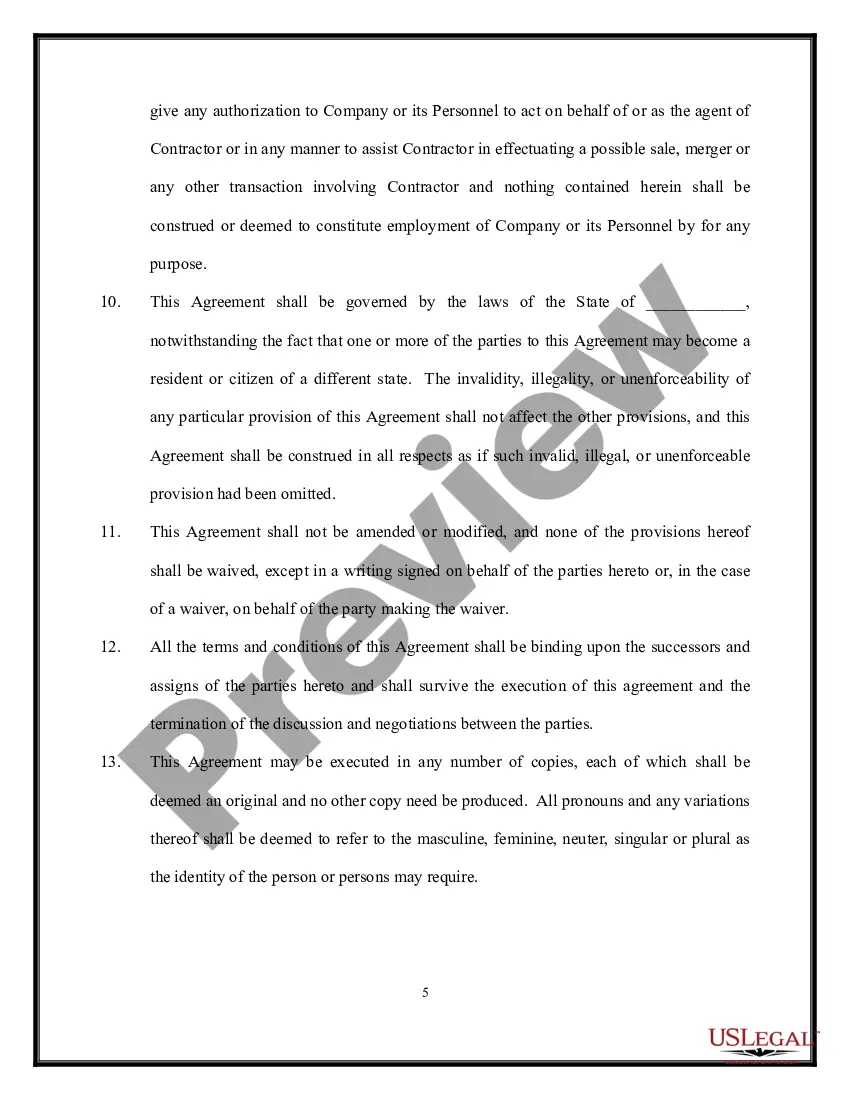
Confidentiality and nondisclosure agreements typically: Describe the context for the parties' agreement, referencing any related transactional documents. Define the specific information to remain confidential. Outline the parameters for the parties' use of confidential information.
