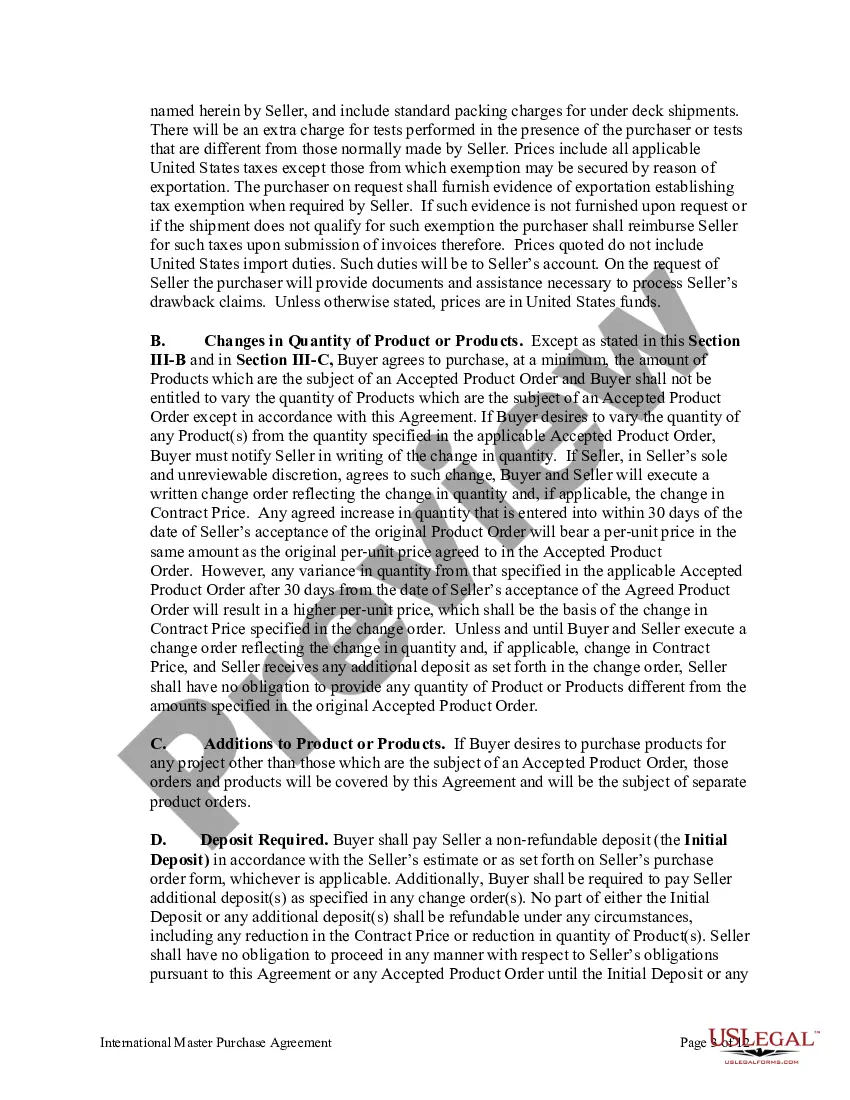
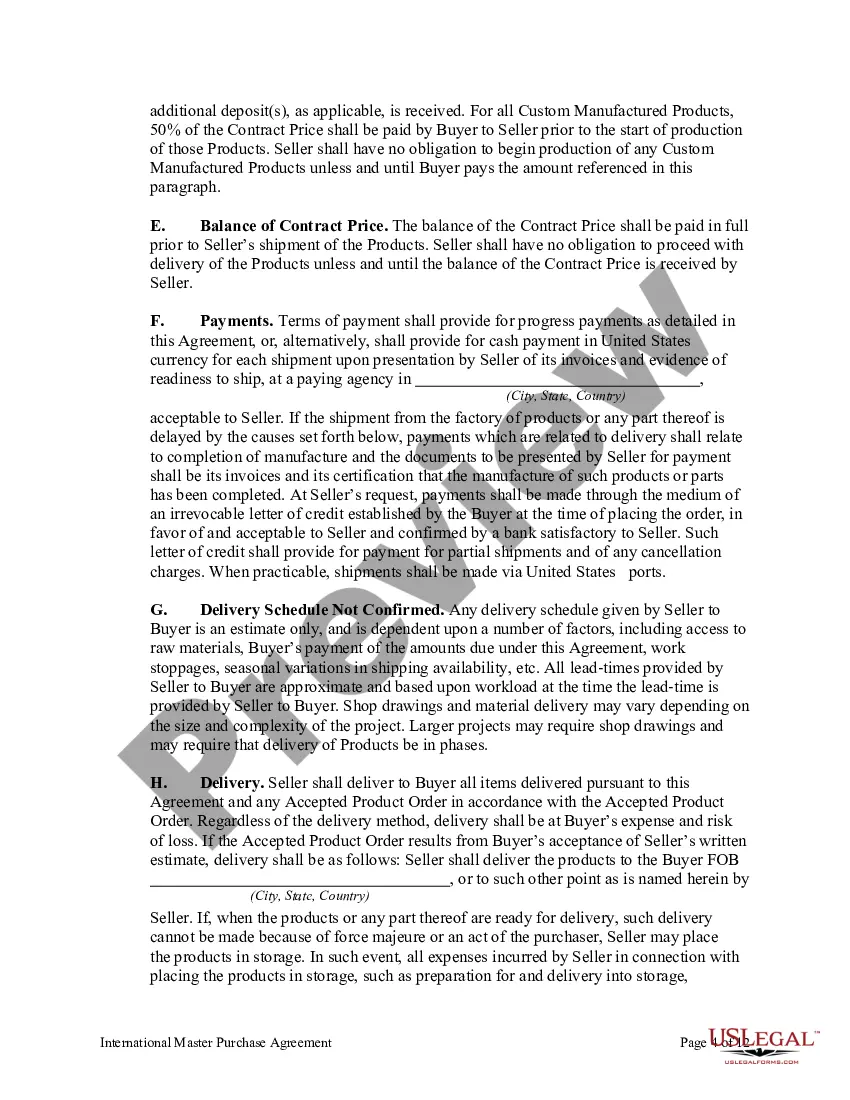
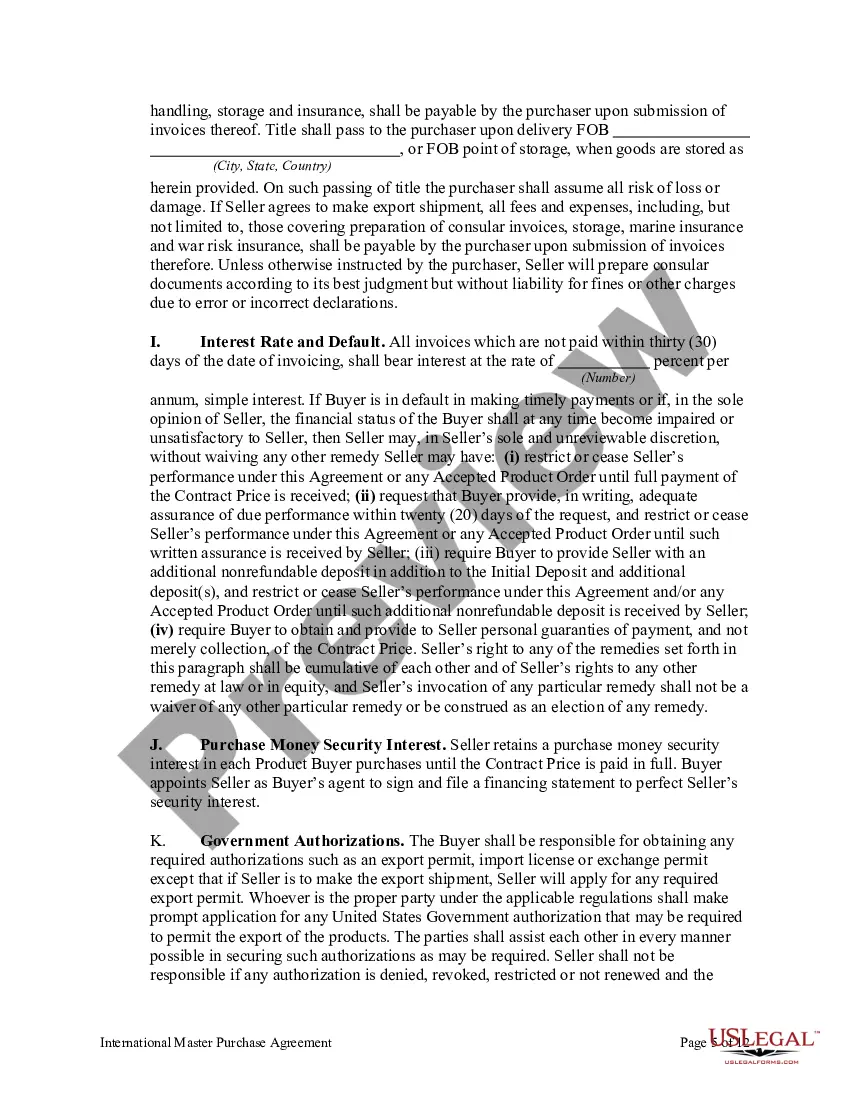
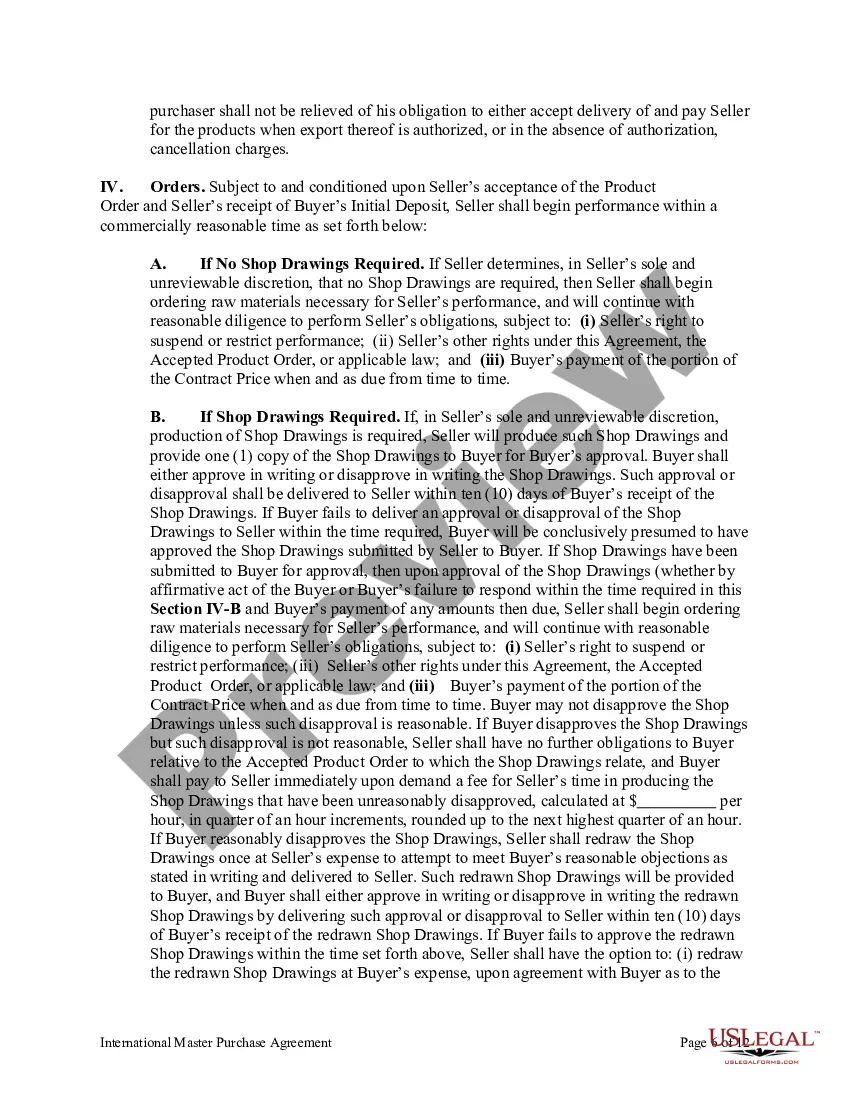
Master Sales Agreement With Payment Plan In Massachusetts
Description





Get your form ready online
Our built-in tools help you complete, sign, share, and store your documents in one place.
Make edits, fill in missing information, and update formatting in US Legal Forms—just like you would in MS Word.
Download a copy, print it, send it by email, or mail it via USPS—whatever works best for your next step.
Sign and collect signatures with our SignNow integration. Send to multiple recipients, set reminders, and more. Go Premium to unlock E-Sign.
If this form requires notarization, complete it online through a secure video call—no need to meet a notary in person or wait for an appointment.
We protect your documents and personal data by following strict security and privacy standards.

Make edits, fill in missing information, and update formatting in US Legal Forms—just like you would in MS Word.

Download a copy, print it, send it by email, or mail it via USPS—whatever works best for your next step.

Sign and collect signatures with our SignNow integration. Send to multiple recipients, set reminders, and more. Go Premium to unlock E-Sign.

If this form requires notarization, complete it online through a secure video call—no need to meet a notary in person or wait for an appointment.

We protect your documents and personal data by following strict security and privacy standards.
Looking for another form?
Form popularity
FAQ
How do I set up a payment agreement? There are two ways you can set up a payment agreement. Online with MassTaxConnect (For payment agreements of $10,000 or less), When registered on MassTaxConnect select "More", and then choose "Request a Payment Plan" within the Collection Notices section.
For most taxpayers, Massachusetts has a flat income tax of 5 percent. In November 2022, Bay State voters approved an additional 4 percent tax on annual income above $1 million, beginning in tax year 2023. Annual income above $1 million (adjusted annually for inflation) is taxed at 9 percent.
Setting up the payment plan Calculate the total amount due and the payment schedule. Determine the payment amounts, due dates and payment method. Write the agreement, detailing the payment plan. Include the date of the agreement and the parties involved. Get both parties to sign the agreement.
Setting up the payment plan Calculate the total amount due and the payment schedule. Determine the payment amounts, due dates and payment method. Write the agreement, detailing the payment plan. Include the date of the agreement and the parties involved. Get both parties to sign the agreement.
Payment plan set up Example: 20% of the invoice is due after the first work deliverable is done. After that, the remaining balance is split up equally into two installments.
Due Upon Receipt Due upon receipt (DOR) and immediate payment are virtually the same.
When registered on MassTaxConnect select "More", and then choose "Request a Payment Plan" within the Collection Notices section. Non MassTaxConnect users can easily register online by creating a user name and password. MassTaxConnect video: How to Request a Payment Plan.
A Definition of Ready (DoR) states what is needed for an item to be ready to be worked on by implementation. A DoR basically defines the specifics of the agreement as to what items on the intake process have to contain to have work started by Implementation.
