N/a(tenant Level Account)
Description




Get your form ready online
Our built-in tools help you complete, sign, share, and store your documents in one place.
Make edits, fill in missing information, and update formatting in US Legal Forms—just like you would in MS Word.
Download a copy, print it, send it by email, or mail it via USPS—whatever works best for your next step.
Sign and collect signatures with our SignNow integration. Send to multiple recipients, set reminders, and more. Go Premium to unlock E-Sign.
If this form requires notarization, complete it online through a secure video call—no need to meet a notary in person or wait for an appointment.
We protect your documents and personal data by following strict security and privacy standards.

Make edits, fill in missing information, and update formatting in US Legal Forms—just like you would in MS Word.

Download a copy, print it, send it by email, or mail it via USPS—whatever works best for your next step.

Sign and collect signatures with our SignNow integration. Send to multiple recipients, set reminders, and more. Go Premium to unlock E-Sign.

If this form requires notarization, complete it online through a secure video call—no need to meet a notary in person or wait for an appointment.

We protect your documents and personal data by following strict security and privacy standards.
Looking for another form?




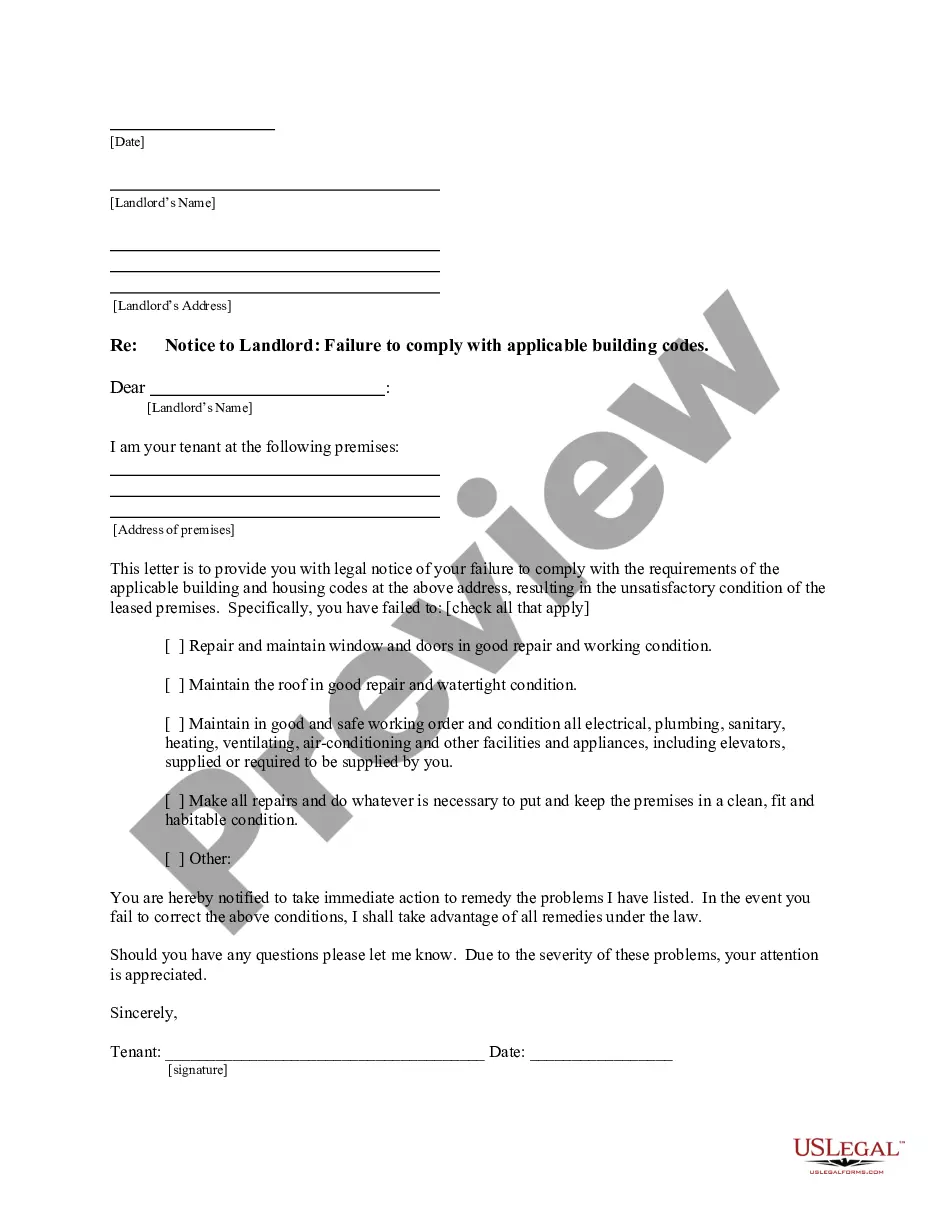
How to fill out New Mexico Letter From Tenant To Landlord For Failure Of Landlord To Comply With Building Codes Affecting Health And Safety Or Resulting In Untenantable Condition - Demand For Remedy?
- Check the form description and preview mode to ensure it meets your requirements and local jurisdiction.
- If necessary, utilize the search feature to find the specific template you need.
- Select the suitable document and click on the Buy Now button; choose your preferred subscription plan.
- Create an account to unlock access to our vast library of resources.
- Complete your purchase using your credit card or PayPal account.
- Download the completed form and save it to your device for easy access later in the My Forms section of your profile.
In conclusion, US Legal Forms provides an unparalleled way to manage your legal documents effectively. With a robust collection and premium support from experts, you can trust that your documents will be accurate and legally sound.
Start your journey with US Legal Forms today and simplify your legal needs!
Form popularity
FAQ
A subscription in cloud services refers to a way of accessing resources and managing usage within the cloud environment. It often includes billing details, resource limits, and access controls tailored to your needs. With a tenant level account, you can manage multiple subscriptions, optimizing how your organization utilizes cloud resources and ensuring efficient expenditure. This structure supports scalability and adaptability as your cloud requirements evolve.
A tenant account in Azure is essentially your organization's dedicated space within the Azure cloud platform. It encompasses all users, groups, and applications associated with your organization. By having a tenant level account, you gain centralized control over access and permissions, which enhances security and management capabilities. This setup allows you to effectively manage subscriptions and resources aligned with your business needs.
A tenant in Azure represents a dedicated instance of the Azure Active Directory for your organization, while a subscription is a way to access and use Azure services. Think of a tenant as your organization’s home in the cloud, whereas subscriptions are the individual utilities like water and electricity that you can use. With a tenant level account, you can manage multiple subscriptions, each functioning within the larger organizational framework. This separation helps streamline resource management and security.
Azure subscriptions serve to organize and manage access to Azure resources for billing and security purposes. Each subscription acts as a boundary for resource management, enabling users to allocate costs accurately among different projects or departments. By using a tenant level account, you can oversee multiple subscriptions to streamline control over various resources. This ensures that your organization can efficiently allocate expenditure and maintain visibility.
'Allow no subscriptions' is a setting that specifies whether users can create or access subscriptions under a specific tenant level account. This feature is useful in environments where you want to limit resource provisioning to only those already defined. By controlling subscriptions, you can better manage costs and maintain a streamlined approach to resource allocation. It enhances security while allowing for a more focused use of cloud resources.
When signing in, 'domain' typically refers to the organization’s namespace you belong to, which is essential for accessing your tenant level account. This helps in authenticating your credentials and ensuring that you access the correct resources. Recognizing the domain aspect can enhance your understanding of your access and capabilities within the platform.
While a subscription ID and tenant ID may sound similar, they serve different purposes. The subscription ID identifies your service plan, while the tenant ID denotes your unique account within the cloud environment. If you manage a tenant level account, knowing these IDs will help you navigate your account services more efficiently.
Transferring a domain between tenants usually involves unlocking the domain with your current registrar and obtaining an authorization code. Next, you will provide this code to the new tenant’s registrar to initiate the transfer process. Utilizing a tenant level account can streamline this transfer, allowing for organized management of multiple domains.
To locate your tenant code, access your account settings within your dashboard. Depending on the service you use, you may find the tenant code listed under account information or admin settings. If you have a tenant level account on the US Legal Forms platform, your tenant code can assist with managing your documents effectively.
While a domain is primarily about your website's address, a tenant encompasses a broader organizational structure in cloud services. In essence, a tenant enables you to manage user access, applications, and data under one cohesive account. This allows for better organization and control compared to simply owning a domain.