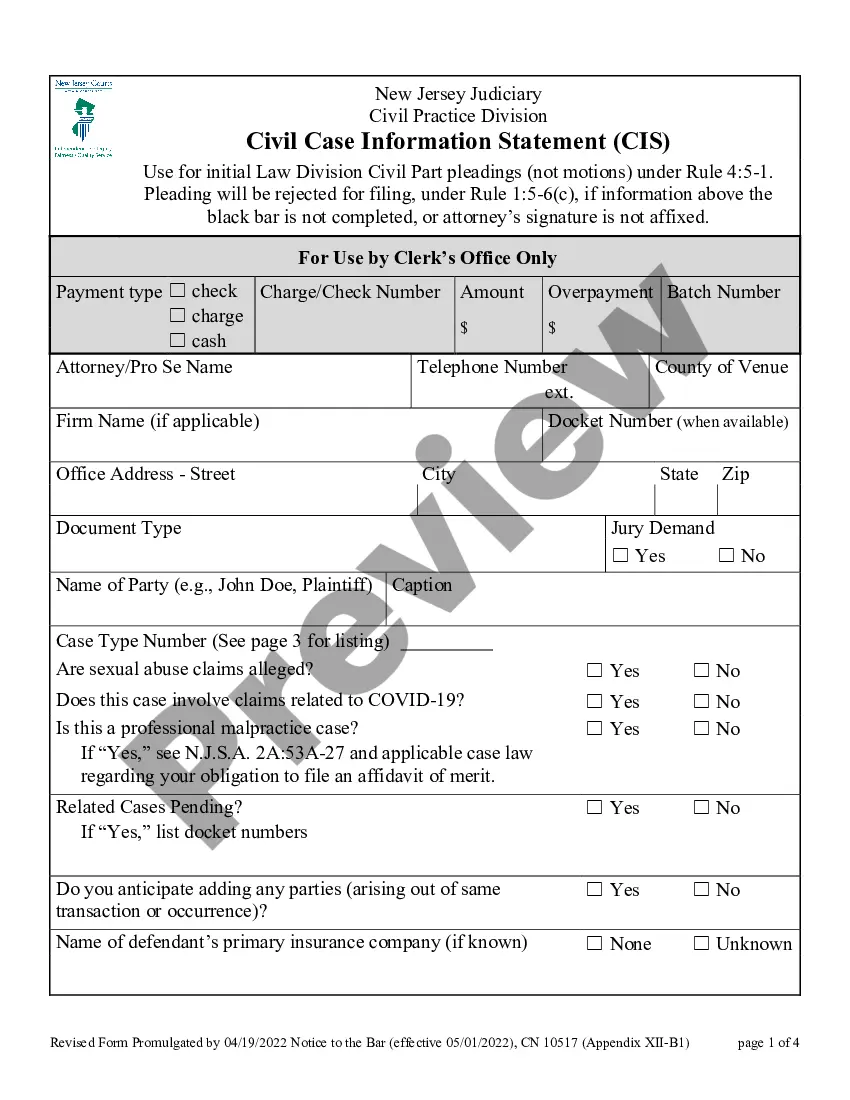
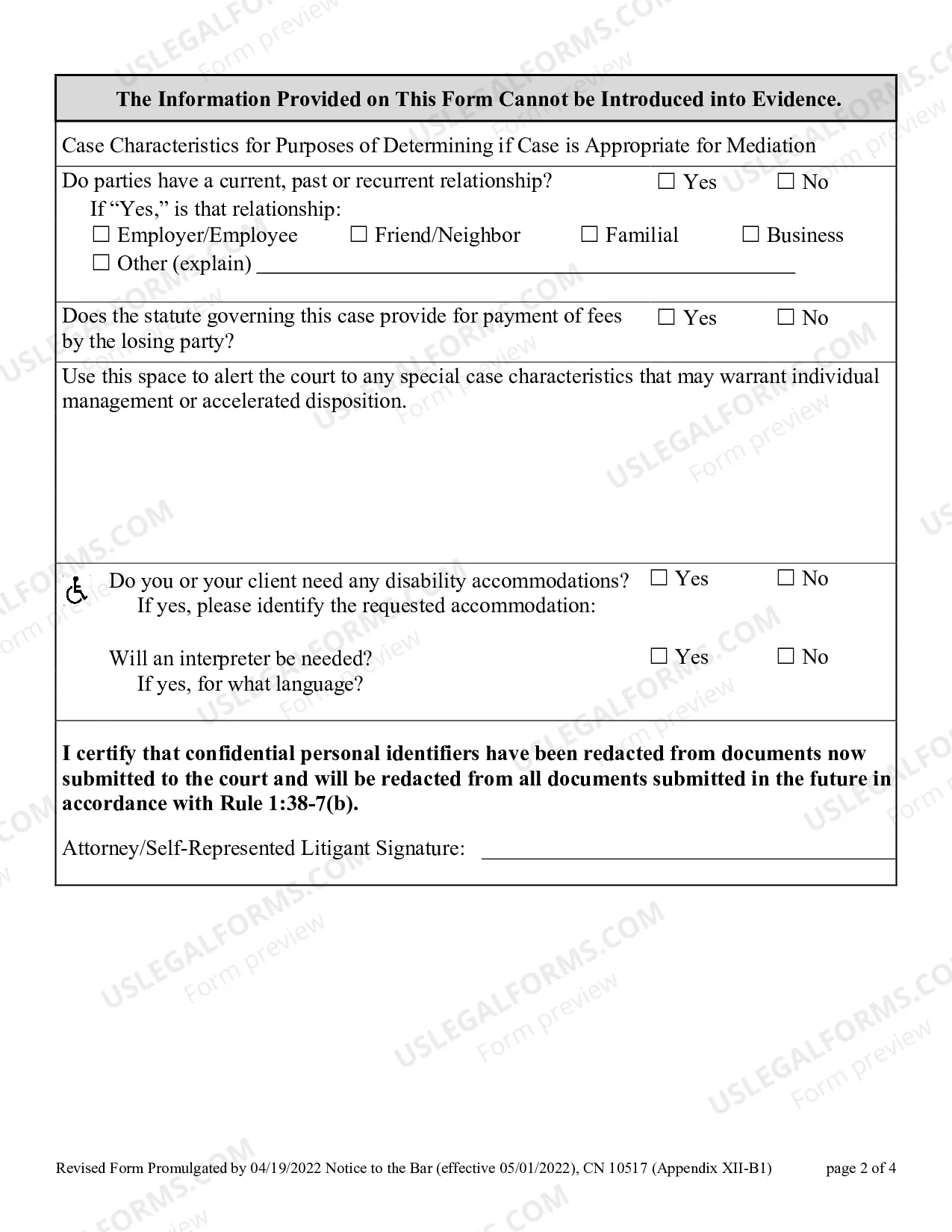
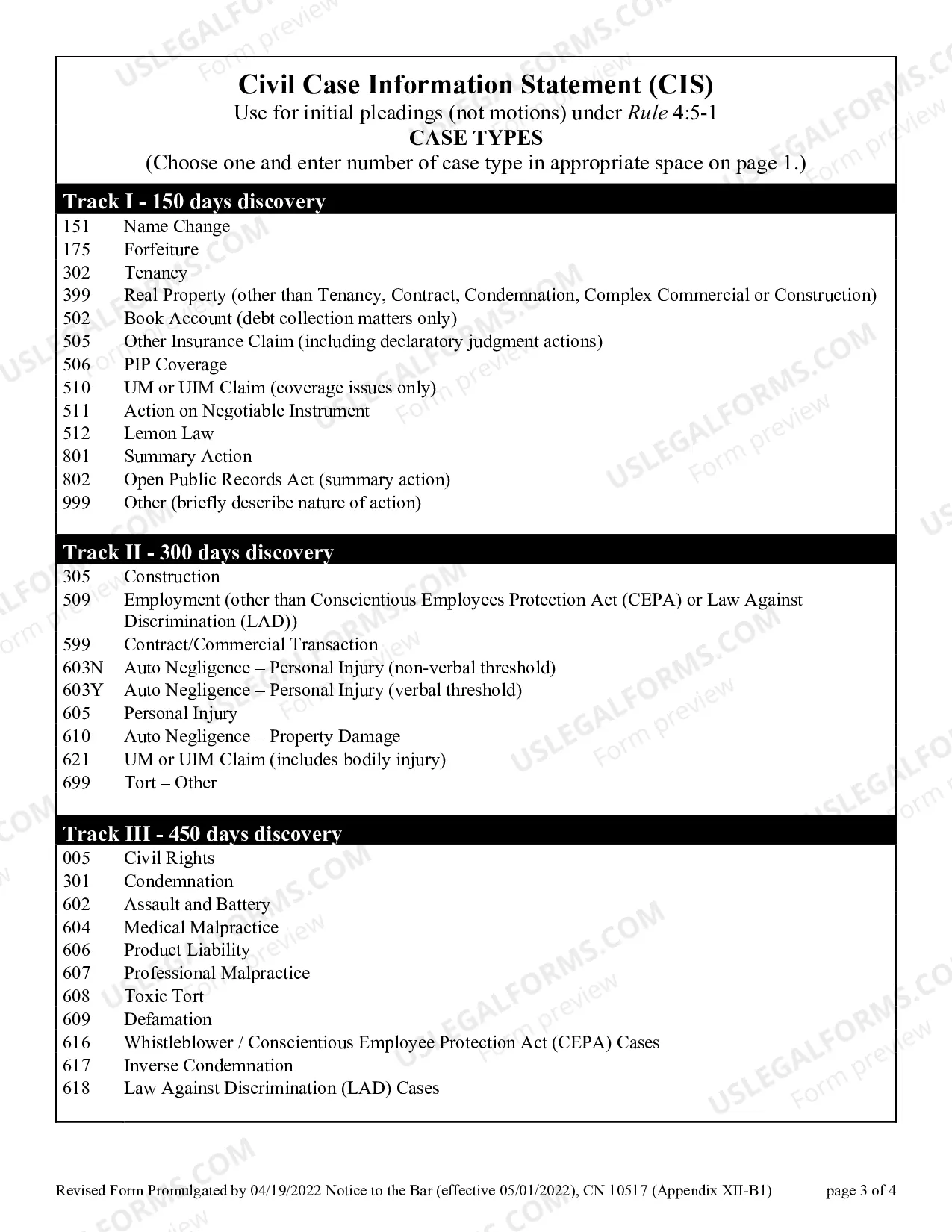
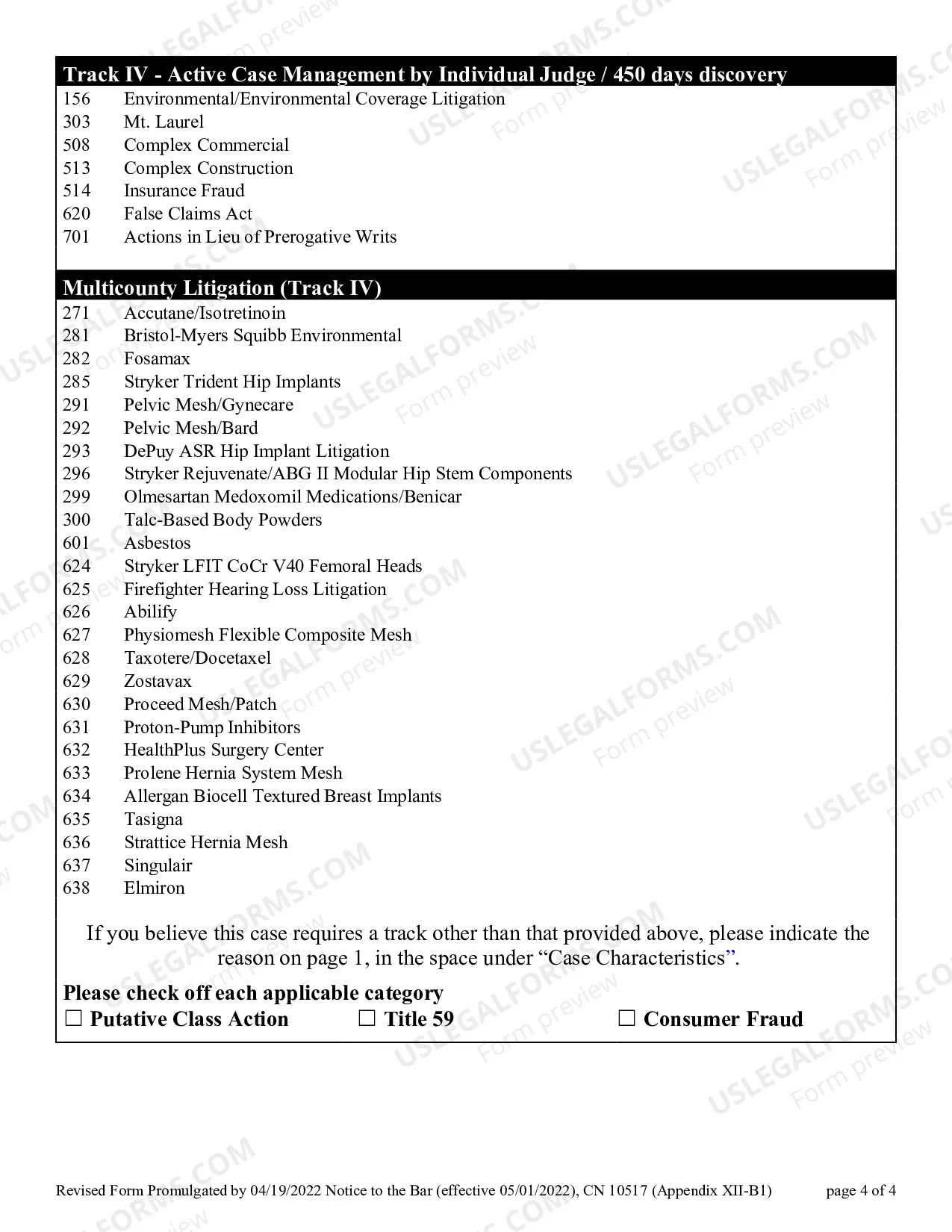
Tenant Case Information Statement With Multiple Conditions
Description
Get your form ready online
Our built-in tools help you complete, sign, share, and store your documents in one place.
Make edits, fill in missing information, and update formatting in US Legal Forms—just like you would in MS Word.
Download a copy, print it, send it by email, or mail it via USPS—whatever works best for your next step.
Sign and collect signatures with our SignNow integration. Send to multiple recipients, set reminders, and more. Go Premium to unlock E-Sign.
If this form requires notarization, complete it online through a secure video call—no need to meet a notary in person or wait for an appointment.
We protect your documents and personal data by following strict security and privacy standards.

Make edits, fill in missing information, and update formatting in US Legal Forms—just like you would in MS Word.

Download a copy, print it, send it by email, or mail it via USPS—whatever works best for your next step.

Sign and collect signatures with our SignNow integration. Send to multiple recipients, set reminders, and more. Go Premium to unlock E-Sign.

If this form requires notarization, complete it online through a secure video call—no need to meet a notary in person or wait for an appointment.

We protect your documents and personal data by following strict security and privacy standards.
Looking for another form?







How to fill out New Jersey Civil Case Information Statement?
It’s clear that you can’t transform into a legal expert instantly, nor can you comprehend how to swiftly draft a Tenant Case Information Statement With Multiple Conditions without possessing a specialized education.
Compiling legal documents is a labor-intensive task necessitating particular instruction and expertise.
So why not entrust the creation of the Tenant Case Information Statement With Multiple Conditions to the professionals.
You can regain access to your documents from the My documents section at any time.
If you’re a returning customer, you can simply Log In, and locate and download the template from the same section.
- Identify the form you require by utilizing the search feature at the top of the webpage.
- View it (if this option is available) and review the accompanying description to ascertain whether the Tenant Case Information Statement With Multiple Conditions meets your needs.
- Initiate your search again if you require a different form.
- Create a complimentary account and select a subscription plan to acquire the form.
- Click Buy now. Once the transaction is complete, you can receive the Tenant Case Information Statement With Multiple Conditions, complete it, print it, and deliver it or send it by mail to the relevant individuals or organizations.
Form popularity
FAQ
A defendant's or respondent's answer must be electronically filed with the court. The papers (original notice and petition) that were served on the defendant or respondent tell how long the defendant or respondent has to file an answer. For information on calculating answer deadlines, see Iowa Code section 4.1(34).
If the request seeks records about court proceedings, the requester may be referred to self-service tools such as Iowa Courts Online Search or the Iowa court eFile system, both accessible online and via the public terminals placed in every courthouse, to obtain the records sought.
NOTE: A Notice of Appearance is filed by an attorney/representative to indicate his or her appearance in the appeal. NOTE: Once a Notice of Appearance has been filed, the filer may receive automatic email notifications whenever a filing is made on the appeal.
Respondent must file an Answer within 20 days after receiving the Petition and Original Notice, or the court may enter a judgment against Respondent giving Petitioner what he or she asked for in the Petition. Use this Answer form 115 if you received Petition form 101, otherwise use form 116.
If the defendant fails to answer and the clerk of court determines proper notice was given to the defendant, the clerk of court or a judge may enter a default judgment against the defendant if the plaintiff's damages are clearly identified.
You may find information about your case by searching Iowa Courts Online on the Iowa Judicial Branch website at: .
You must electronically file this Appearance and Answer using EDMS at unless you obtain from the court an exemption from electronic filing requirements.
In Iowa, you have to file an action against the other party to seek enforcement of the existing court decree order. The enforcement action is formally known as an Application for Rule to Show Cause, commonly referred to as a contempt filing. This filing brings the opposing party's bad acts to the court's attention.