Transfer on Death Deed or TOD - Beneficiary Deed for Individual to Three Individuals
Missouri Statutes
TITLE XXXI TRUSTS AND ESTATES OF DECEDENTS AND PERSONS UNDER DISABILITY
Chapter 461 NONPROBATE TRANSFERS LAW
461.001. Transfers on death, certain provisions deemed nontestamentary, exceptions.
Any of the following provisions in an insurance policy, contract of employment, bond, mortgage, promissory note, stock certificate, account agreement, custodial agreement, deposit agreement, compensation plan, pension plan, individual retirement plan, employee benefit plan, trust agreement, declaration of trust, conveyance or any other written instrument effective as a contract, gift, conveyance, or trust or to evidence ownership of property is deemed to be nontestamentary, and exempt from the requirements of section 473.087 and section 474.320:
(1) That money or other benefits theretofore due to, controlled or owned by a decedent shall be paid after the decedent's death to a person or persons designated by the decedent in either the instrument or a separate writing, including a will, executed at the same time as the instrument or subsequently;
(2) That any money due or to become due under the instrument shall cease to be payable in event of the death of the promisee or the promisor before payment or demand;
(3) That any property which is the subject of the instrument shall pass on decedent's death to a person or persons designated by the decedent in either the instrument or a separate writing, including a will, executed at the same time as the instrument or subsequently;
(4) Except to the extent specifically excluded thereunder, sections 461.003 to 461.081 apply to transfers under this section.
(L. 1995 S.B. 116)
461.005. Definitions.
In sections 461.003 to 461.081, unless the context otherwise requires, the following terms mean:
(1) "Beneficiary", a person or persons designated or entitled to receive property pursuant to a nonprobate transfer on surviving one or more persons;
(2) "Beneficiary designation", a provision in writing that is not a will that designates the beneficiary of a nonprobate transfer, including the transferee in an instrument that makes the transfer effective on death of the owner, and that complies with the conditions of any governing instrument, the rules of any transferring entity and applicable law;
(3) "Death of the owner", in the case of joint owners, means death of the last surviving owner;
(4) "In proper form", a phrase which applies to a beneficiary designation or a revocation or change thereof, or a request to make, revoke or change a beneficiary designation, which complies with the terms of the governing instrument, the rules of the transferring entity and applicable law, including any requirements with respect to supplemental documents;
(5) "Joint owners", persons who hold property as joint tenants with right of survivorship and a husband and wife who hold property as tenants by the entirety;
(6) "LDPS", an abbreviation of lineal descendants per stirpes which may be used in a beneficiary designation to designate a substitute beneficiary as provided in section 461.045;
(7) "Nonprobate transfer", a transfer of property taking effect upon the death of the owner, pursuant to a beneficiary designation. A nonprobate transfer under sections 461.003 to 461.081 does not include survivorship rights in property held as joint tenants or tenants by the entirety, a transfer to a remainderman on termination of a life tenancy, a transfer under a trust established by an individual, either inter vivos or testamentary, a transfer pursuant to the exercise or nonexercise of a power of appointment, or a transfer made on death of a person who did not have the right to designate his or her estate as the beneficiary of the transfer;
(8) "Owner", a person or persons having a right, exercisable alone or with others, regardless of the terminology used to refer to the owner in any written beneficiary designation, to designate the beneficiary of a nonprobate transfer, and includes joint owners. The provisions of this subdivision shall apply to all beneficiary deeds executed and filed at any time, including, but not limited to, those executed and filed on or before August 28, 2005;
(9) "Ownership in beneficiary form", holding property pursuant to a registration in beneficiary form or other writing that names the owner of the property followed by a transfer on death direction and the designation of a beneficiary;
(10) "Person", living individuals, entities capable of owning property and fiduciaries;
(11) "Proof of death", includes a death certificate or record or report that is prima facie proof or evidence of death under section 472.290;
(12) "Property", any present or future interest in property, real or personal, tangible or intangible, legal or equitable. Property includes a right to direct or receive payment of a debt, money or other benefits due under a contract, account agreement, deposit agreement, employment contract, compensation plan, pension plan, individual retirement plan, employee benefit plan, trust or law, a right to receive performance remaining due under a contract, a right to receive payment under a promissory note or a debt maintained in a written account record, rights under a certificated or uncertificated security, rights under an instrument evidencing ownership of property issued by a governmental agency and rights under a document of title within the meaning of section 400.1-201;
(13) "Registration in beneficiary form", titling of an account record, certificate, or other written instrument evidencing ownership of property in the name of the owner followed by a transfer on death direction and the designation of a beneficiary;
(14) "Security", a certificated or uncertificated security as defined in section 400.8-102, including securities as defined in section 409.401[fn*];
(15) "Transfer on death direction", the phrase "transfer on death to" or the phrase "pay on death to" or the abbreviation "TOD" or "POD" after the name of the owners and before the designation of the beneficiary; and
(16) "Transferring entity", a person who owes a debt or is obligated to pay money or benefits, render contract performance, deliver or convey property, or change the record of ownership of property on the books, records and accounts of an enterprise or on a certificate or document of title that evidences property rights, and includes any governmental agency, business entity or transfer agent that issues certificates of ownership or title to property and a person acting as a custodial agent for an owner's property.
[fn*] Section 409.401 was repealed in 2003 by H.B. 380, effective 9-01-03.
(L. 1989 H.B. 145 § 18, A.L. 1995 S.B. 116, A.L. 2005 S.B. 407 merged with S.B. 420 & 344)
461.011. Transferring entity acting as agent for owner subject to nontransfer law, agency does not end with death of owner, duties.
For the purpose of discharging its duties under the nonprobate transfers law, the authority of a transferring entity acting as agent for an owner of property subject to a nonprobate transfer shall not cease at death of the owner. The transferring entity shall transfer the property to the designated beneficiary in accordance with the governing instrument, the rules of the transferring entity and sections 461.003 to 461.081.
461.012. Nonprobate transfers subject to agreement of transferring entity, when.
1. When any of the following is required, provision for a nonprobate transfer is a matter of agreement between the owner and the transferring entity, under such rules, terms and conditions as the owner and transferring entity may agree:
(1) Submission to the transferring entity of a beneficiary designation under a governing instrument;
(2) Registration by a transferring entity of a transfer on death direction on any certificate or record evidencing ownership of property;
(3) The consent of a contract obligor for a transfer of performance due under the contract;
(4) The consent of a financial institution for a transfer of an obligation of the financial institution; or
(5) The consent of a transferring entity for a transfer of an interest in the transferring entity.
2. Whenever subsection 1 of this section is applicable, sections 461.003 to 461.081 do not impose an obligation on a transferring entity to accept an owner's request to make provision for a nonprobate transfer of property.
3. When a beneficiary designation, revocation or change is subject to acceptance by a transferring entity, the transferring entity's acceptance of the beneficiary designation, revocation or change relates back to and is effective as of the time when the request was received by the transferring entity.
(L. 1989 H.B. 145 § 20, A.L. 1995 S.B. 116)
461.014. Transferring entity, obligation resulting from acceptance and registration.
When a transferring entity accepts a beneficiary designation or beneficiary assignment, or registers property in beneficiary form, the acceptance or registration constitutes the agreement of the owner and transferring entity that, unless the beneficiary designation is revoked or changed prior to the owner's death, on proof of death of the owner and compliance with the transferring entity's requirements for showing proof of entitlement, the property will be transferred to and placed in the name and control of the beneficiary in accordance with the beneficiary designation or transfer on death direction, the agreement of the parties and sections 461.003 to 461.081.
(L. 1989 H.B. 145 § 21, A.L. 1995 S.B. 116)
461.021. Beneficiary designation under written instrument or law, effect.
A beneficiary designation, under a written instrument or law, that authorizes a transfer of property pursuant to a written designation of beneficiary, transfers the right to receive the property to the designated beneficiary who survives, effective on death of the owner, if the beneficiary designation is executed and delivered in proper form to the transferring entity prior to the death of the owner.
(L. 1989 H.B. 145 § 23, A.L. 1995 S.B. 116)
461.023. Assignments effective on death of owner � delivery, effect.
1. A written assignment of a contract right that assigns the right to receive any performance remaining due under the contract to an assignee designated by the owner, that expressly states that the assignment is not to take effect until the death of the owner, transfers the right to receive performance due under the contract to the designated assignee beneficiary, effective on death of the owner, if the assignment is executed and delivered in proper form to the contract obligor prior to the death of the owner or is executed in proper form and acknowledged before a notary public or other person authorized to administer oaths. A beneficiary assignment need not be supported by consideration or be delivered to the assignee beneficiary.
2. This section does not preclude other methods of assignment that are permitted by law and that have the effect of postponing enjoyment of a contract right until the death of the owner.
(L. 1989 H.B. 145 § 24, A.L. 1995 S.B. 116)
461.025. Deeds effective on death of owner � recording, effect.
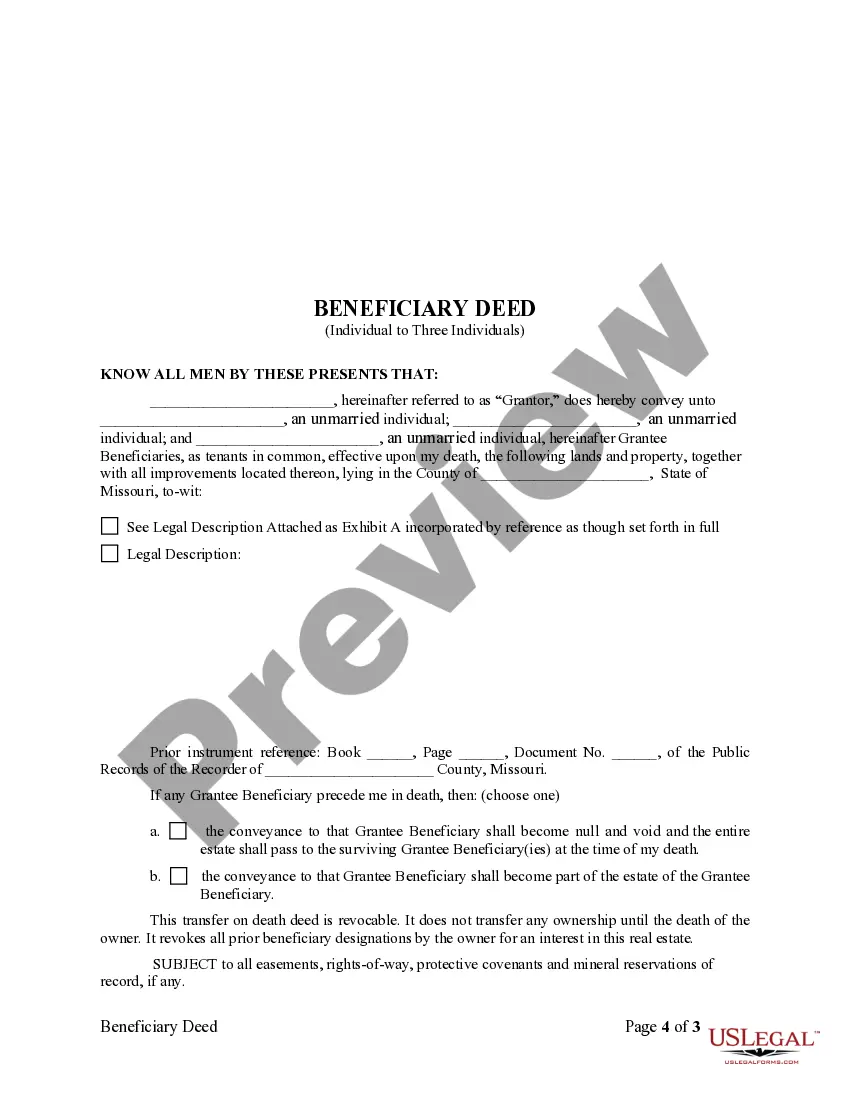
1. A deed that conveys an interest in real property to a grantee designated by the owner, that expressly states that the deed is not to take effect until the death of the owner, transfers the interest provided to the designated grantee beneficiary, effective on death of the owner, if the deed is executed and filed of record with the recorder of deeds in the city or county or counties in which the real property is situated prior to the death of the owner. A beneficiary deed need not be supported by consideration or be delivered to the grantee beneficiary. A beneficiary deed may be used to transfer an interest in real property to a trust estate, regardless of such trust's revocability.
2. This section does not preclude other methods of conveyancing that are permitted by law and that have the effect of postponing enjoyment of an interest in real property until the death of the owner. This section does not invalidate any deed, otherwise effective by law to convey title to the interest and estates therein provided, that is not recorded until after the death of the owner.
(L. 1989 H.B. 145 § 25, A.L. 1994 S.B. 701, A.L. 1995 S.B. 116)
461.027. Transferor may directly transfer property to a transferee to hold as owner in beneficiary form � transferee shall be owner of property for all purposes � transfer effective, when.
1. A transferor of property, with or without consideration, may directly transfer the property to a transferee to hold as owner in beneficiary form.
2. A transferee under an instrument described in subsection 1 of this section shall be the owner of the property for all purposes and shall have all the rights to the property otherwise provided by law to owners, including the right to revoke or change the beneficiary designation.
3. A direct transfer of property to a transferee to hold as owner in beneficiary form is effective when the writing perfecting the transfer becomes effective to make the transferee the owner.
(L. 1995 S.B. 116)