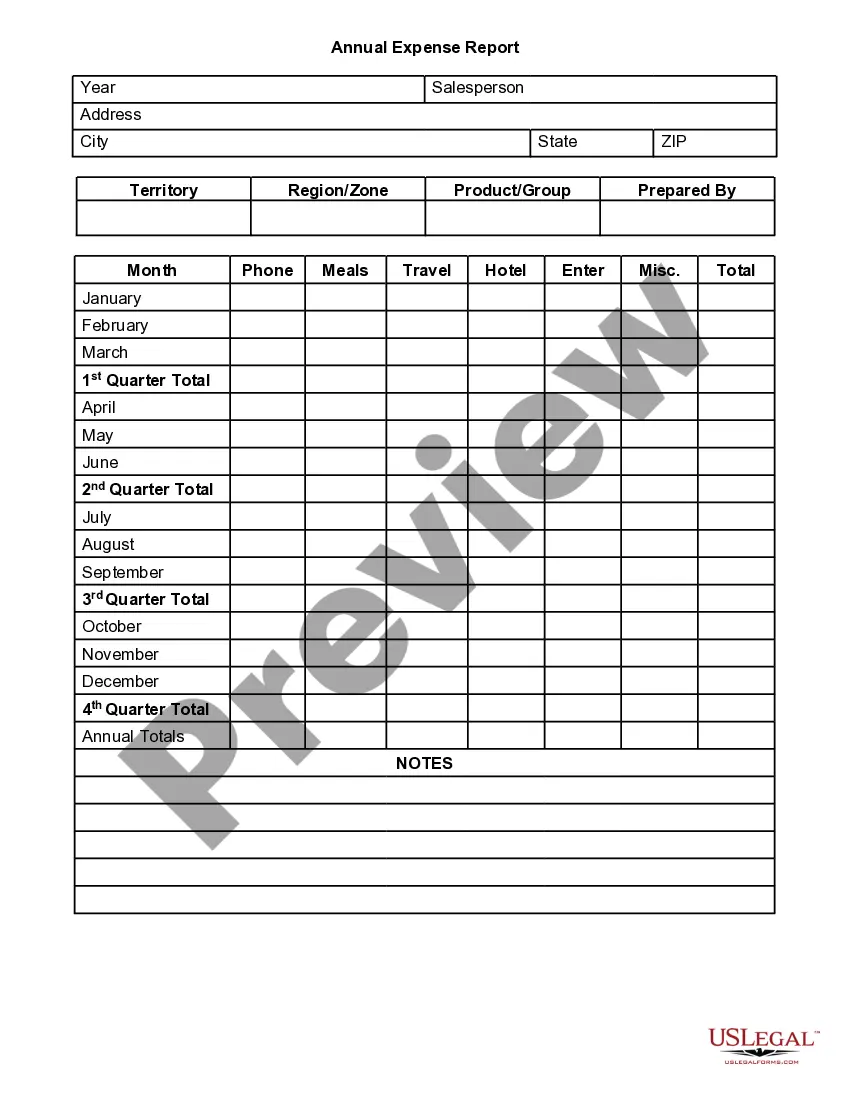
Expense Report
Description

Get your form ready online
Our built-in tools help you complete, sign, share, and store your documents in one place.
Make edits, fill in missing information, and update formatting in US Legal Forms—just like you would in MS Word.
Download a copy, print it, send it by email, or mail it via USPS—whatever works best for your next step.
Sign and collect signatures with our SignNow integration. Send to multiple recipients, set reminders, and more. Go Premium to unlock E-Sign.
If this form requires notarization, complete it online through a secure video call—no need to meet a notary in person or wait for an appointment.
We protect your documents and personal data by following strict security and privacy standards.

Make edits, fill in missing information, and update formatting in US Legal Forms—just like you would in MS Word.

Download a copy, print it, send it by email, or mail it via USPS—whatever works best for your next step.

Sign and collect signatures with our SignNow integration. Send to multiple recipients, set reminders, and more. Go Premium to unlock E-Sign.

If this form requires notarization, complete it online through a secure video call—no need to meet a notary in person or wait for an appointment.

We protect your documents and personal data by following strict security and privacy standards.
Looking for another form?

How to fill out Annual Expense Report?
- Log in to your US Legal Forms account. If you don’t have an account yet, create one to access the document library.
- Search for the expense report template. Use the search feature to find the specific form that matches your local jurisdiction requirements.
- Review the template. Check the preview mode and description to ensure it meets your needs.
- Choose the right document. If adjustments are needed, look for alternative templates until you find the appropriate one.
- Purchase the form. Click 'Buy Now' and select your preferred subscription plan, ensuring a valid payment method.
- Complete the payment. Enter your credit card details or opt for PayPal to secure your subscription.
- Download your document. Save the expense report template to your device for easy access and completion.
By following these steps, you can easily navigate the process of obtaining an expense report template from US Legal Forms. This service not only offers a vast library of legal forms but also ensures that you receive expert assistance for filling them out accurately.
Start your journey today with US Legal Forms and simplify your document creation process!
Form popularity
FAQ
An expense report is a document that lists all business-related expenses incurred by an employee or organization. It typically includes details like date, type, and amount of each expense, along with any supporting documentation. Expense reports are essential for financial tracking and ensuring accurate reimbursements. Using a tool like US Legal Forms helps streamline the creation and submission of your expense reports.
Yes, the IRS requires proof for medical expenses reported on your tax return. You must keep records like receipts or billing statements that confirm the incurred expenses. Properly documenting these medical expenses ensures clarity and compliance. Utilizing a platform like US Legal Forms can make managing these records more efficient.
For expenses under $75, the IRS does not require receipts, but you must have some form of documentation. This could include notes or other records that help verify these smaller amounts. Nevertheless, keeping receipts is a good practice to ensure accurate expense reports. Platforms like US Legal Forms can help you manage all your receipts conveniently.
Yes, the IRS expects you to provide proof of expenses listed on your expense report. This proof may consist of receipts, invoices, or other relevant documentation. Demonstrating accurate records protects you in case of an audit and validates your deductions. Organizing your proofs using a service like US Legal Forms can streamline your preparation and record-keeping.
The IRS requires that an expense report includes details about the amount, date, and purpose of each expense. Additionally, you should record the business connection for every expense reported. Maintaining thorough documentation helps ensure compliance and minimizes any risks during audits. Using a reliable platform like US Legal Forms can simplify this process for you.
To file an expense report, start by completing your expense report form with an accurate account of all costs incurred. Once the report is filled, gather all necessary documentation, such as receipts, and submit it for approval according to your company's guidelines. Timely filing ensures you receive reimbursement promptly. Platforms like US Legal Forms can guide you through every step of this process.
Expenses should be reported in a clear and organized manner, detailing each expense incurred. Include dates, types of expenses, amounts, and attach the necessary receipts for validation. This transparency not only aids in proper management of funds but also builds trust within the organization. Using a reliable solution like US Legal Forms can streamline your reporting process.
Typically, employees who incur business expenses are responsible for preparing their own expense reports. However, some companies may have designated finance team members who handle this task. It's crucial for employees to provide accurate and detailed information for reimbursement purposes. The US Legal Forms platform offers templates that can assist employees in creating their expense reports.
To format an expense report effectively, start with a clear header that includes your name, the date, and the purpose of the expenses. Follow this by listing each expense individually, noting the date, description, amount, and attaching receipts where necessary. Consistent formatting makes it easier for management to review and approve reports. Utilizing tools from platforms like US Legal Forms can simplify this process.
An expense report is a document that summarizes business-related expenses incurred by employees. Generally, it includes receipts, purpose of the expenses, and any relevant details. For businesses, it serves to track expenditures, manage budgets, and ensure reimbursement. Understanding what qualifies as an expense report is essential for maintaining accurate financial records.