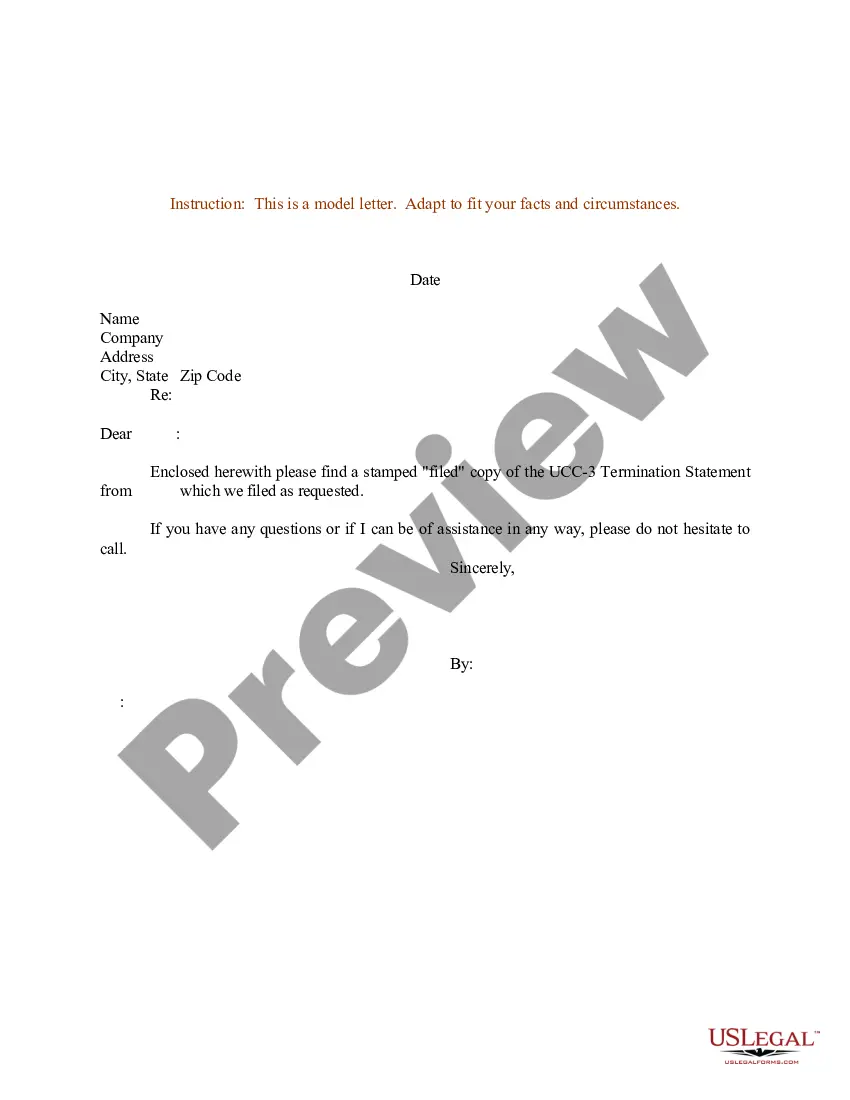
California Ucc 3 Termination Form For State Ucc-3
Description

Get your form ready online
Our built-in tools help you complete, sign, share, and store your documents in one place.
Make edits, fill in missing information, and update formatting in US Legal Forms—just like you would in MS Word.
Download a copy, print it, send it by email, or mail it via USPS—whatever works best for your next step.
Sign and collect signatures with our SignNow integration. Send to multiple recipients, set reminders, and more. Go Premium to unlock E-Sign.
If this form requires notarization, complete it online through a secure video call—no need to meet a notary in person or wait for an appointment.
We protect your documents and personal data by following strict security and privacy standards.

Make edits, fill in missing information, and update formatting in US Legal Forms—just like you would in MS Word.

Download a copy, print it, send it by email, or mail it via USPS—whatever works best for your next step.

Sign and collect signatures with our SignNow integration. Send to multiple recipients, set reminders, and more. Go Premium to unlock E-Sign.

If this form requires notarization, complete it online through a secure video call—no need to meet a notary in person or wait for an appointment.

We protect your documents and personal data by following strict security and privacy standards.
Looking for another form?


How to fill out Sample Letter For UCC-3 Termination Statement?
Legal paperwork organization can be daunting, even for the most seasoned professionals.
If you're seeking a California UCC 3 Termination Form for State UCC-3 but lack the time to search for the correct and updated version, the process can be stressful.
Tap into a resource bank of articles, guides, handbooks, and materials pertinent to your situation and requirements.
Conserve time and effort while searching for the documents you require, using US Legal Forms’ advanced search and Preview feature to find the California UCC 3 Termination Form for State UCC-3 and retrieve it.
Take advantage of the US Legal Forms online library, backed by 25 years of experience and reliability. Transform your everyday document management into a straightforward and user-friendly experience today.
- If you hold a subscription, Log In to your US Legal Forms account, locate the form, and download it.
- Check your My documents tab to see the documents you previously saved and to manage your folders as needed.
- If this is your first experience with US Legal Forms, create a free account and gain unlimited access to all the benefits of the library.
- After accessing the desired form, confirm that it is the correct document by previewing it and reviewing its details.
- Make sure that the form is recognized in your state or county.
- Hit Buy Now when you're prepared.
- Select a subscription tier.
- Identify the file format you require, then Download, complete, sign, print, and send your document.
- Access state- or county-specific legal and business forms.
- US Legal Forms addresses all your requirements, from personal to corporate documentation, all in one location.
- Utilize innovative tools to fill out and manage your California UCC 3 Termination Form for State UCC-3.
Form popularity
FAQ
An UCC-3 termination filing is a formal document that cancels a previously filed UCC statement. By submitting the California UCC 3 termination form for state UCC-3, you notify the state that the secured party no longer claims an interest in the collateral. This filing is crucial for clearing up public records and ensuring accurate credit histories. USLegalForms can assist you in understanding this process and ensuring your filing is completed correctly.
Filling out an UCC-3 termination requires you to provide essential information, including the original UCC file number and the names of the parties involved. The California UCC 3 termination form for state UCC-3 must be signed and dated properly. You should also review the instructions carefully to ensure compliance with state requirements. For added convenience, you can rely on USLegalForms to access user-friendly resources and examples.
Completing a UCC3 termination involves filling out the California UCC 3 termination form for state UCC-3 with specific information about the original filing. You will need to include details such as the file number and the debtor's name. Make sure to double-check all entries for accuracy to avoid any delays in processing. USLegalForms offers easy-to-follow templates that can help you complete this form effortlessly.
To terminate your UCC filing, you need to complete a California UCC 3 termination form for state UCC-3. This form informs the state that you wish to cancel the original filing. You can submit the completed form to the appropriate state office, ensuring that you provide accurate details. Using platforms like USLegalForms can simplify this process, guiding you step by step.
To get a UCC termination letter, you should first ensure that you have filed the California UCC 3 termination form for state UCC-3 correctly. Once your termination is processed, you can request a copy of the termination letter from the filing office. Keeping a record of your filing is essential, as it helps you track the status. Using US Legal Forms can simplify this process, providing templates and customer support to assist you in obtaining your termination letter.
Filing a UCC-3 termination involves filling out the designated form with accurate information about the original filing. You'll need to reference the original UCC-1 statement to ensure proper cancellation. Once completed, submit the form to the relevant state office, either online or by mail. For ease and accuracy, consider using the California UCC 3 termination form for state UCC-3 available through US Legal Forms.
To cancel a UCC, you must file a UCC-3 termination form with the appropriate state authority. This form indicates that the secured party is relinquishing their claim on the collateral listed in the original UCC-1. It is important to follow the specific filing guidelines set by your state. The California UCC 3 termination form for state UCC-3 makes this process straightforward and efficient.
To file a UCC-3 in California, you need to complete the UCC-3 termination form with the necessary details. This includes identifying the original UCC-1 statement and providing the correct information about the parties involved. You can submit the form online or by mail to the California Secretary of State's office. Utilizing platforms like US Legal Forms can simplify this process and ensure accurate filing.
Yes, a UCC-3 form serves as a termination statement. It officially removes a previously filed UCC-1 financing statement, indicating that the secured party no longer claims interest in the collateral. This is essential for clearing up any encumbrances against the borrower's assets. Using the California UCC 3 termination form for state UCC-3 helps streamline this process.
To terminate an UCC filing in California, you must fill out the California UCC 3 termination form for state UCC-3 accurately. Ensure you include all required details from the original filing, such as the debtor's name and the filing number, to avoid delays. Once completed, submit the form to the Secretary of State's office along with any applicable fees. For ease of use, consider utilizing USLegalForms, which provides resources to help you through this process smoothly.