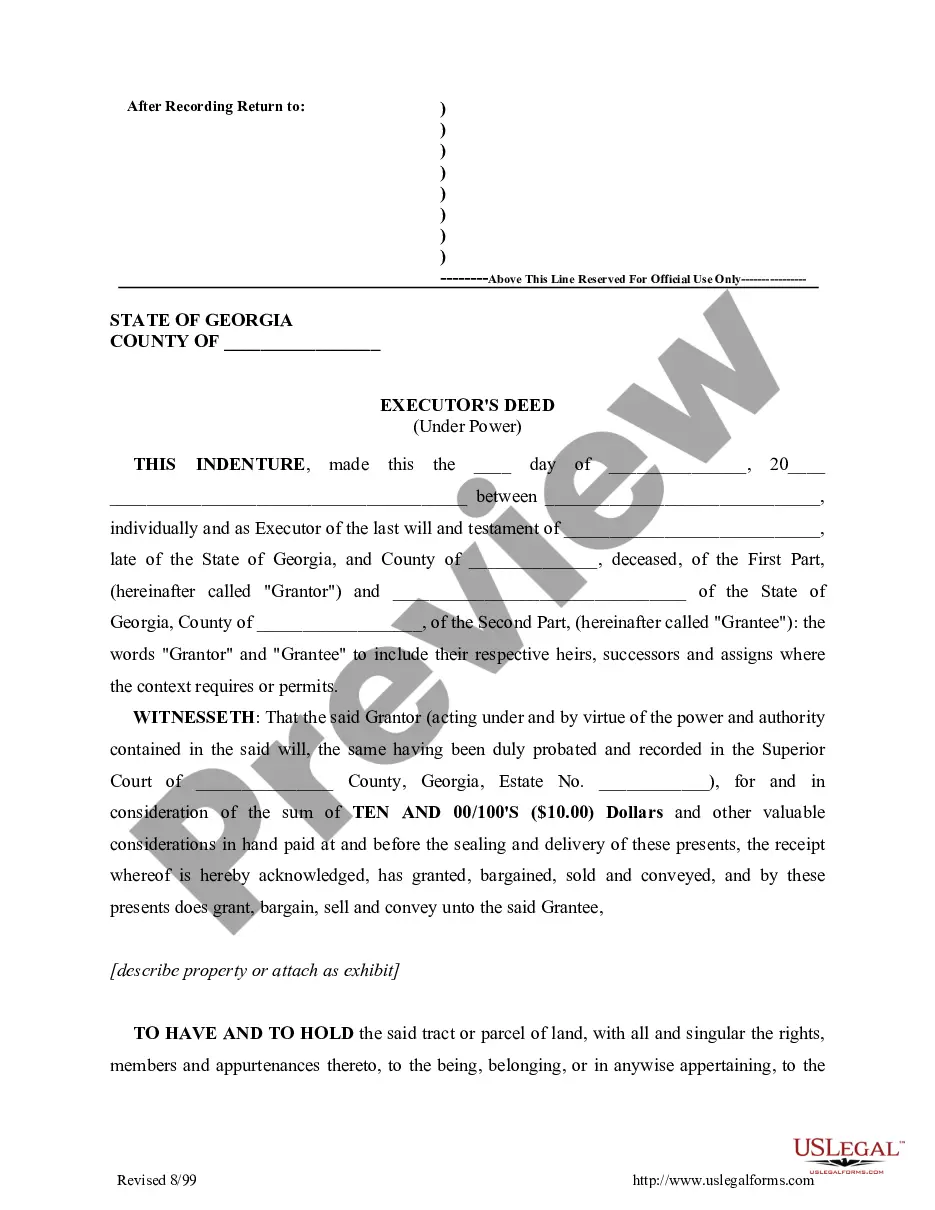
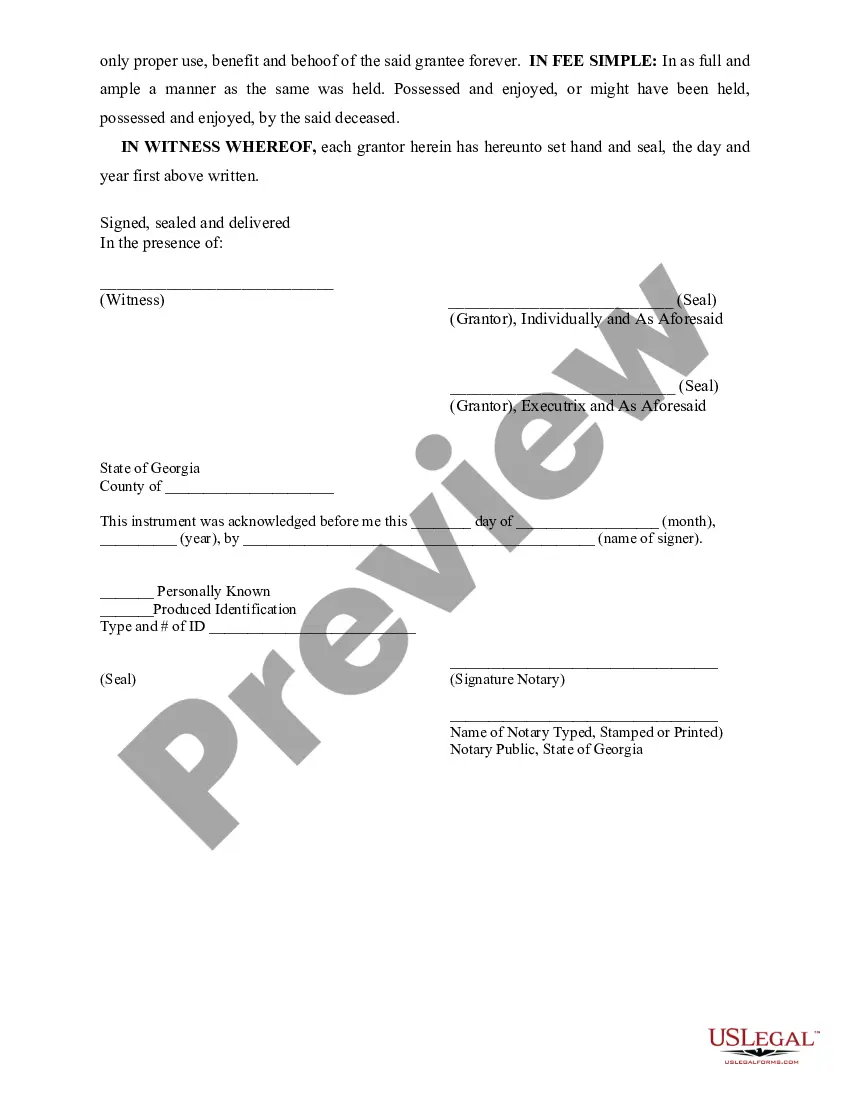
Executor And Deed
Description

Get your form ready online
Our built-in tools help you complete, sign, share, and store your documents in one place.
Make edits, fill in missing information, and update formatting in US Legal Forms—just like you would in MS Word.
Download a copy, print it, send it by email, or mail it via USPS—whatever works best for your next step.
Sign and collect signatures with our SignNow integration. Send to multiple recipients, set reminders, and more. Go Premium to unlock E-Sign.
If this form requires notarization, complete it online through a secure video call—no need to meet a notary in person or wait for an appointment.
We protect your documents and personal data by following strict security and privacy standards.

Make edits, fill in missing information, and update formatting in US Legal Forms—just like you would in MS Word.

Download a copy, print it, send it by email, or mail it via USPS—whatever works best for your next step.

Sign and collect signatures with our SignNow integration. Send to multiple recipients, set reminders, and more. Go Premium to unlock E-Sign.

If this form requires notarization, complete it online through a secure video call—no need to meet a notary in person or wait for an appointment.

We protect your documents and personal data by following strict security and privacy standards.
Looking for another form?
How to fill out Georgia Executor's Deed?
Regardless of whether it's for corporate reasons or personal matters, everyone encounters legal issues at some stage in their existence.
Completing legal documents demands meticulous care, beginning with selecting the correct form template.
Once it is saved, you can complete the form using editing software or print it out and fill it out manually. With a comprehensive US Legal Forms library available, you no longer need to waste time searching for the suitable sample online. Utilize the library's straightforward navigation to find the appropriate template for any circumstance.
- Search for the template you require using the search bar or the catalog menu.
- Review the form's description to confirm it aligns with your circumstances, state, and area.
- Click on the form's preview to examine it.
- If it is not the correct form, return to the search option to find the Executor and Deed sample you need.
- Obtain the file once it fulfills your requirements.
- If you possess a US Legal Forms account, simply click Log in to access previously saved templates in My documents.
- If you haven't created an account yet, you can acquire the form by clicking Buy now.
- Select the appropriate pricing option.
- Complete the profile registration form.
- Choose your payment method: use a credit card or a PayPal account.
- Pick the document format you prefer and download the Executor and Deed.
Form popularity
FAQ
The 501(c)(3) organization must submit to the vendor a properly completed Sales Tax Exempt Pur- chaser Certificate (Form ST-5) signed by the 501(c)(3) organization with a copy of its Form ST-2 attached.
The 501(c)(3) organization must submit to the vendor a properly completed Sales Tax Exempt Pur- chaser Certificate (Form ST-5) signed by the 501(c)(3) organization with a copy of its Form ST-2 attached.
This certificate is to be used when the purchaser intends to resell the tangible personal property or service in the regular course of busi- ness.
How to fill out a Massachusetts ST-4. Name of Purchaser should be your registered business name. Account ID or Federal ID should be your registered business identification number. Address should be the registered address of your company. Type of business should describe your business activities.
Some goods are exempt from sales tax under Massachusetts law. Examples include most non-prepared food items, some clothing, and home heating fuels.
This form may be used by a contractor when purchasing or leasing tangible personal property from a vendor in connection with fulfilling a contract with its customer if the property will be used for one of the exempt uses described in Massachusetts General Laws (MGL) chapter 64H, section 6(r) or (s), which include the ...
This certificate is to be used when the purchaser intends to resell the tangible personal property or service in the regular course of busi- ness.
The Massachusetts sales tax is 6.25% of the sales price or rental charge on tangible personal property, including certain telecommunication services sold or rented in Massachusetts. Sales tax is generally collected by the seller.