Husband Wife Spouses With
Description



Get your form ready online
Our built-in tools help you complete, sign, share, and store your documents in one place.
Make edits, fill in missing information, and update formatting in US Legal Forms—just like you would in MS Word.
Download a copy, print it, send it by email, or mail it via USPS—whatever works best for your next step.
Sign and collect signatures with our SignNow integration. Send to multiple recipients, set reminders, and more. Go Premium to unlock E-Sign.
If this form requires notarization, complete it online through a secure video call—no need to meet a notary in person or wait for an appointment.
We protect your documents and personal data by following strict security and privacy standards.

Make edits, fill in missing information, and update formatting in US Legal Forms—just like you would in MS Word.

Download a copy, print it, send it by email, or mail it via USPS—whatever works best for your next step.

Sign and collect signatures with our SignNow integration. Send to multiple recipients, set reminders, and more. Go Premium to unlock E-Sign.

If this form requires notarization, complete it online through a secure video call—no need to meet a notary in person or wait for an appointment.

We protect your documents and personal data by following strict security and privacy standards.
Looking for another form?




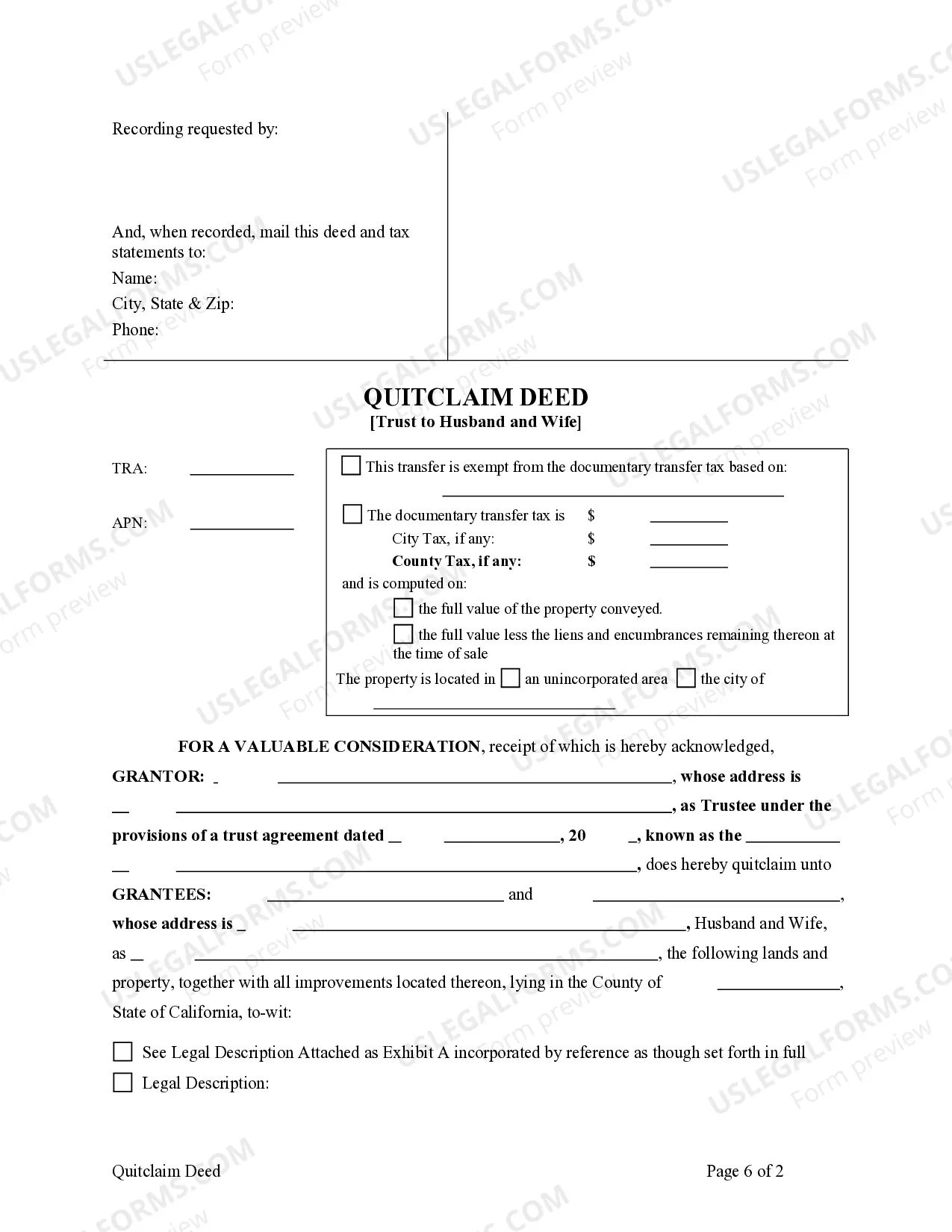
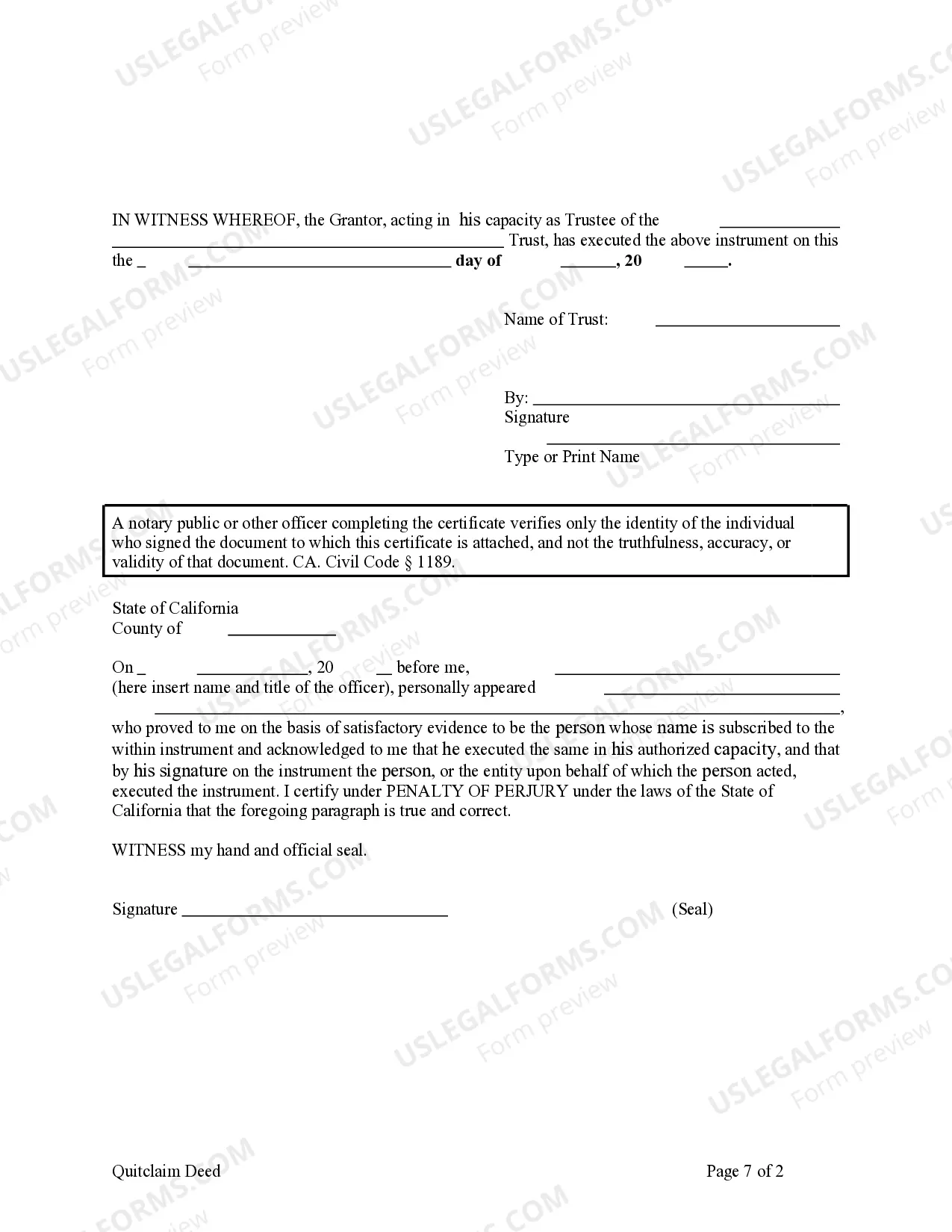
How to fill out California Quitclaim Deed - Trust To Husband And Wife?
Managing legal documents can be overwhelming, even for seasoned experts.
When you're looking for a Husband Wife Spouses With and lack the time to find the correct and updated version, the process can become taxing.
Access local legal and organizational forms specific to your state or county.
US Legal Forms caters to any needs you might have, from personal to business documents, all centralized in one place.
If this is your first experience with US Legal Forms, create an account and enjoy unrestricted access to all the platform's benefits. Here are the steps to follow after obtaining the form you need.
- Utilize advanced tools to complete and manage your Husband Wife Spouses With.
- Access a rich resource hub of articles, tutorials, guides, and materials related to your situation and requirements.
- Conserve time and effort in locating the documents you require, making use of US Legal Forms' sophisticated search and Preview feature to find Husband Wife Spouses With and download it.
- If you have a subscription, Log In to your US Legal Forms account, search for the form, and download it.
- Check your My documents section to see the documents you have previously downloaded and organize your folders accordingly.
- A robust online form repository can revolutionize the way anyone handles these instances.
- US Legal Forms stands as a frontrunner in web-based legal documents, with over 85,000 state-specific legal forms accessible to you at any time.
- With US Legal Forms, you can.
Form popularity
FAQ
Yes, you can use 'spouse' to refer to a husband. The term 'spouse' encompasses both partners in a marriage, making it suitable for any gender. Thus, if you are discussing legal matters or documents, such as those available on USLegalForms, using 'spouse' can simplify communication about husband wife spouses with equality and respect.
To be accurate, both spouses should fill out the new Form W-4 for each job. The form lists three ways you can complete this section.
If you both work one job and make roughly the same amount, you should check box 2(c) on your W-4. Make sure both of you check this box on your respective W-4s. The spouse with the highest paying job should fill out steps 2 through 4 on the W-4 (the other spouse can keep those steps blank on their W-4).
If you both work one job and make roughly the same amount, you should check box 2(c) on your W-4. Make sure both of you check this box on your respective W-4s. The spouse with the highest paying job should fill out steps 2 through 4 on the W-4 (the other spouse can keep those steps blank on their W-4).
By placing a ?0? on line 5, you are indicating that you want the most amount of tax taken out of your pay each pay period. If you wish to claim 1 for yourself instead, then less tax is taken out of your pay each pay period. 2. You can choose to have no taxes taken out of your tax and claim Exemption (see Example 2).
Here's a step-by-step look at how to complete the form. Step 1: Provide Your Information. Provide your name, address, filing status, and Social Security number. ... Step 2: Indicate Multiple Jobs or a Working Spouse. ... Step 3: Add Dependents. ... Step 4: Add Other Adjustments. ... Step 5: Sign and Date Form W-4.