Get Nm Trd Fyi-104 2020
How it works
-

Open form follow the instructions
-

Easily sign the form with your finger
-

Send filled & signed form or save
How to fill out the NM TRD FYI-104 online
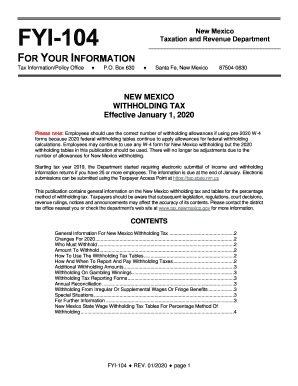
This guide provides step-by-step instructions for completing the NM TRD FYI-104 form online. It is designed to assist users in understanding each component of the form and ensuring accurate submissions for New Mexico withholding tax.
Follow the steps to complete the NM TRD FYI-104 online.
- Press the ‘Get Form’ button to access the NM TRD FYI-104 and open it in your editor.
- Review the introductory information provided on the form. Make sure you understand the requirements for New Mexico withholding tax.
- Fill in the relevant employee information, including name, Social Security number, and filing status as required.
- Refer to the New Mexico State Wage Withholding Tax Tables included in the publication to determine the appropriate amount to withhold based on the employee's wages and filing status.
- Input any additional withholding amounts requested by the employee in the designated section to ensure accurate tax withholding.
- Double-check all entered information for accuracy and completeness before proceeding.
- Save your changes. Users can download, print, or share the completed form as necessary after finalizing their entries.
Complete your NM TRD FYI-104 online to ensure your withholding tax reporting is accurate and timely.
Get form
Related links form
New Mexico's wage withholding tax requires employers to deduct a portion of an employee's wages and remit it to the state. This ensures that state income taxes are collected throughout the year rather than all at once. The NM TRD FYI-104 provides valuable information on withholding rates and exemptions. If you're an employer needing assistance in managing these taxes, US Legal Forms can guide you through the requirements.