Loading
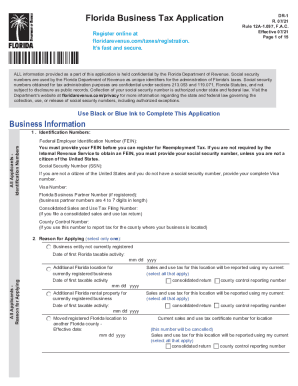
Get Fl Dor Dr-1 2021-2026
How it works
-

Open form follow the instructions
-

Easily sign the form with your finger
-

Send filled & signed form or save
How to use or fill out the FL DoR DR-1 online
Filling out the FL Department of Revenue DR-1 form online can seem daunting, but with clear guidance, you can complete it efficiently. This form is essential for various revenue-related applications and understanding its components will help you navigate it with ease.
Follow the steps to accurately complete the FL DoR DR-1 online.
- Click the ‘Get Form’ button to obtain the form and open it in your preferred editor.
- Provide your identification numbers in the designated fields. This includes your federal employer identification number (FEIN) and any other relevant IDs required by the Department.
- Fill in the business information section accurately. This includes your business name, address, and contact details. Ensure that there are no typos that could lead to delays in processing.
- Enter the details about the nature of your business activities and any specific revenue-related activities as required. Be thorough in this section to avoid any potential issues.
- Review all provided information for accuracy. Ensure that all sections have been filled out, as incomplete forms may be rejected or returned for additional information.
- Once you are satisfied with the information entered, you can save your changes. Choose to download, print, or share the completed form with the relevant authorities.
Start completing your FL DoR DR-1 online to ensure your document is processed without delays.
Companies who pay employees in Florida must register with the Florida Department of Revenue for a Reemployment Tax Account Number. Register online with the FL DOR to receive an online confirmation number. Then, after 3 business days, call the FL DOR at 850-717-6629 to obtain the account number and rate information.