Loading
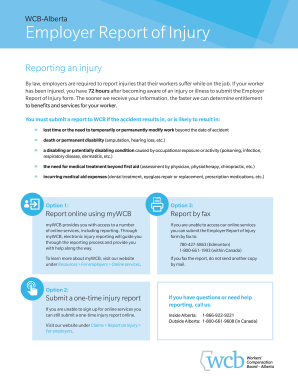
Get Wcb C-040 2018
How it works
-

Open form follow the instructions
-

Easily sign the form with your finger
-

Send filled & signed form or save
How to fill out the WCB C-040 online
Completing the WCB C-040 form is essential for employers to report injuries sustained by workers on the job. This guide provides step-by-step instructions to navigate the online filing process, ensuring that all necessary information is accurately captured for timely processing.
Follow the steps to successfully complete the form online:
- Click the ‘Get Form’ button to obtain the WCB C-040 and open it in your selected online editor.
- Review the form in its entirety to familiarize yourself with the sections: Claim Type, Worker Details, Employer Details, Accident Details, Return to Work Details, Employment Type Details, Earnings Details, and Hours of Work Details.
- In the Claim Type section, choose the appropriate option — Time Lost (TL), Modified Work, or No Time Lost (NTL) — based on the circumstances of the worker's injury.
- Fill in the Worker Details section with comprehensive information, including the worker's last name, first name, Social Insurance Number, and date of birth.
- In the Employer Details section, provide the contact information of the employer or supervisor managing the claim.
- For Accident Details, input the date and time of the injury, the date it was reported to the employer, and a thorough description of the incident, including location and circumstances.
- Complete the Return to Work Details section, indicating whether the worker was paid while off work and provide any relevant details regarding modified duties.
- In Employment Type Details, choose the option that describes the worker’s employment status (e.g., permanent, non-permanent) and provide the necessary details.
- Fill in the Earnings Details section with the worker's gross earnings from the year prior to the incident, paying attention to any time missed from work without pay.
- In the Hours of Work Details section, provide an account of the regular hours worked and mark any schedules relevant to the injury, ensuring you circle the day of the incident.
- Once all sections are completed, review your entries for clarity and accuracy, then save your changes. You may then download, print, or share the final form as needed.
Start filling out your WCB C-040 online today to ensure timely processing of injury reports.
Get form
Experience a faster way to fill out and sign forms on the web. Access the most extensive library of templates available.
Related links form
In Alberta, income received from WCB is generally not taxable, which means you can retain the full benefit amount during your recovery. This regulation allows you to focus fully on healing without the concern of tax deductions. Utilizing WCB C-040 effectively means understanding this benefit and ensuring you maximize your support.
Get This Form Now!
Use professional pre-built templates to fill in and sign documents online faster. Get access to thousands of forms.