Loading
Get Irs 3800 2023-2026
How it works
-

Open form follow the instructions
-

Easily sign the form with your finger
-

Send filled & signed form or save
How to fill out the IRS 3800 online
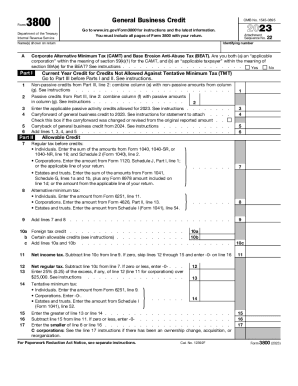
Completing the IRS 3800 form online can be a straightforward process when guided properly. This form, known as the General Business Credit, is essential for reporting various business credits and ensuring you receive the appropriate benefits.
Follow the steps to accurately complete the IRS 3800 online.
- Click ‘Get Form’ button to obtain the form and open it in your editor.
- Fill in your identifying number and the names shown on your return at the designated field.
- For Part I, indicate if you are qualified under the Corporate Alternative Minimum Tax and Base Erosion Anti-Abuse Tax categories by checking 'Yes' or 'No'.
- Complete lines 1 through 5 with the appropriate non-passive and passive credits as indicated in the instructions.
- In Part II, enter the current year credit amounts and other essential figures, as well as the alternative minimum tax values for individuals or corporations.
- Continue through Part II until you've accurately tallied all additions and subtractions, ensuring to follow instructions for any calculations.
- Once finished with all parts of the form, review your entries for accuracy.
- Finally, save your changes, download a copy of the completed form, and print or share it as necessary.
Start filling out your IRS 3800 form online today and ensure you claim your business credits accurately.
Step 1: Calculate Your Regular Tax Liability. ... Step 2: Calculate Your Alternative Minimum Tax. ... Step 3: Calculate Your Allowable General Business Credit. ... Step 4: Carry Over Individual Business Tax Credits. ... Step 5: Claim Carryforwards and Carrybacks.