Loading
Get Pr Modelo Sc 6042 2018-2026
How it works
-

Open form follow the instructions
-

Easily sign the form with your finger
-

Send filled & signed form or save
How to fill out the PR Modelo SC 6042 online
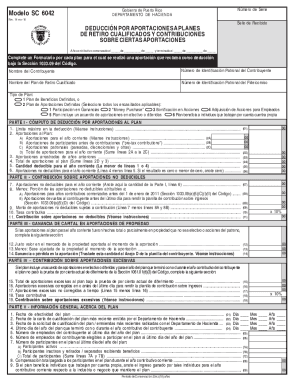
Filling out the PR Modelo SC 6042 is essential for claiming deductions on contributions to qualified retirement plans in Puerto Rico. This guide provides clear, step-by-step instructions to assist users in completing the form online effectively.
Follow the steps to accurately complete the PR Modelo SC 6042 online.
- Click ‘Get Form’ button to access the PR Modelo SC 6042 and open it in your preferred digital document editor.
- Enter the income year at the top of the form, specifying the start and end dates.
- Provide the contributor’s name and employer identification number in the appropriate fields.
- Indicate the name of the qualified retirement plan and its corresponding trust identification number.
- Select the type of plan using the provided checkboxes—for example, defined benefit plan or defined contribution plan. Mark all applicable options.
- In Part I, compute the deduction for contributions by filling out sections related to the maximum deduction limit, current year contributions, and carried forward contributions.
- In Part II, enter details regarding non-deductible contributions, including specific calculations and applicable exemptions.
- If applicable, complete Part III to report any capital gains from property contributions, detailing the fair market value and adjusted basis.
- Complete Part IV if your plan includes excessive contributions, noting the amounts subject to taxation and any corrections made.
- In Part V, provide general information about the plan, including effective dates and the number of participants, as required.
- Once all fields are completed, review the form for accuracy. You can save changes, download, print, or share the completed document as necessary.
Complete your forms online to ensure efficient and accurate submissions.