Loading
Get Ak 6328i 2019-2026
How it works
-

Open form follow the instructions
-

Easily sign the form with your finger
-

Send filled & signed form or save
How to fill out the AK 6328i online
The AK 6328i is an important document for claiming the Qualified In-State Oil Refinery Infrastructure Expenditures Tax Credit in Alaska. This guide will provide you with step-by-step instructions to help you complete the form efficiently and accurately.
Follow the steps to complete the AK 6328i online.
- Press the ‘Get Form’ button to access the AK 6328i document and open it in your preferred editor.
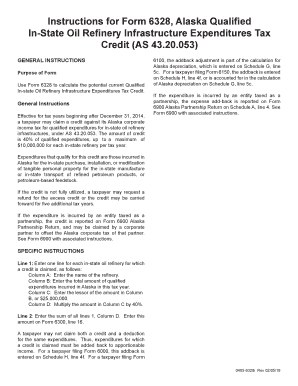
- Begin by entering the name of each in-state oil refinery for which you are claiming a credit in Column A. Ensure that you provide the correct names as they appear in official records.
- In Column B, enter the total amount of qualified expenditures incurred in Alaska for the tax year. Double-check your calculations for accuracy.
- For Column C, determine the lesser amount between the total in Column B or $25,000,000, and enter that figure.
- In Column D, calculate 40% of the amount entered in Column C and input that value.
- Once you have completed all entries for each refinery, sum all amounts listed in Column D and record this total on Form 6300, line 16.
- Review all entries for any potential errors. Make sure you do not claim both a credit and a deduction for the same expenditures.
- After verifying accuracy, save your changes. You can choose to download, print, or share the completed AK 6328i form as needed.
Complete your documents online today to ensure a smooth filing process.
To fill out a W-8BEN form, begin by collecting your personal information and the details requested by the form. Reference the AK 6328i for guidance on aspects such as treaty benefits and foreign status. Clear and accurate completion will help you maintain compliance with U.S. tax laws. If needed, legal or tax guidance can ensure this form is filled out correctly.