Loading
Get Ia Form 116 2013-2026
How it works
-

Open form follow the instructions
-

Easily sign the form with your finger
-

Send filled & signed form or save
How to fill out the IA Form 116 online
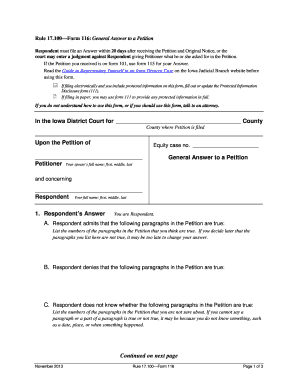
Filling out the IA Form 116 online can be a straightforward process if you understand the components and instructions. This guide provides detailed steps to assist you in completing the General Answer to a Petition effectively.
Follow the steps to fill out the IA Form 116 online.
- Click the ‘Get Form’ button to access the IA Form 116 and open it in the editor.
- Begin by entering your details as the respondent. Fill in your full name, including first, middle, and last names. Make sure this information matches your official documents.
- Indicate whether there are any protective or no contact orders in place between you and the petitioner. If applicable, provide the county, state, and court case number related to these orders.
- In the 'Respondent's Request' section, clearly state what you are asking the court to do, such as filing for a divorce. Keep your request concise and to the point.
- Fill out the service instructions to clarify how you wish to receive documents related to your case.
- Complete the certification of service section if you are filing in paper—this requires naming the individual you served and their address.
- Once all fields have been completed, review the form for accuracy before saving your changes, downloading, printing, or sharing the form as needed.
Get started on completing your IA Form 116 online today!
Related links form
General category income on Form 1116 refers to income that is broadly taxable and includes salaries, wages, and dividends from foreign sources. This category helps classify your foreign income for tax credit claims. By utilizing the IA Form 116, you can ensure proper reporting and deduction of this income.