Loading
Get Ct Bar Exam Form 10 2018-2026
How it works
-

Open form follow the instructions
-

Easily sign the form with your finger
-

Send filled & signed form or save
How to fill out the CT Bar Exam Form 10 online
Filling out the CT Bar Exam Form 10 is an important step in your application process. This comprehensive guide will help you understand each section of the form and instruct you on how to complete it online efficiently.
Follow the steps to complete the CT Bar Exam Form 10 online
- Click the ‘Get Form’ button to obtain the form and open it in the online editor.
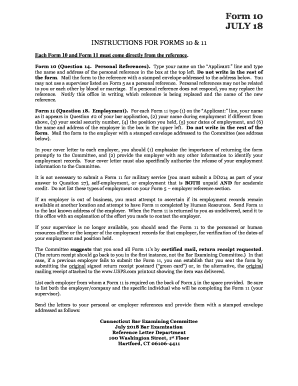
- In the designated 'Applicant:' line, enter your full name as it appears on your application.
- In the box at the top left, type the name and address of your personal reference.
- You are not required to fill out any other sections of the form; it is important to leave those fields blank.
- After completing the form, mail it to the personal reference with a stamped envelope included, addressed to the Connecticut Bar Examining Committee.
- If a personal reference does not respond, you may select a different reference and must notify the committee in writing about the change.
- Ensure that you do not select a supervisor listed on another form or personal references who are related to you.
- After confirming that all information is correct, save your changes before final submission. You may also download, print, or share the completed form if needed.
Start completing your CT Bar Exam Form 10 online today!
The format of the bar exam combines various test types, including essay questions, multiple-choice questions, and practical simulations. Each format serves to assess different competencies crucial for legal practice. By understanding this comprehensive layout, you can strategically prepare your CT Bar Exam Form 10. This way, you will enhance your readiness for each component of the exam.