Loading
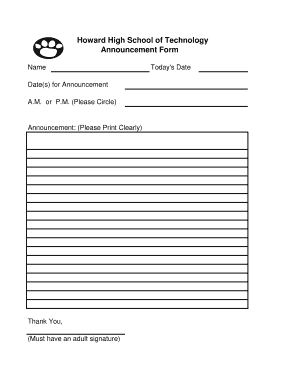
Get De Howard High School Of Technology Announcement Form 2011-2026
How it works
-

Open form follow the instructions
-

Easily sign the form with your finger
-

Send filled & signed form or save
How to fill out the DE Howard High School Of Technology Announcement Form online
Filling out the DE Howard High School Of Technology Announcement Form online is a straightforward process. This guide will take you through each section of the form, ensuring you provide all necessary information correctly.
Follow the steps to complete the announcement form effectively.
- Click ‘Get Form’ button to obtain the form and open it in the editor.
- In the first field, enter your name clearly. This identifies who is submitting the announcement.
- Next, indicate the date(s) for the announcement. This ensures that the information is relevant to the correct time frame.
- Select whether the announcement is for the A.M. or P.M. by circling your choice. This detail is crucial for clarity.
- In the announcement section, write your message clearly. Take care to print the letters so that the information is easily readable.
- The form requires an adult's signature to validate the announcement. Ensure this person is a partner or guardian who can provide their signature.
- Lastly, fill in today's date at the bottom of the form, ensuring that all sections are complete and accurate.
- Once all information is filled out, you can save changes to the form, download it for your records, print a physical copy, or share it as needed.
Complete your DE Howard High School Of Technology Announcement Form online today.