Loading
Get Oregon Form 65: Fill Out & Sign Online
How it works
-

Open form follow the instructions
-

Easily sign the form with your finger
-

Send filled & signed form or save
How to fill out the Oregon Form 65: Fill Out & Sign Online
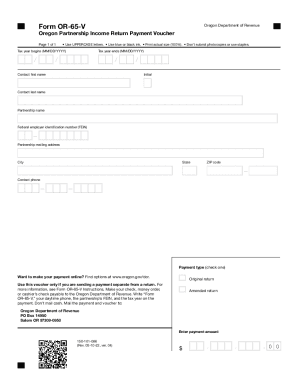
This guide provides straightforward instructions for completing the Oregon Form 65: Fill Out & Sign Online. Designed to assist users regardless of their legal experience, it offers detailed steps for each section of the form.
Follow the steps to successfully complete your Oregon Form 65
- Press the ‘Get Form’ button to access the Oregon Form 65 and open it in the online editor.
- Begin by entering the tax year information in the provided fields. Make sure to use the proper MM/DD/YYYY format for both the beginning and ending dates of the tax year.
- Fill in the contact person's first name, middle initial, and last name. This information is essential for identifying the point of contact regarding the submission.
- Next, enter the partnership name as it appears in official documents. Accuracy is important to avoid complications in processing your submission.
- Provide the federal employer identification number (FEIN) for the partnership. This should be formatted correctly to reflect the registered number.
- Complete the partnership mailing address, ensuring to include the city, state, and ZIP code. Double-check for accuracy to ensure correspondence reaches the appropriate recipient.
- Enter the contact phone number where the partnership can be reached for any inquiries about the submission.
- Select the appropriate payment type by checking the corresponding option. Choose whether this is an original return or an amended return.
- Fill in the payment amount in the designated section, ensuring you follow the formatting provided (e.g., including cents).
- Once all sections are complete, review the form for accuracy and save your changes. You can then download the completed form, print it for mailing, or share it as needed.
Complete your Oregon Form 65 online today to ensure timely processing of your submission.
Get form
Experience a faster way to fill out and sign forms on the web. Access the most extensive library of templates available.
Income Taxes: Only Pay For the Work You Do in Oregon Washington does not collect personal income taxes, while Oregon does. If a person commutes into Oregon for work, they have to pay state income taxes in Oregon. Workers will receive a non-resident tax form from Oregon, which is OR-40-N.
Get This Form Now!
Use professional pre-built templates to fill in and sign documents online faster. Get access to thousands of forms.