Loading
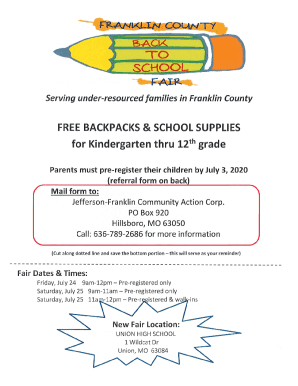
Get Mo Jefferson-franklin Community Action Back To School Referral 2020-2026
How it works
-

Open form follow the instructions
-

Easily sign the form with your finger
-

Send filled & signed form or save
How to fill out the MO Jefferson-Franklin Community Action Back To School Referral online
This guide provides a comprehensive overview of how to successfully fill out the MO Jefferson-Franklin Community Action Back To School Referral form online. By following these instructions, users can ensure that they complete the form accurately and efficiently.
Follow the steps to complete the form online:
- Click the ‘Get Form’ button to obtain the form and open it in the editor.
- Begin by entering your primary contact information in the designated fields. This includes your full name, phone number, and email address.
- Next, provide details about the students in need of assistance. You will need to fill in their names, ages, and the school they will attend.
- In the subsequent section, you may be asked to provide information regarding your household income. Accurately report your income source and amount to ensure eligibility.
- Continue to any additional questions related to resources or support needed for the upcoming school year.
- Once all sections are completed, review the form carefully to ensure all information is accurate and complete.
- Finally, save your changes, and choose the option to download, print, or share the completed form as needed.
Take the first step towards securing back-to-school assistance by completing the form online today.
Related links form
Jefferson Franklin Community Action Corporation was established in 1965 under the Economic Opportunity Act of 1964.