Loading
Get Cps Family Income Information Form 2016-2026
How it works
-

Open form follow the instructions
-

Easily sign the form with your finger
-

Send filled & signed form or save
How to fill out the CPS Family Income Information Form online
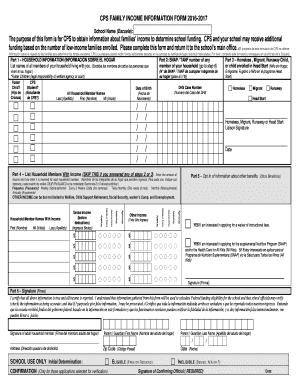
This guide provides essential instructions for completing the CPS Family Income Information Form online. By carefully filling out this form, you can help your school secure additional funding based on family income information.
Follow the steps to complete the form accurately.
- Click ‘Get Form’ button to obtain the form and open it in the online editor.
- Enter the school name in the designated field to identify the institution for which you are applying.
- In Part 1, list the names and dates of birth of all household members living with you. Ensure accuracy in this section to reflect your current household status.
- For Part 2, if applicable, include the SNAP or TANF number for any member of your household. If your household qualifies for these benefits, proceed accordingly.
- In Part 3, indicate if any child in your household is homeless, a migrant, a runaway, or enrolled in Head Start. Mark the appropriate boxes as necessary.
- Part 4 is for households that do not have members receiving any benefits mentioned in the previous sections. List household members with income and provide income details, including frequency of payments.
- In Part 5, express your interest in applying for additional benefits by checking the appropriate boxes.
- In Part 6, sign the form as an adult member of the household, certifying that all provided information is true and can be verified by school officials.
- Finally, complete Part 7 optionally, marking the racial and ethnic identities of household members. Review all entries for accuracy before submission.
- Once finished, save your changes, and you may download, print, or share the completed form as needed.
Complete your documents online to ensure timely processing and support for your family's needs.