Loading
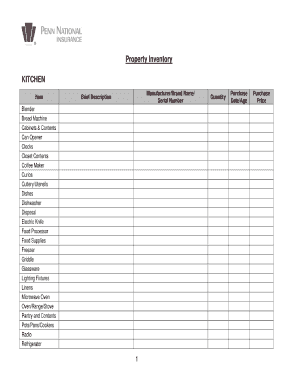
Get Penn National Insurance Property Inventory 2018-2026
How it works
-

Open form follow the instructions
-

Easily sign the form with your finger
-

Send filled & signed form or save
How to fill out the Penn National Insurance Property Inventory online
Filling out the Penn National Insurance Property Inventory is an essential step in managing your insurance policy effectively. This guide will provide you with clear and supportive instructions to help you complete the form with confidence.
Follow the steps to accurately fill out your property inventory.
- Click ‘Get Form’ button to obtain the form and open it in the editor.
- Begin by entering your personal information in the designated fields at the top of the form, including your name, address, and contact details. Ensure that all information is accurate for effective communication.
- Next, move to the section labeled ‘Property Details.’ Here, list each item you wish to include in your inventory. For every item, provide a description, value, and, if possible, the purchase date. This information is crucial for insurance claims.
- In the ‘Photo Upload’ section, add images of each item. Ensure that the images are clear and well-lit, as they will help substantiate your claims in the event of loss or damage.
- Review your entries for any errors or omissions. It’s essential to double-check that all required fields are filled appropriately to avoid processing delays.
- Once you are satisfied with your inventory, you may choose to save the changes, download a copy of the form, print it for your record, or share it securely with relevant parties.
Complete your Penn National Insurance Property Inventory online today and ensure your belongings are protected.
A special warranty deed provides assurance that the property's seller owns the property in question and has not faced any title issues during this ownership. A special warranty deed guarantees that the buyer won't face any legal action or title issues as a result of the actions of the property's previous owner.