Loading
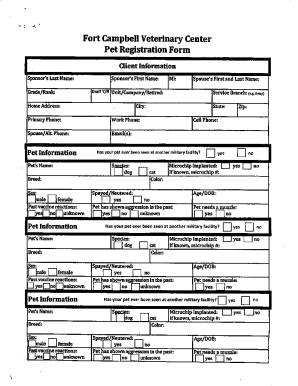
Get Ky Fort Campbell Veterinary Center Registration Packet 2019-2026
How it works
-

Open form follow the instructions
-

Easily sign the form with your finger
-

Send filled & signed form or save
How to fill out the KY Fort Campbell Veterinary Center Registration Packet online
Filling out the KY Fort Campbell Veterinary Center Registration Packet online is essential for ensuring that your pet receives the necessary care. This guide will provide you with step-by-step instructions, making the process straightforward and accessible.
Follow the steps to successfully complete your registration packet.
- Click the ‘Get Form’ button to access the registration packet and open it in your preferred form editor.
- Begin by entering your personal information in the designated fields. This may include your name, address, phone number, and email address. Ensure all details are accurate for effective communication.
- Next, provide your pet's information. Enter the name, breed, age, and any identifying details that will help the veterinary center recognize your pet.
- Review the consent sections carefully. You will likely need to indicate your agreement to terms regarding care and treatment options for your pet.
- Complete any sections that ask about your pet's medical history. This may include vaccination records, previous illnesses, or allergies.
- Once all the required fields are filled in, verify that all information entered is correct and complete before proceeding.
- Finally, save your changes. The form can typically be downloaded, printed, or shared as necessary for submission.
Complete your forms online today to ensure a smooth registration process!
Online/Mail – Visit http://.petdata.com/ and provide your zipcode to get started on the registration process. In-Person – Bring an up-to-date Rabies vaccination certificate to the Irving Animal Care Campus.