Loading
Get Uk Form Cg34 2020-2026
How it works
-

Open form follow the instructions
-

Easily sign the form with your finger
-

Send filled & signed form or save
How to fill out the UK Form CG34 online
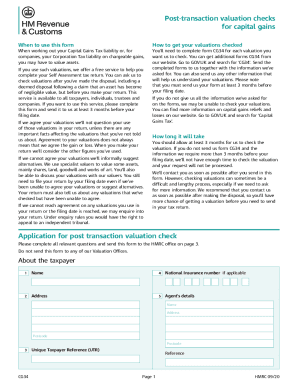
This guide provides clear, step-by-step instructions on how to complete the UK Form CG34 online for post-transaction valuation checks. Understanding each component of the form is essential for accuracy and compliance.
Follow the steps to fill out the UK Form CG34 correctly.
- Click the ‘Get Form’ button to obtain the form and open it in the respective editor.
- Carefully enter the taxpayer’s details in the relevant sections, including name, National Insurance number (if applicable), and address. Make sure to provide the Unique Taxpayer Reference number.
- Fill out the details of the disposal, including the date of disposal and purchaser details. Indicate the reason for the valuation by ticking the appropriate box.
- In the section labeled 'Tell us about the asset to be valued,' provide comprehensive information regarding the asset, including shares, goodwill, land, or other assets. Include specifics like company names and registration numbers where applicable.
- Offer the valuation date and the valuation amount for each asset being assessed. Ensure that the information provided is clear and descriptive.
- Review any other relevant information that may support your valuation. Tick the boxes to indicate any additional documentation you are submitting with the form.
- Once you have completed the form, save your changes. You can download or print the form for your records.
- Send the completed CG34 forms to the appropriate HMRC office specified in the form, ensuring that you have included all necessary documentation.
Complete your documents online with confidence using this guide.