Loading
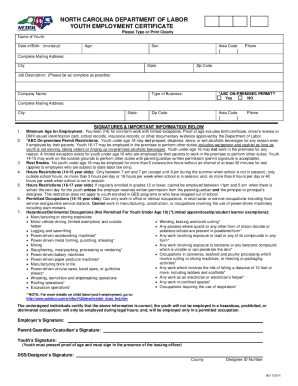
Get Nc Youth Employment Certificate 2014-2026
How it works
-

Open form follow the instructions
-

Easily sign the form with your finger
-

Send filled & signed form or save
How to fill out the NC Youth Employment Certificate online
The NC Youth Employment Certificate, also known as a work permit, is a crucial document for those looking to work while under the age of 18 in North Carolina. This guide provides clear and supportive instructions on completing the certificate online, ensuring a seamless and efficient process for users.
Follow the steps to complete the certificate online.
- Press the ‘Get Form’ button to access the Youth Employment Certificate and open it in your preferred editor.
- Begin filling out Screen 1, which requests information about the youth, the proposed employer, and the type of business. Ensure the accuracy of the information provided.
- Move to Screen 2, where you will need to indicate the employer’s ABC permit status. This field is mandatory and is particularly relevant for businesses, such as restaurants, where alcohol is sold.
- On Screen 3, review the job restrictions applicable to different age groups. Select the appropriate proposed employment from the listed options.
- Screen 4 will display all information you have entered for review. Carefully check this information for accuracy before proceeding.
- Once confirmed, you can save changes, download the completed Youth Employment Certificate, and print or share it as required. Remember to have it signed by the youth, parent, and employer.
Complete your NC Youth Employment Certificate online today to ensure compliance and a smooth start to your employment journey.
Select Launchpad from your dock. Type Acrobat in the search field. Verify that there is an application called Adobe Acrobat.