Loading
Get Form Ic7 - Revenue Commissioners - Revenue
How it works
-

Open form follow the instructions
-

Easily sign the form with your finger
-

Send filled & signed form or save
How to fill out the Form IC7 - Revenue Commissioners - Revenue online
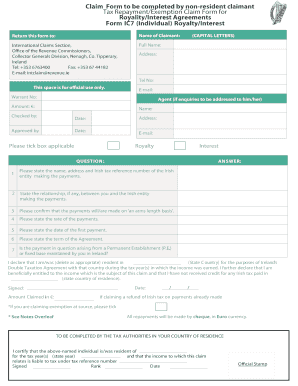
Filling out the Form IC7 is an essential step for non-resident users claiming tax repayments or exemptions on royalty and interest payments. This guide aims to provide clear and detailed instructions to ensure that you complete the form accurately and efficiently.
Follow the steps to accurately complete the Form IC7.
- Press the ‘Get Form’ button to obtain the form and open it for filling.
- Begin by entering your full name in capital letters. This field is mandatory, so ensure it's correct and legible.
- Provide your address, including postal code, in the designated field. Ensure that all details are accurate to avoid any delays.
- Input your telephone number and email address for communication. This information is essential for the Revenue Commissioners to contact you regarding your claim.
- If applicable, note the agent's name and contact details who should be addressed in inquiries.
- Specify the amount you are claiming in euros and include the warrant number if applicable.
- Indicate whether the claim is for royalty or interest by ticking the relevant box.
- Answer all the questions in the provided sections, detailing the Irish entity making payments and your relationship with them if any.
- Confirm that payments are made on an arms-length basis and provide the applicable payment rates.
- Sign and date the form, confirming your residency status for tax purposes, and ensuring you declare the correct information regarding any prior claims.
- Review the form to ensure all sections are filled out completely and accurately before submission.
- Finally, save changes, download, print, or share the completed form as required.
Complete your Form IC7 online to ensure your claim is processed smoothly.
Related links form
Your revenue income statement can typically be found by logging into your account on the Revenue Commissioners' website. Look for the financial summaries section, which provides access to your statements. Utilizing tools like Form IC7 - Revenue Commissioners - Revenue can streamline your search for this important document.