Loading
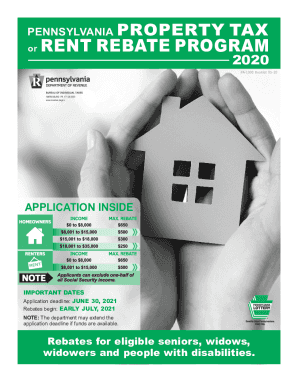
Get Pa Pa-1000 Booklet 2020
How it works
-

Open form follow the instructions
-

Easily sign the form with your finger
-

Send filled & signed form or save
How to fill out the PA PA-1000 Booklet online
The PA PA-1000 Booklet is essential for individuals seeking property tax or rent rebates in Pennsylvania. This guide provides a clear and user-friendly approach to completing the form online, ensuring you navigate each section accurately and efficiently.
Follow the steps to successfully complete your PA PA-1000 Booklet online.
- Press the ‘Get Form’ button to obtain the form and open it in your editor.
- Provide your Social Security Number, name, and address in Section I. Ensure accuracy to avoid delays.
- In Section II, select your filing status by filling in the appropriate oval. Make sure to only select one option to prevent processing issues.
- Report your total household income in Section III. Include all sources of income received during the previous year, paying close attention to what needs to be included or excluded as specified in the instructions.
- Complete Section IV, which includes signing an oath declaring that all information provided is accurate. Obtain a witness signature if needed.
- If applicable, provide additional proof documents as outlined for first-time filers, including age verification and proof of disability.
- Once you have filled in all relevant sections and attached any required documents, check the form for completeness and accuracy before submitting.
- Finally, save your changes, download a copy for your records, and submit the completed form through the specified online method.
Complete your PA PA-1000 Booklet online today for prompt processing of your rebate.
Get form
Experience a faster way to fill out and sign forms on the web. Access the most extensive library of templates available.
Get This Form Now!
Use professional pre-built templates to fill in and sign documents online faster. Get access to thousands of forms.