Loading
Get Ak 6000i 2019
How it works
-

Open form follow the instructions
-

Easily sign the form with your finger
-

Send filled & signed form or save
How to fill out the AK 6000i online
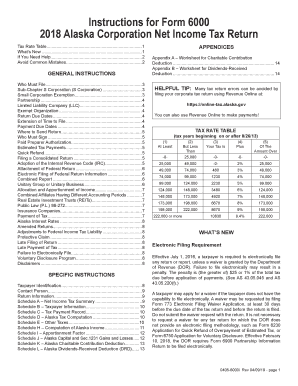
The AK 6000i is the Alaska Corporation Net Income Tax Return form that businesses must complete to report their income and calculate taxes owed to the state. This guide provides clear and step-by-step instructions to ensure successful completion of the form online.
Follow the steps to accurately complete the AK 6000i form online.
- Press the ‘Get Form’ button to access the form and open it in your preferred online editor.
- Begin by entering the Taxpayer Identification information, including the name and Employer Identification Number (EIN) of your corporation. Ensure you are using the proper name as it appears in your previous tax filings.
- Identify and check any boxes that apply to your filing situation in the Return Information section, including whether this is an amended return, final return, or if you are claiming exemptions.
- Move to Schedule A to summarize your net income tax. Enter the Alaska net operating loss deduction if applicable. Ensure you attach any relevant forms required for claim support.
- Proceed to Schedule B to list all Alaska taxpayers included in a consolidated return, if applicable. Check the appropriate boxes indicating any special conditions such as exemption status.
- Complete Schedule C to record the tax payment history. Enter all estimated tax payments made during the tax year.
- Calculate your tax liability in Schedule D by using the provided Tax Rate Table. Multiply taxable income by the relevant tax rate.
- Assess additional taxes in Schedule E by identifying the applicable federal taxes and including them if necessary.
- Use Schedule H to compute Alaska income from federal taxable income. Make any modifications as required under state law.
- Continue with Schedule I to determine your apportionment factors if doing business in multiple states.
- Fill out Schedule J and K for gains and losses, and charitable contributions deductions respectively, ensuring all calculations adhere to state specifications.
- Once all sections are complete, review your entries for accuracy. Save changes, download the completed form, and prepare it for submission.
- Remember to attach any required supporting documentation, including copies of your federal tax returns and any schedules necessary for a complete filing.
- Finally, choose to save, download, print, or share your completed tax return as needed.
Complete your Alaska Corporation Net Income Tax Return online to ensure timely and accurate submissions.
Get form
Experience a faster way to fill out and sign forms on the web. Access the most extensive library of templates available.
Related links form
K1 income is typically considered passive income and does not count as earned income. This distinction affects how it is reported and taxed. If your K1 income comes from rental properties or investments, refer to the AK 6000i for accurate tax implications. Always consult with a tax advisor for tailored guidance regarding your specific situation.
Get This Form Now!
Use professional pre-built templates to fill in and sign documents online faster. Get access to thousands of forms.