Get Ca Self Help Center Fl-321 2014-2026
How it works
-

Open form follow the instructions
-

Easily sign the form with your finger
-

Send filled & signed form or save
How to use or fill out the CA Self Help Center FL-321 online
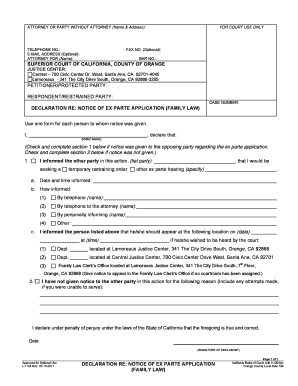
The CA Self Help Center FL-321 form is an essential document for individuals who need to compile a witness list for family law proceedings. This guide will provide you with a comprehensive, step-by-step approach to filling out the FL-321 form online, which is designed to ensure clarity and understanding for users of all legal backgrounds.
Follow the steps to successfully complete the FL-321 form online.
- Click ‘Get Form’ button to obtain the FL-321 form and open it in a digital format.
- Begin by entering your name, address, and telephone number in the designated fields at the top of the form. Also include the court's address and case number.
- Identify the role of each witness you intend to call (e.g., Petitioner, Respondent, Other). For each witness, provide their full name and a brief description of the testimony they will present during the hearing.
- Ensure that all information is accurate and complete before proceeding. If more space is needed, you can use attachments as necessary.
- Review the filled information for accuracy and completeness. Corrections can be made directly in the digital form.
- Once you have completed filling out the form, save your changes. You can then download, print, or share the completed FL-321 form as needed.
Complete your FL-321 form online today to streamline your family law proceedings.
Filling out FL 321 requires you to provide accurate information about your case, including details about both parties involved. Take your time to review the instructions carefully, and consider using resources available at the CA Self Help Center FL-321, which can offer invaluable assistance with completing the form correctly. After filling out FL 321, ensure you double-check for any missing information before submission.