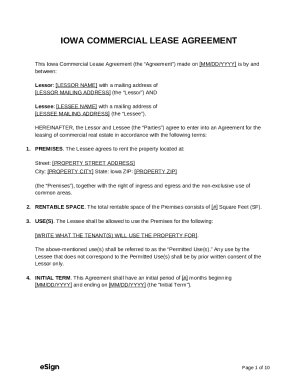
Get Ia Esign Commercial Lease Agreement 2023-2026
How it works
-

Open form follow the instructions
-

Easily sign the form with your finger
-

Send filled & signed form or save
How to fill out the IA ESign Commercial Lease Agreement online
Filling out the IA ESign Commercial Lease Agreement online can be a straightforward process when you have a clear guide. This document serves as a legally binding contract outlining the terms of lease between the Lessor and Lessee, which is essential for both parties involved.
Follow the steps to complete the agreement efficiently.
- Click ‘Get Form’ button to access the IA ESign Commercial Lease Agreement and open it in the online editor.
- Input the date of the agreement in the specified format [MM/DD/YYYY]. Fill in the names and the mailing addresses of both the Lessor and the Lessee.
- Specify the property details. Enter the complete address of the Premises, including street, city, state, and ZIP code.
- Indicate the total rentable space in square feet by filling in the relevant section.
- Describe the permitted use(s) of the Premises. Clearly outline how the Lessee intends to use the property.
- Enter the details of the initial lease term, including the duration in months and the start and end dates.
- Specify the monthly rent amount and indicate if it will remain the same or increase during the initial term. Provide details for each period of rent if applicable.
- Check whether a security deposit is required. If applicable, enter the amount to be paid and any conditions associated with it.
- Indicate if a late fee will be charged for overdue payments. Fill in the specific details regarding the late fee structure.
- Specify the options for renewal of the lease, including the notice period and details regarding renewal periods and rent amounts.
- Complete the upfront payment section by checking the relevant boxes and entering the required amounts, if necessary.
- Fill in the commencement date for possession and address any considerations regarding delays or claims.
- Review indemnities, liability insurance requirements, and general provisions such as maintenance responsibilities and use policies.
- Complete the final sections regarding notices, assignment, alterations, and compliance with laws as required.
- Read through the entire agreement carefully for any additional terms and check that all forms are correctly filled out before submission.
- Once completed, you can save changes, download, print, or share the agreement as needed.
Start filling out your IA ESign Commercial Lease Agreement online today to ensure a smooth leasing process.
Yes, Microsoft Word offers various lease agreement templates that you can customize for your specific needs. However, these templates may not be as comprehensive or legally robust as the IA ESign Commercial Lease Agreement available on Uslegalforms. Using a dedicated platform ensures you have access to templates tailored for your state and situation, providing added peace of mind. It is a smart choice for those looking to create a legally binding agreement effortlessly.