Loading
Get Rsa Travel Insurance Refund Form 2014-2026
How it works
-

Open form follow the instructions
-

Easily sign the form with your finger
-

Send filled & signed form or save
How to fill out the RSA Travel Insurance Refund Form online
Filling out the RSA Travel Insurance Refund Form online can seem daunting, but with this guide, you will find it straightforward and manageable. This comprehensive resource will walk you through each section of the form, ensuring you understand the process and requirements for a successful refund.
Follow the steps to complete your refund form online.
- Click ‘Get Form’ button to obtain the form and open it in the editor.
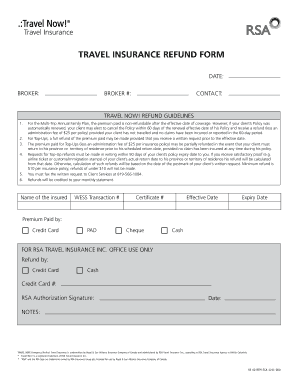
- Begin by entering the date and broker information. Ensure that all fields are filled out correctly to avoid delays. Note the broker number and contact details as they will be necessary for processing.
- Fill in the name of the insured, the transaction number, certificate number, effective date, and expiry date. Accurate information is crucial for the processing of refunds.
- Indicate how the premium was paid by selecting the appropriate method: credit card, pre-authorized debit, cheque, or cash. This information helps to validate the payment and process your refund accurately.
- Refer to the refund guidelines carefully. Make note of any specific conditions that might apply to your situation, such as the non-refundable nature of certain plans or required documentation for refunds.
- After completing the form, review all entries to ensure accuracy. Once satisfied, you can save changes, download, print, or share the form for submission.
Complete your RSA Travel Insurance Refund Form online today for a smoother refund experience.
To claim trip cancellation insurance, you will typically need to document the reason for your cancellation carefully. Completing the RSA Travel Insurance Refund Form is a crucial step in this process, as it provides formal notice of your claim. Make sure to follow your provider’s specific requirements for documentation and submission.