Loading
Get Canada Ia Financial Group F17a-1 2022-2026
How it works
-

Open form follow the instructions
-

Easily sign the form with your finger
-

Send filled & signed form or save
How to fill out the Canada IA Financial Group F17A-1 online
Completing the Canada IA Financial Group F17A-1 form online is a straightforward process that enables users to apply for various financial products. This guide provides clear, step-by-step instructions to navigate each section of the form effectively.
Follow the steps to complete the application seamlessly.
- Press the ‘Get Form’ button to access the F17A-1 application form and open it in your online editing tool.
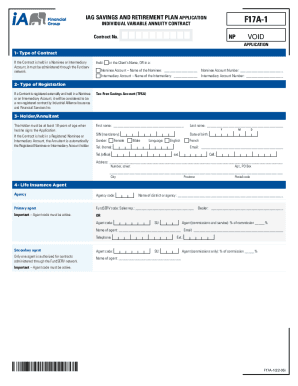
- In section 1, select the 'Type of Contract' by indicating whether it is held in the client’s name or in a nominee/intermediary account. Provide the names and account numbers as required.
- For section 2, choose the 'Type of Registration' and specify if it is a Tax-Free Savings Account (TFSA).
- Complete section 3 with the Holder's or Annuitant's details, including first name, last name, gender, date of birth, and contact information. Ensure all mandatory fields are filled.
- In section 4, provide details for the Life Insurance Agent, including agency name, codes, and the name of the agents involved.
- Section 5 requires you to list beneficiaries; ensure to fill in their names, dates of birth, relationship to the Annuitant, and whether the designation is revocable or irrevocable.
- For section 6, if applicable, designate a Successor Annuitant with their personal information.
- In section 8, outline your Investment Instructions, including any transfers, amounts, and fund selections.
- If automatic investments are intended, complete section 9 with relevant details about interest funds or investment funds.
- Section 11 covers income payment preferences, including the type, amount, and frequency of payments. Fill these fields according to your requirements.
- Complete section 13 for Pre-Authorized Debit (PAD) information, providing amount and frequency for withdrawals.
- Finally, navigate to the Statement/Signature section to read, consent, and sign the application. This finalizes your submission.
- After reviewing the completed form for accuracy, you may save changes, download a copy, print it for your records, or share the completed form as needed.
Start filling out your Canada IA Financial Group F17A-1 form online today to ensure a smooth application process.
Related links form
iA Wealth is a division of iA Financial Group, one of the largest insurance and wealth management companies in Canada, with operations in the United States. Founded in 1892, iA Financial Group is also one of Canada's largest public companies, with more than $196.2 billion in assets under management and administration.