Loading
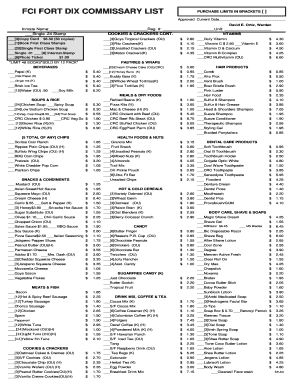
Get Bop Fci Fort Dix Commissary List 2017-2026
How it works
-

Open form follow the instructions
-

Easily sign the form with your finger
-

Send filled & signed form or save
How to fill out the BOP FCI Fort Dix Commissary List online
The BOP FCI Fort Dix Commissary List is an important document for inmates to specify their requested purchases. This guide provides clear instructions on how to fill out the commissary list online, ensuring that users can complete the process efficiently and accurately.
Follow the steps to successfully complete your commissary list
- Press the ‘Get Form’ button to access the commissary list. This action will enable you to obtain the necessary document for filling out your requests.
- Begin by entering your personal information in the designated fields. This includes the inmate's name, registration number, and unit number.
- Review the items listed in each category carefully. Purchase limits are indicated in brackets next to each item—be sure to adhere to these limits when selecting your items.
- Mark the items you wish to purchase by filling in the quantity next to the selected options. For example, if you would like three packets of a specific item, enter '3' next to that item.
- Once you have filled out the form completely, verify all entered information for accuracy. Ensure that the total cost reflects your selections and check for any potential errors.
- Save any changes made to the document after reviewing. You may choose to download the completed commissary list, print it for physical submission, or share it as needed.
Complete your BOP FCI Fort Dix Commissary List online today!
Use the addresses below to send correspondence and parcels to inmates. For inmates at the FCI: INMATE NAME & REGISTER NUMBER. FCI Fort Dix. FEDERAL CORRECTIONAL INSTITUTION. P.O. BOX 2000. ... INMATE NAME & REGISTER NUMBER. FCI Fort Dix. FEDERAL CORRECTIONAL INSTITUTION. P.O. BOX 2000. ... INMATE NAME & REGISTER NUMBER.